

 Bridget Dalton
 berdwyer
 Blaine Smith
 danagrisham
 jillcastek
 TDWolsey
Since my retirement from the California State University in 2010, I have become a self-styled “Internet Freeway Flier.” A freeway flier is what we used to call instructors who were employed part-time by several community colleges or universities. Those intrepid individuals “flew” over the freeways of Southern California from one assigned class to another. I like teaching online—although I also like teaching in the brick and mortar university—so in the past two years, I have been asked to teach online classes at five different universities in five very different programs. Each assignment has allowed me to investigate the intersections (pardon the pun) of literacy and technology.
Most recently I was asked to teach an online supervision course in the Reading Language Arts Authorization (RLAA) program at Fresno State University. The RLAA is a graduate level literacy program designed primarily for experienced teachers as part of a larger Master of Arts in Teaching program. Usually, teachers come to a brick and mortar clinic where children also come to be tutored. The teachers are supervised by university faculty to make sure that they learn how to assess the students, how to address students’ identified strengths and needs through tutoring, and how to evaluate the outcomes of instruction in order to plan their next instructional steps. This recursive process requires feedback from the supervisor to the teachers. I have taught in such brick and mortar clinics before.
In this case, Dr. Glenn DeVoogd, Chair of the Literacy and Early Education (LEE) program at Fresno State asked me to do an experimental class, which he and I will be writing about at length in other venues. But for this blog, I’d like to immediately share how this course was structured, how teachers responded to it, and what they say they learned from the process.
Teachers were enrolled at Fresno State in a course, LEE230, which used to be taught on campus. This class was taught in a 5-week time frame, so the pace was intense, and the teachers and I never met face-to-face. Teachers were required to spend 20 hours of tutoring a small group of students. Instead of coming to a clinic, teachers could select the small group from their own classrooms, from that of another teacher, or volunteer in a classroom if they were not currently teaching. All of these scenarios played out during the course.
Teachers turned in weekly lesson plans twice; on the Sunday before the school week and Friday or Saturday, after the school week, they re-submitted the same lesson plans with detailed reflections on their teaching. We met twice on Elluminate for class sessions to talk about readings. Students participated in discussion boards on pertinent topics and did a WebQuest (https://literacybeat.com/category/webquest/) on the CCSS.
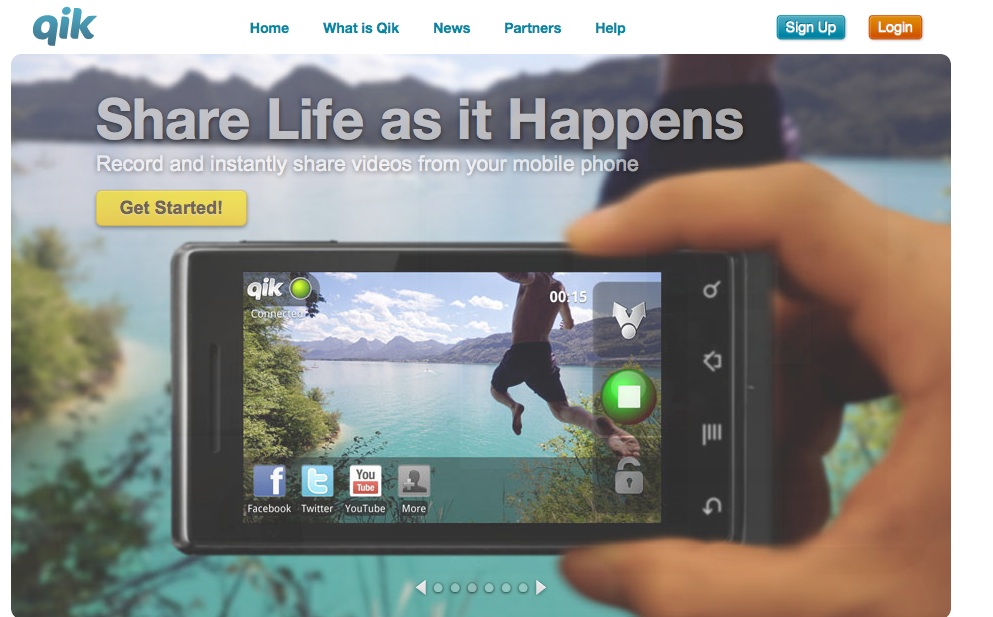
But the centerpiece of the clinical course was the use of a smart phone application, known as Qik (http://www.qik.com) which teachers used to record 5-10 minutes of a lesson three times over the five-week course.
About Qik
Virtually every smart phone is supported by Qik and there is a published list of those on the Qik website. You can pay for Qik, but the free application allows you to store 25 videos, more than enough for our purposes. You can also use Qik on your iPad.
Teachers could point the phone and press record and make a video immediately. The videos are directly uploaded and stored on the teacher’s Qik site, which is totally private, and teachers can invite others to view their videos in several ways—for example, videos could be shared via Facebook, Youtube, or Twitter. For this class, teachers extended an email invitation to me so that I could view their work.
Prior to the start of class, I sent a Qik introduction of the course to all the teachers enrolled before class began.
To view my introduction to the course, go to: http://qik.com/video/50810210
Students found it easy to make the videotapes, but capturing the lessons was more difficult unless they had someone to help them. For example, one teacher propped her smart phone on the table, but the student got enthusiastic, knocking against the table and the phone fell over. After two times, the teacher asked the student to be careful. Another teacher held the phone herself and only videotaped her students.
Other teachers asked students to hold the camera on the action and the example you will see enlisted the help of a fellow teacher.
Once students learned how to share the videos by email invitation (see the double arrow at the top of the figure below), I could access them and provide a response.

Responses
Interestingly, the responses I provided were much appreciated by the teachers, who loved the personal nature of audio (MP3) files. Previously, in this blog I have shared teacher candidate podcasts (https://literacybeat.com/2011/04/15/podcasting-to-teach-content-literacy) and in another project special needs students made audio retellings of a folktale in a PowerPoint presentation (Castek, Dalton, & Grisham, 2012), so I had some experience with making MP3 files.
But none of us likes what we look like on video or sound like on audio. I am no exception! So I gathered up my courage and decided to give audio responses to teachers’ lesson videos.
Being a Mac user to the core, I employed Garage Band to record my responses. First, I watched the teachers’ videos and made notes. I compared what I had seen in the video to the written lessons the teachers had posted in advance to Blackboard. Then, I recorded the responses, which varied from about 90 seconds to almost 4 minutes over the three videos submitted by all 13 of the teachers for a total of 49 responses overall.
Once the recording was made in Garage Band, I “shared” it with iTunes, converting to the MP3 file format. Then I downloaded the MP3 files and attached each one to an email to the teacher.
Based on questionnaires administered after the course, everyone LOVED the responses. They felt a connection. I believe that teachers need validation for the work they do. Teachers can also accept criticism, as long as it is couched in positive terms. Writing can be very impersonal, but the voice can convey support.
In response to the question about the MP3 responses, here are what two teachers wrote:
“Again, something new to me in this class, but incredibly useful. The audio feedback was terrific. It made me feel like I was in an in-person class. Very personal. I think every online class should have this.”
“I enjoyed being able to gain almost immediate feedback from the videotaped lessons. It was nice to know that someone with experience could see areas of concern and help me shape my teaching more effectively.”
An Example of the Lesson and the Response
Written permissions were obtained for students to be videotaped and the teacher whose videos you see here granted permission for me to share her video. The second file is the audio response to this lesson.
https://qik.com/video/51301456
Concluding Thoughts
The growing number of online and/or hybrid classes is remarkable. Technology changes were referred to as “deictic” by Don Leu back in 2000 and deictic means a veritable onslaught of transformations that are irresistible and ever-evolving. Combined with an economic downturn and increasingly diminished higher education budgets, administrators may increasingly turn to the more economic option of online classes. It is popular right now to regard online classes as somehow “less” than brick and mortar classes, and in some cases this may be true.
But online classes offer access to many graduate students who cannot attend a brick and mortar university. In another course that I teach at a different university, a middle school teacher from Happy Camp, California (way up in rural Klamath County), was able to improve his practice by learning in an Innovative Masters Degree program that afforded him new ideas, new strategies, new collaborations with colleagues, and new ways to serve his mostly Native American population of students.
In addition, we have new technologies (such as Blackboard, Elluminate, smart phones, and applications of all kinds) that permit us to make the online courses more personal and more relevant to the students we teach. We can give of ourselves as teachers and mentors through these new technologies. Our students can benefit from what we do online, as shown by the reactions of teachers to the LEE230 class.
I am greatly interested in what others think about online learning and hope you will read this blog and share your own experiences!
Share this:

Filed under: multimodal, teacher education, Web 2.0 | 5 Comments »

 Literacy Beat