Digital Concept Mapping

A new post from Jill Castek

kids at workI started a new study last week with colleagues Heather Cotanch, Rick Beach, John Scott and 6th grade math and science teacher Laura Kretschmar from Lighthouse Community Charter school in Oakland, CA – a frequent collaborator. This work explores middle school students’ and teachers’ experiences with using digital technologies for learning. While I’ve done other studies like this over the years, this one has a distinct focus on student interviews to document learning perspectives.
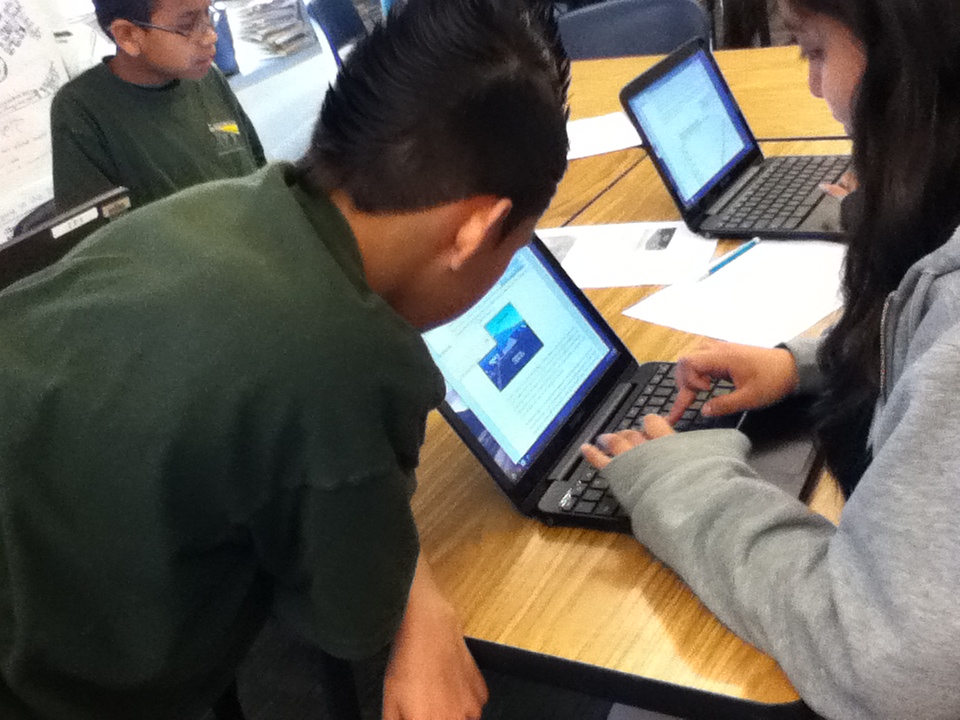
The school had recently purchased rolling carts of Google Chromebooks, which offered an inexpensive solution to facilitating online work. As a regular user of Google tools I was excited to see the wide-array of apps that can easily loaded on Chromebooks.

chromebooksmore chromebooks

The sixth grade students had begun a unit on climate change and were eager explore some ways digital technologies could be used to enhance their learning experiences. To dig into the project, we began with a familiar process – compare and contrast. In this case, students were examining the concepts of weather and climate to better understand long and short-term changes in the atmosphere. We agreed that after reading, discussing, and generating examples, organizing ideas into a concept map was the best way to create archive of their thinking. We used the free tools from Mind Meister (see http://www.mindmeister.com) as the platform. We made this choice because of the abundance of free templates, the ease of use in incorporating images into the maps, and the ability to showcase the completed maps in a zoom-in and out Prezi-type way.

Concept-mapping apps help students visually represent logical or causal relationships between ideas associated with a certain phenomenon. In using concept-mapping apps, students identified a variety of key words associated with climate and weather and visually organized the logical relationships between these words. Students could insert the words into circles or boxes, drawing lines between ideas with spokes into which they inserted sub-topics. These connecting lines served to define the logical relationships between ideas, for example, how a new word might serve as an illustrative example of a major topic.

Within many concept-mapping apps (such as Bubble.us or Webspiration)  students can create an outline list of words with subcategories within those words, and will then generate different types of maps using these outlines. Many concept-mapping apps also include the ability to color-code ideas as a means of visually representing different categories of information.

Use of concept-mapping apps helps students collaboratively develop and expand topics. Online collaboration to create, revise, and develop maps with others is also a key feature. By sharing the same concept maps, a group of students working on the same project can visually represent their thinking for each other so that they are literally and figuratively on the same page. Students can then pose questions of each other based on their maps, for example, questions about connections between ideas or the need for more information to solidify understanding of a topic. While concept mapping can also be accomplished using paper and pencil, revision capabilities are limited. In the digital form, substantial changes can be made effortlessly, making revision more palatable to students.

While I’m still archiving the students examples and analyzing the interview data we collected, this experience with digital concept mapping suggested that students were able to visually link concepts through logical connections or groupings.  The act of organizing their ideas fostered students’ use of causal/hierarchical thinking. They were motivated to view each other’s maps, which led to collaborative brainstorming that prompted revisions. There’s more to come once the data are analyzed, but I was excited to share my “in-process” thoughts while they were fresh in my mind.

If you’ve used other tools for digital concept mapping and have some insights to share, please leave a comment!  Thanks!

Literacy and Technology Special Issue from Research in the Schools

It’s snowing here in Boulder and time for me to catch up on some reading!  Guest edited by Marla Mallette, this special issue from Research in the Schools focuses on ‘Literacy and Social Networking’.

The articles can be accessed online at http://dtm10.cep.msstate.edu/rits_191.htm.

As you can see from the table of contents below, the authors address a broad range of topics, from Diane Barone’s article on young children’s experience with social media and Web 2.0, to Frank Serafini’s piece on reading multimodal texts in the 21st century, to Don Leu and Elena Forzani’s article on Web 2.0 –  now and into the future!  Blaine Smith and I also have an article in this issue about how teachers design Internet-based literacy and learning lessons with Strategy Tutor, a free online authoring tool developed by Cast, Inc. (www.cast.org).

Enjoy reading and please post a comment, question, or related resource.

Let it snow, let it snow, let it snow!

TABLE OF CONTENTS

In the latest issue: Spring, 2012, Volume 19(1)
(Special Issue on Literacy and Social Networking)

Mallette, M. H., & Mthethwa, P. M. (2012). Guest editorial: Web 2.0 and literacy: Enacting a vision, imagining the possibilities. 19(1), i-iv.

Barone, D. M. (2012). Exploring home and school involvement of young children with Web 2.0 and social media. 19(1), 1-11.

Dalton, B., & Smith, B. E. (2012). Teachers as designers: Multimodal immersion and strategic reading on the internet. 19(1), 12-25.

Serafini. F. (2012). Reading multimodal texts in the 21st century. 19(1), 26-32.

Alvermann, D. E., Hutchins, R. J., & McDevitt, R. (2012). Adolescents’ engagement with Web 2.0 and social media: Research, theory, and practice. 19(1), 33-44.

Beach, R. (2012). Uses of digital tools and literacies in the English language arts classroom. 19(1), 45-59.

Karchmer-Klein, R., & Shina, V. H. (2012). 21st century literacies in teacher education: Investigating multimodal texts in the context of an online graduate-level literacy and technology course. 19(1), 60-74.

Leu, D. J., & Forzani, E. (2012). Discussion, new literacies in a Web 2.0, 3.0, 4.0, …, [infinity] world. 19(1), 75-81.

What Do Instructional Natives Need to Know about Technology?

By Thomas DeVere Wolsey

Students seem to know how to do all kinds of things digitally. They can tweet and text. Email is so last decade. iPads and Samsung Galaxy Tabs offer so many ways to connect to friends, family and the world at large via the Internet. Anyone can sign up for a MOOC. Fifteen-year-olds are outlining educational approaches—on a Washington Post blog, no less. Education professionals might be wondering just where they fit in the world where information is readily available.

Just what can teachers and other education professionals do when digital environments make data and information* seemingly ubiquitous? What is their role, if there is one? Last week, the National Council of Teachers of English updated its policy statement titled The NCTE Framework for 21st Century Curriculum and Assessment. What is notable about it is what is does not contain. There are no references to tools such as blogs or wikis. The word “computer” appears only once, and then only in the appendix. There is not a single reference to a SMARTboard or similar technology.

Rather, what is notable about this Framework is that is focuses on the dispositions of “Active, successful participants in this 21st century global society” (para 3). Verbs that characterize these 21st century outcomes include: design, create, develop, and manage. These verbs lend vibrancy to the technology and media students do and will continue to encounter even as the tools themselves continue to evolve (cf. Leu, Kinzer, Coiro, & Cammack, 2004). One aspect of the Framework is one that has long fascinated me; though the Internet can bring volumes of information right to the desk of anyone with access, the real strength of the internet lies in how it brings people together in new ways across and within cultures, affinity groups, geographical regions, and more. The Framework emphasizes this aspect, too.

Build intentional cross-cultural connections and relationships with others so to pose and solve problems collaboratively and strengthen independent thought.

This week, Project Tomorrow and BlackBoard, Inc. via the Speak Up National Research Project released a study exploring how those who want to be teachers are employing technology in their quest to become teachers and in their daily lives. The report also explores what aspiring or preservice teachers expect to encounter once they become teachers. The report delves into many nuances; however, here it is worth noting that though aspiring teachers use technology more than current teachers, they need and want models of how those technologies can be used in service of learning. Moreover, the principals for whom they might someday work hold high expectations that the new teachers entering the profession will be able to employ digital technology in service of learning.

The Project Tomorrow report continues to emphasize the problematic “digital native” metaphor (see last week’s post, for example); however, it does provide guidance for teachers who work with aspiring teachers including cooperating teachers in schools and teacher educators. Education professionals, as instructional natives, can help meet the needs of aspiring teachers and the demands of the 21st century, now well into its second decade. It is not necessary, or even realistic, to believe that any teacher, student, or teacher educator can “keep up” with every development on the technological horizon.

Some dispositions characterize instructional natives (Wolsey & Grisham, 2011) that may help:

• Teachers and teacher educators can use technology to assist them to better their own professional knowledge and connect with other educators.

• Teachers and teacher educators may not know how to use every tool available (and the secret is that neither do their students), but they can find online resources and ask their own students for help. Seeking the advice of students seems counterintuitive, at first, but I assert that this one quality is the hallmark of the 21st century instructional native.

• Teachers and teacher educators can trust their students to use media in responsible ways, with thoughtful guidance and questions from their teachers who are instructional natives.

• Teachers and teacher educators can and should regularly try out new technologies even if doing so is not quite comfortable at first.

References

Leu, D. J., Kinzer, C. K, Coiro, J. L., & Cammack, D. W. (2004). Toward a theory of new literacies emerging from the Internet and other information and communication technologies. In R. B. Ruddell & N. Unrau (Eds.), Theoretical models and processes of reading (5th ed., pp. 1580-1613). Newark, DE: International Reading Association.

Wolsey, T. D. & Grisham, D. L. (2011). A nation of digital immigrants: Four principles [online editorial]. The California Reader Online, 44(2), 1-9. Retrieved from http://tdwolsey.files.wordpress.com/2012/08/vol44no2_digitalimmigrants_11-05-10.pdf

* For an interesting discussion of the difference between data, information, knowledge, and wisdom, read:
Stewart, T. (1997). Intellectual capital: The new wealth of organizations. New York: Doubleday.

Current Issues in the Digital Divide Debate

Almost 35% of the world’s population are now online! The most recent World Internet Usage and Population Statistics (shown below) suggest high levels of access to the Internet in, for example, Europe (63.2%), North America (78.6%) and Australia (67.6%). Issues of physical access to technologies remain between the ‘haves and have nots’ (Warschauer, 2003). However, from the figures shown you can see phenomenal growth in access to technologies over the past decade or so in ‘developing’ countries, such as Africa.

World internet stats

The focus in the ‘digital divide’ debate has shifted in recent times from issues related to physical access to digital technologies to issues related to (a) the quality of access to digital technologies to enhance literacy and provide deep learning opportunities for our students; and (b) equality of opportunity in access regardless of socio-economic status (SES) or print-based reading capabilities.

The assumption that most of the ‘digital native’, Google, M2 generation have highly developed technological and information-seeking skills on the Internet lacks credibility within the research-based literature (e.g. Livinstone & Helpser, 2007; Williams & Rowland, 2007). To borrow from Ito and colleagues’ (2010) great title ‘Hanging Out, Messing Around and Geeking Out, Kids Living and Learning With New Media’, our students are great at ‘hanging out’ on social networking media sites, such as Facebook and Twitter; great at ‘messing around’ uploading and downloading videos from YouTube; and are great at spending considerable time online (Rideout, Foehr & Roberts, 2010). However, when it comes to ‘geeking out’ it is clear that the M2 Google generation are not a homogeneous population with a uniform digital upbringing, are not sophisticated users of technology, and have not realised the potential of the Internet as a site for deep learning and knowledge construction. If we erroneously assume that our student population have highly developed Internet and technology skills if gives us a free pass as educators and policy makers to disregard the need to explicitly explore and teach new literacies with our students or to fully integrate and embed digital technologies for literacy as essential components of the classroom curriculum.

Research evidence also suggests differences in equality of opportunity in access to technologies depending on SES (e.g. Volman, van Eck, Heemskerk, & Kuiper, 2007). While the Internet and other digital technologies have the potential to motivate and engage struggling readers from low SES communities, the converse is also true. The Internet could further compound the difficulties experienced by these students either through limited access to technologies (it’s too difficult for them) (Karchmer, 2001) or using digital technologies to develop decontextualized, constrained skills. While students from low SES school communities may be engaged in low level skill development using digital technologies, research suggests that their peers from more affluent schools are engaging with higher order, problem solving inquiry based skills and strategies. Those students who have limited home access to Internet technology, those who are struggling with print-based literacy “are precisely those who are being prepared the least” (Coiro, Knoebel, Lankshear, & Leu, 2008) for life in an information age.

So how can we provide improve learning outcomes for all students through the integration of the Internet and digital technologies with subject areas of the curriculum? I leave you today with a non-profit research and development organisation dedicated to building student engagement through the integration of digital technologies with subject matter content and skills. The CAST organisation bases its work on the principles of Universal Design for Learning (UDL) (Rose & Meyer, 2002). We have previously blogged on two free online tools developed by CAST; Book Builder and Science Writer. I would urge you to explore their website and view the brief video embedded below.

References
Coiro, J., Knobel, M., Lankshear, C., & Leu, D. J. (2008). Central issues in new literacies and new literacies research. In J. Coiro, M. Knobel, C. Lankshear, & D. J. Leu (Eds.), Handbook of research on new literacies (pp. 1-21). Mahwah, NJ: Lawrence Erlbaum Associates.
Ito, M., Baumer, S., Bittanti, M., Boyd, D., Cody, R., Herr-Stephenson, B et al. Hanging out, messing around and geeking out: Kids living and learning with New Media. Cambridge, MA: MIT Press:
Karchmer, K. A. (2001). The journey ahead: Thirteen teachers report how the Internet influences literacy and literacy instruction in their K-12 classrooms. Reading Research Quarterly, 36, 442-467.
Livingstone, S., & Helsper, E. (2007). Gradations in digital inclusion: Children, young people and the digital divide. New Media and Society, 9(4), 671-696.
Rideout, V.J., Foehr, U.G., & Roberts, D.F. (2010). Generation M2: Media in the lives of 8- to 18-year olds, Menlo. Park, CA: Henry J. Kaiser Family Foundation.
Rose, D. & Meyer, A. (2002). Teaching Every Student in the Digital Age. ASCD. Available free online: http://www.cast.org/library/books/tes/index.html
Warschauer, M. (2003).Technology and social inclusion: Rethinking the digital divide. Cambridge MA: The MIT Press.
Williams, P., & Rowland, I. (2007). Information behaviour of the researcher of the future. The literature on young people and their information behaviour Work Package 11. A British library JISC study. Retrieved September, 2, 2008 from http://www.ucl.ac.uk/infostudies/research/ciber/downloads/GG%20Work%20Package%20II.pdf.

Let the Reader Beware: Evaluating Digital Books

This week’s post is a guest presentation by Elizabeth Dobler from Emporia State University. Beth has been working in an area that looms large for all educators: evaluating digital books for use in the classroom. Beth has put together a rubric which I believe teachers everywhere will find useful for these essential evaluations. As a teacher educator, I am planning to use the rubric with my master’s level practicing teachers and I beiieve that teacher preparation programs need a useful tool like this for teacher candidates to learn about and use. It is with a great deal of pleasure that I offer Beth’s post on LiteracyBeat. DLG

Let the Reader Beware: Evaluating Digital Books

Elizabeth Dobler

Three things happened to me in the same month that led to my interest in the topic of digital books.  I received an iPad from my university, I began teaching a children’s literature course, and I watched first grade children create their own digital books.  So now, during the winter evenings, instead of watching television or crocheting, I am searching Amazon, the iBookstore, and Barnes and Noble for quality digital books for children that I can recommend to preservice and inservice teachers.

Through my perusal of many digital books, I have reached two conclusions.  First, digital books, or ebooks, have the potential to let readers interact with the book in amazing ways, which can be both motivating and distracting. Many digital books integrate multimedia elements, including text, images, music, sound effects, and narration. In Axel the Truck, published by Harpers Collins, this book for beginning readers provides simple text, colorful images, intro music, and truck sound effects. The reader may choose the narration feature or to read the book themselves.   A reader’s interactive finger tap or swipe can move objects or cause characters to speak. In the app book The Monster at the End of This Book, the beloved Muppet, Grover invites readers to tickle his tummy, upon which he giggles. Some digital books provide ways for readers to become part of the story, such as the app book Cinderella: A 3-D Fairy Tale, which uses  the camera feature of the iPad to place the reader’s own face in a mirror above the mantle.

When teachers, library media specialists, and caregivers choose digital books to use with children, care should be given to selecting books with multimedia elements that deepen the reader’s understanding and appreciation of the story, rather than distract from the meaning of the text. A study by the Cooney Center at Sesame Street Workshop, entitled “Print Books vs. E-Books” (Chiong, Ree, & Takeuchi, 2012), looked at the interactions between parents and their children when reading digital books and found that the enhanced digital book (one with multimedia elements) promotes discussion related to the digital design rather than the content of the book. Does this shift from a focus on the story mean we shouldn’t read ebooks with children? Absolutely not! Children need to experience lots of different genres and formats of books, both print and digital, to prepare them for the wide variety of reading experiences they will encounter in their future.

The second realization I had during my very unscientific-relaxing-on-the-couch study of digital books for children is the quality of these books varies greatly. With the advent of self-publishing and digital bookstores, the world of children’s literature is experiencing unprecedented change. Today anyone can publish a book and make it available in a digital bookstore. On the one hand, this change is highly motivating for our students, as they can see their ideas and writing come alive in a digital book, and this can be shared with others. On the other hand, because anyone can publish their digital book using relatively easy to use publishing software, the traditional system of checks and balances used to screen publications before putting them into the hands of children no longer applies. Books with inappropriate content or incorrect spelling, grammar, or punctuation are available for little or no cost. The book The Case of the Missing Banana, by Matthew Ryan, has bright illustrations and a simple, yet clever text. It’s also missing capital letters for proper nouns and at the beginning of sentences. The Quirky, Nerdy, and Entirely Original Elementary School Adventures of Derpy Dork by Jack Thomas, appears to be a cruder version of The Diary of a Wimpy Kid (Kinney, 2007). Lest I paint an unfair picture, many high quality digital publishing companies do exist. Nosy Crow and Callaway Digital Arts are two of my favorites.

Those who teach, love, and care for children must be the gatekeepers, teaching children how to make wise decisions about book selections of all types, and making these selections for children when necessary.  In order to do this effectively, we must be able to identify quality digital books.  I have shared my interest in digital books with fellow educators, and with their help, we created a simple tool for considering the quality of a digital book.  The Digital Book Evaluation Rubric guides teachers to consider the reading options, user friendliness, appropriateness, and polished appearance of a digital book. Please take the tool, use it, and send us feedback.  In fact, the process of evaluating an digital book works really well if you find a comfy spot on the couch, curl up with a blanket, your digital device of choice and enjoy a book or two.

Elizabeth Dobler is a literacy professor at Emporia State University, in Emporia, Kansas. edobler@emporia.edu

References

Chiong, C., Ree, J., Takeuchi, L., (2012). QuickReport: Print Books vs. E-Books. Joan Ganz Cooney Center.   http://www.joanganzcooneycenter.org/publication/quickreport-print-books-vs-e-books/

Kinney, J. (2007). The Diary of a Wimpy Kid. Amulet Books.

Quality Digital Books

Axel the Truck: Rocky Road (Harper Collins) by J. D. Riley, Illustrated by Brandon Dorman. https://itunes.apple.com/us/book/axel-the-truck-rocky-road/id472125985?mt=11

Cinderella: A 3-D Fairy Tale (Nosy Crow). https://itunes.apple.com/us/app/cinderella-nosy-crow-animated/id457366947?mt=8

The Monster at the End of this Book (Callaway Digital Arts/Sesame Street Workshop) by Jon Stone; Illustated by Mickael Smollin. https://itunes.apple.com/us/app/monster-at-end-this-book…starring/id409467802?mt=8

Questionable Quality Digital Books

The Case of the Missing Banana by Matthew Ryan. https://itunes.apple.com/us/book/the-case-of-the-missing-banana/id442569924?mt=11

The Quirky, Nerdy, and Entirely Original Elementary School Adventures of Derpy Dork by Jack Thomas. https://itunes.apple.com/us/book/quirky-nerdy-entirely-original/id452819761?mt=11

Digital Book Evaluation Rubric

Type of Digital Book (check all that apply):

_____  traditional (print book turned digital)                            _____  gamified (book has embedded game elements)

_____  original (book written for mobile device only)           _____  movie and cartoon inspired

_____  uncertain/unknown

Robust Quality Adequate Quality Limited or Weak Quality
Reading Options Readers can choose options for reading, listening, viewing, or interacting with the text. I can adapt the way I “read” this digital book depending on my reading needs and interests. Or if I cannot choose, I at have several options available (read, view, listen). A limited number of reading options are presented, but the reader has no choice (i.e., audio and text). I can read and listen to this digital book, but cannot choose between one or the other. Reader has no choice of options beyond reading the text and viewing the illustrations. I only have the option of reading this digital book.
User Friendliness Provides various prompts, such as arrows or sounds, for accessing special features (i.e., turning pages, moving objects). Guides the reader towards interaction with the text. I can easily understand how to access all of the bells and whistles available in this digital book. Provides a limited number of prompts for accessing special features.  I can find the special features of this digital book with some exploring. No prompts are provided for accessing special features. The reader must dig to discover the features. I have to search to find the special features of this digital book and even then I may not find them.
Appropriateness The text (vocabulary and ideas) and illustrations are appropriate for the age level of the intended audience.This is an appropriate digital book that I would recommend to the children in my class. One or two questionable elements are present in the words and/or illustrations.  I should provide an explanation prior to sharing this book with my class. The topic, language, and/or illustrations are not appropriate for the age level of the intended audience. I would not share this digital book with my students because it is inappropriate.
Polished Appearance The text has been carefully edited for spelling, grammar, and punctuation.  No errors are present. The illustrations are placed near the appropriate text. I can recommend this digital book to my students with an assurance of high quality. One or two small editing errors are present in the entire digital book, and these do not detract from the text. Illustrations are placed close to the appropriate text. I am aware of the miniscule number of editing errors, but feel the value of the digital book provides a balance. Numerous spelling, grammar, and punctuation errors are present in the text. Illustrations are repeatedly not placed near the text. There are so many editing errors in this digital book, I would be not share this with my students.

Created by Elizabeth Dobler and Daniel Donahoo

This work is licensed under a Creative Commons Attribution-NonCommercial-ShareAlike 3.0 Unported License.

Book Review: Using iPad and iPhone Apps for Learning Literacy Across the Curriculum

A new post by Jill Castek

The Literacy Beat bloggers are back on the beat!  We’re rested and relaxed from the winter holidays with lots of great new ideas to share.  Stay connected with us over the next several months. We’ll once again be posting dynamic new content weekly. This week’s post is dedicated to a incredible new e-book that has inspired me to think in new ways about incorporating tablet technologies into literacy and content instruction.

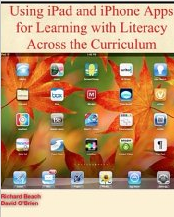
Schools all over the world are making iPads a part of the classroom experience.  Yet how can we best use this tool in ways that support student learning? Rick Beach and David O’Brien from the University of Minnesota offer their insights in  Using iPad and iPhone Apps for Learning Literacy Across the Curriculum.  It is one of the best professional books I’ve read this year.  Not only  is it one of the only books out there that explores tablet use (an area that has grown exponentially in the last year) but it tackles this content from a literacy and learning perspective aimed at supporting teachers’ pedagogy.  The e-book was released on Dec. 26th and is available from Amazon as a Kindle Edition and on Apple iTunes Books.

Screen Shot 2013-01-17 at 1.28.27 PM

Each chapter of the book addresses an important area of literacy instruction. For example there are chapters focused on Writing to Learn, Discussing to Learn, Using Audio and Video to Learn and Using Images to Learn (to name but a few). Each content genre that is covered showcases new dimensions of literacy and learning that apps make possible. Echoed throughout the text is an emphasis on learning contexts such as focused collaboration, peer-supported reading and writing, use of visual and multimedia to express ideas, sharing learning with audiences, and student-teacher communication.

Beach and O’Brien think about the uses of apps in terms of their affordances.  They define app affordances as the particular features of apps and the ways they mediate the uses of literacies and show tangible ways that app affordances serve as tools connecting the student with certain goals for learning. They assert that these affordances are not in the apps themselves but rather are part of the learning context.  This way of thinking suggests that using tablets purposefully in the classroom requires creating a context in which apps are a part of the instructional context for learning (not the end in and of itself).

Reading about apps for iPads, iPhones, and other portable technologies, sparks a desire to check out the features and explore possibilities. For this reason, the e-book format is perfect for this type of text. Some of the most powerful examples of the potentials of apps demonstrate how they can be used for building conceptual understanding and communicating ideas through use of concept-mapping, screencasting, or video production apps. Beach and O’Brien show how these apps allow students to access information and create their own products that include rich visual representations.

The book includes numerous links  that bring readers directly to examples  that illustrate the authors’ key ideas. But what sets this book apart from others is its range of resources referenced.  A supplementary wikhttp://usingipads.pbworks.com  and website http://www.appsforlearningliteracies.com provide even more to explore in the form of resources and further reading.

Congratulations to Rick and David on an incredibly useful and timely book.  While many e-books are not lendable, my Kindle edition indicates I CAN in fact lend out my e-copy.  Feel free to add a comment below if you’d like me to share with you.