VocabVid Stories: Developing vocabulary depth and breadth through live action video

A post from Bridget

Language is hard to express in words. Voltaire

Last week, Jill blogged about a chapter we wrote on developing vocabulary through multimodal expression (Castek, Dalton & Grisham, in press). I wanted to expand on the Vocab Vid strategy (Dalton & Grisham, 2011) and share some examples created by students in my graduate course on adolescent literacy. Their videos “show not tell” the potential of this multimodal word learning strategy. I have also included a handout at the end of the post that you can adapt for use with your students. I’ve learned that some structuring of the process results in more creative and effective videos.

The way that I‘ve been thinking about VocabVids is in the form of a short, live action story (30-45 seconds). Language learning is social – we learn with and about vocabulary as we experience it in specific contexts (Gee, 2004). We also know that many students benefit from multimedia learning, especially in relation to vocabulary (Mayer, 2005; Dalton, Proctor, Uccelli, Mo & Snow, 2011).

To create VocabVids, students work in small groups to develop a scenario for use of the word, discussing the nuances of word meaning and relationships between words. The planning process involves getting to know the word through initial research with tools such as an online thesaurus and an image search of the term. Students brainstorm a context for the word, asking who, what, where, when and why would this word be used? Skits are improvised, filmed, reviewed, and reshot if necessary. I deliberately have kept the process short – the video is planned and filmed in about 15 minutes – and the product is a live action video that does not involve editing. The final products are presented in class for discussion of the words and digital video skills, with an option to publish to a larger audience on the school website, YouTube, Teacher tube, etc.

But what about word choice? I would choose words for different purposes. To begin, you might ask students to select from a list of words that meet Beck and McKeowan’s notion of tier 2 words – words that are important to know and which aren’t part of everyday word knowledge. Or, you might want to open it wide and let students choose their own words, which could be quite specific to their interests, linked to a novel they are reading, or to a unit they are studying in science and social studies. Encourage them to choose a word that lends itself to being acted out (don’t avoid abstract words – they can be excellent candidates).

Student-designed Vocab Vids
The following 6 videos are posted with permission of the authors who are graduate students in my class, EnEd 3400, Reading and Learning with Print and New Media. I’ve highlighted the targeted word and story context for your information. However, I recommend that you and your students try watching the video without knowing the targeted word to see how quickly you can generate a range of guesses. Use the related words and storyline as clues to engage your students in active word learning.

VocabVid 1: ‘Ritual’ by Meridith and Ashley

With a coffee cup and the words ‘routine’, ‘pattern’, and ‘customary habit’, Ashley and Meridith illustrate a morning ritual many of us enjoy – drinking coffee.

VocabVid 2: ‘Conspicuous’ by Leah and Max

Playing Hide and Seek?  As Leah chides Max, it is very important to be ‘discreet’.  Since Max is usually ‘obvious’, ‘blatant’ and ‘eye-catching’, will he be able to find a hiding spot that is not ‘conspicuous’?

VocabVid 3: ‘Diminutive’ by Katie R and Laura

Laura convinces Katie that the spot on her jeans is ‘little’, ‘tiny’, ‘petite’, even ‘Lilliputian’.  It is ‘NOT huge’, as Katie fears, but “diminutive”!  Personally, I loved the Lilliputian reference from Gulliver’s Travels.

VocabVid 4: ‘Eerie’ by Erin

Flashing lights and strange noises in the bathroom result in a ‘weird’, ‘spooky’, ‘creepy’, and ‘eerie’ experience for Erin.

VocabVid 5: ‘Lurk’ by Neil and Yumeng

When does ‘lying in wait’ and ‘peeking’ turn into ‘lurking’?!  Yumeng helps Neil understand the difference.

VocabVid 6: ‘Braggadocio’ by Russell and Simon

Technical alert – this video is sideways, but funny!

Why would Russell call his friend a ‘bombast’ and scorn him for his ‘pomposity’ and lack of ‘humility’?  Watch ‘braggadocio’ Simon to find out!

STUDENT HANDOUT: 30 Second VocabVid Stories

 Your goal:  To show, not tell, the meaning of a word in a 30-second digital VocabVid  Story

VocabVid Stories are short (about 30-45 seconds) videos that illustrate the meaning of a word through a short skit.  The goal is to situate the word within a meaningful context to help us learn and remember the word.  And, you will learn something about designing short videos along the way!

 Plan

1.  Research your word to find synonyms, antonyms, and other related words that you can include in your story dialogue. Don’t forget to make note of different forms of the word. The Visual Thesaurus or other online thesaurus tools are great resources for exploring the meaning of your word.

2.  Brainstorm possible contexts for how the word might be used.  As you’re brainstorming, think about how you can act out your video skit.

  •  Where might you hear this word?
  • Who might be saying it?
  • What is happening?
  • When is the word being used?
  • Why are they saying it?
  • What kinds of feelings might be associated with this word?

3.  Do you need any simple props?

4. What is your location? Where will you film? (Since we are in school, I have made arrangements for you to use this class, the hallway, outside the door at the end of the hall, etc.)

5. Make a sign showing your word in writing (print the word large and clear so that it can be read on screen). You will show this sign at the end of the video.

 Film

6. Improvise your skit, giving each other feedback as you go along.

7. Film your skit and review (see the technical advice section on shooting your video and using a Flip camera).

8. Try filming again if needed and select the best one.

Show (and perhaps publish)

9. Share your videos in class and discuss what you learned about these words, as well as what you learned about creating VocabVid Stories.

10. Consider posting your video to a class website, blog, or YouTube (be sure to have everyone’s permission to post)

 Technical Tips for Shooting your Video

1. Don’t shoot into the light! (Avoid standing in front of windows).

2. Actors need to face the camera or each other at an angle that still allows them to be seen and heard. It is common for people to turn away from the camera, especially if they are in groups. Watch out for this.

3. Actors need to speak clearly! Be dramatic!

4. Find a quiet spot.  Test your volume at the beginning, so you know who needs to be louder or who needs to speak more clearly.

5. Show your vocabulary word on a piece of paper at the end.  I have provided markers and paper for you to use.

 Flip Camera Directions

  • How to Turn Your Camera On: Slide the gray button on the top right side of the camera down. Your camera will automatically turn on.
  • How to Begin Shooting: Hold the camera in the vertical position (otherwise, you will get sideways video!). Press the red button to begin filming.
  • How to Stop Shooting: Press the red button again.  There is no way to pause your videos, so you will have to complete them in one take. But, please film a few takes and compare so that you can choose the best one!
  • Zoom In/Out: Press the + button to zoom in and the – button to zoom out.
  • How to Play Videos Back: Press the Play button to the left side of the screen. Press it again to go to the next video.
  • How to Delete Videos: If you want to delete a video, press the trash can twice.

ONLY KEEP THE FINAL VERSION OF THE VIDEO ON THE FLIP CAMERA. DELETE ALL OTHER VERSIONS BEFORE RETURNING THE CAMERA to Robin – she will download on Bridget’s computer.

 References:

Castek, J., Dalton, B., & Grisham, D. (in press). Using multimedia to support students’ generative vocabulary learning. In J. Baumann and E. Kame’enui (Eds.) Vocabulary Instruction: Research to Practice (2nd ed.). New York, NY: Guilford Press.

Dalton, B., Proctor, C.P., Uccelli, P., Mo, E. & Snow, C.E. (2011).  Designing for diversity:  The role of reading strategies and interactive vocabulary in a digital reading environment for 5th grade monolingual English and bilingual students.  Journal of Literacy Research, 43 (1), 68-100.

Dalton, B. & Grisham, D. (2011).  eVoc strategies: Ten ways to use technology to build vocabulary. The Reading Teacher, 64(5), 306–317. DOI:10.1598/RT.64.5.1


Google Customized Search Engine

A Post from Jill

I recently had one of the most powerful learning experience of my professional career.  It came as I was piloting an integrated science/literacy project with a group of sixth graders in inner-city Oakland, CA. This Earth Science unit was designed to help students learn about climate change.

For six weeks, students explored science content using a range of disciplinary literacy strategies such as annotating text, analyzing evidence based arguments, and writing evidence-based explanations.  The first four weeks of the unit was teacher guided and involved students in reading articles, examining trends in graphs, working with animations/simulations, and discussing new understandings in pairs and small groups.

Drawing on the notion that deep, engaged learning occurs when students explore self-selected, open-ended questions about which they are genuinely interested, the last two weeks of the unit involved students in completing an inquiry project.  This project challenged the students to build on what they had learned during the first part of the unit and take it further by designing a tool, technique, or campaign to combat climate change.  Each group chose a focus (from a bank of five choices), conducted online research, and went about inventing a way to lessen the effects of climate change.  The design challenge Google site spells out the project parameters and the assignment guidelines.

To help scaffold students’ inquiry as they gathered information online, I opted to try out the free service Google offers for building a customized search engine (see http://www.google.com/educators/p_cse.html).  The customized search engine limits the Web sites that come up in search results, listing only those that are pre-selected by the designer/teacher.  Given the sheer volume of information on the Internet,creating a customized search  can be highly supportive option for novice Internet users.

Since a teacher can choose the sites she wants students to search, she can guarantee students’ searches will yield limited number of highly relevant search results, making the time learners spend online more efficient and purposeful. The advantages of narrowing searches to a more targeted and manageable size ensures that students gain valuable practice sifting through a limited amount of search results, freeing up time to put the information to use.

Having explored the use of a customized search engine, I can attest to its efficacy as a viable scaffold for online research.  I observed even the most novice Internet users successfully locate relevant, reliable information in a short amount of time.  I was elated to see students spend quality time digging into the resources they found, following the links to related sites, and  making a range of inter-textual connections to content within and beyond the unit.

To set up a customized search engine, simply set up a Google educator account, choose the Web sites and resources you would like students to access, then follow a few simple steps to create the search engine.  An example customized for sixth graders studying ways society can lessen the effects of climate change can be found at Combating Climate Change http://www.google.com/cse/home?cx=014465768746147993326:rncbgcerhjk&hl=en.

Students spent three days gathering online information using the customized search feature, another two days synthesizing ideas, and two more days creating a Glog to share what they had learned. Finally, students made an oral presentation showcasing their ideas. The confidence students’ displayed as they discussed their final products with their peers was truly amazing.  Feel free to browse students’ work at the URLs below:

Adopt a word…please?!

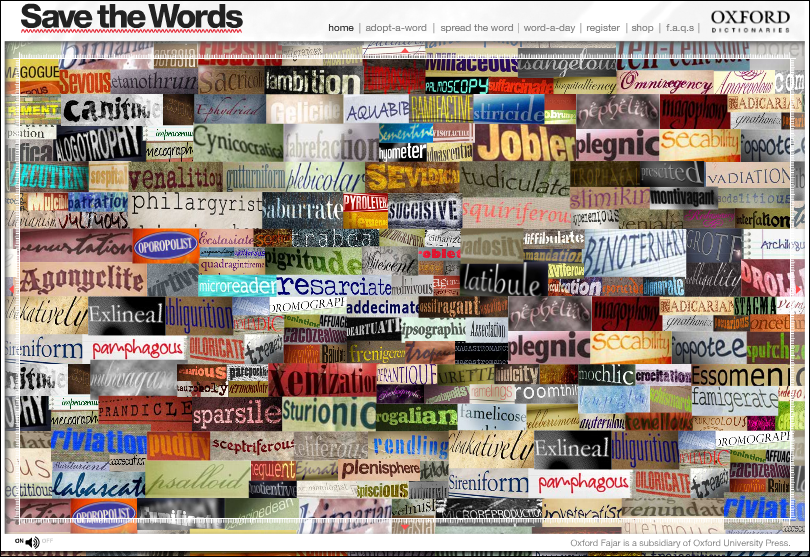
A post from BridgetOne of my grad students, Isabel Bauerlin, brought my attention to this quirky vocabulary website from Oxford University Press, savethewords.org. Unusual (dare I say, archaic?) words call out to you when moused over, “Hey you, adopt me!”. Of course, with adoption comes commitment – you must swear to incorporate the word into your speaking vocabulary (well, okay, perhaps your writing vocabulary). Just for fun, hold a weekly adopt-a-word day in your class. Have two or three students make a case for adopting a word and then have the class vote for their “adoptee”. The challenge is to see how creatively the word can be woven into conversation in and out of class during the week. In no time at all, you will find your vocabulary knowledge gumfiating (swelling, that is!). Verily, your students will find this activity to be locupletive (enjoyable), contributing to the word consciousness and playfulness that is at the heart of vocabulary development.  Enjoy!

eVoc Strategies: 10 Ways to Use Technology to Build Vocabulary in Feb 2011 Reading Teacher

A post from Jill

Fellow Literacy Beat bloggers Bridget Dalton and Dana Grisham have just had a new piece published entitled Voc Strategies: 10 Ways to Use Technology to Build Vocabulary in Feb 2011 Reading Teacher!  In this brilliantly insightful article Bridget and Dana invite teachers to ‘go digital with word learning’ and experiment with integrating technology. The piece draws on research-based principles of vocabulary instruction and features free digital tools and Internet resources that engage students in vocabulary learning. Bridget and Dana offer readers ten practical and easy-to-implement ways to develop students’ interest in words as they read, view, interact with, and create word meanings in digital and multimedia contexts. A listing of these ten strategies, a brief description of each, and live links to the resources included in the article follow:

The first five eVoc strategies focus on explicit teaching of vocabulary and helping students become independent word learners.

  • eVoc Strategy 1: Learn From Visual Displays of Word Relationships Within TextTwo of Bridget and Dana’s favorite word mapping tools that support visual representation are Wordle and Wordsift. Both tools help students develop visual displays that highlight the relationships between words.
  • eVoc Strategy 2: Take a Digital Vocabulary Field TripTeachers can create a digital version of a vocabulary field trip using a free online program called TrackStar. This tool makes it easy to collect a series of websites and annotations that together create a connected online journey.
  • eVoc Strategy 3: Connect Fun and Learning With Online Vocabulary GamesBridget and Dana recommend two sites that offer a variety of activities to engage students in playing with words and word meanings: Vocabulary Can Be Fun! and Vocabulary.com. Both sites feature games including crossword puzzles, picture-word matches, word scrambles, and other word fun. These sites offer hours of interactivity and enjoyment for students of all ages.
  • eVoc Strategy 4: Have Students Use Media to Express Vocabulary KnowledgeThis strategy focuses on students’ vocabulary representations in multiple modes—writing, audio, graphic, video, and animation. Bridget and Dana suggest that a multimedia composing and presentation tool that is often underused is PowerPoint.  However, they found that PowerPoint can be used creatively for expression and offer compelling and illustrative suggestions and examples in the article.
  • eVoc Strategy 5: Take Advantage of Online Word Reference Tools That Are Also Teaching ToolsMany online word reference tools, such as The Visual Thesaurus are also excellent teaching resources. This resources supplements its fee-based content with free information such as the Behind the Dictionary and Teachers at Work columns and teacher-created themed word lists. The Dictionary.com Back in School page can be accessed through a variety of platforms (iPhone, Facebook) so its always available as a support tool.

Strategies 6 and 7 highlight two online tools that provide just-in-time support while reading.

  • eVoc Strategy 6: Support Reading and Word Learning With Just-in-Time Vocabulary Reference SupportRather than using print dictionaries or asking teachers for help, students can learn to use online dictionaries and thesauri. Some word reference tools can be mounted on the browser toolbar, allowing students to right click on any word to look it up and have a brief definition display.  For example, see the Dictionary Add-ons for Internet Explorer and Mozilla. Merriam-Webster offers an online visual dictionary, and Enchanted Learning provides a picture dictionary for young children.
  • eVoc Strategy 7: Use Language Translators to Provide Just-in-Time Help for ELs The value of a translator is that it supports learning words as they occur naturally in authentic text and allows students to view bilingual versions of a text side by side so that they can use their first-language  knowledge to develop their English vocabulary. Babelfish,Google translator, and Bing Translator can be very helpful to English learners.

Strategies 8 and 9  help increase students’ volume of reading and, indirectly, their incidental word learning.

  • eVoc Strategy 9: Increase Reading Volume by Listening to Digital Text With a Text-to-Speech Tool and Audio BooksText-t0-speech tools such as Click, Speak for FirefoxNaturalReader free TTS utility, and Balabolka, allow students to listen to text with audio narration. This provides students with access to age-appropriate content and grade-level curriculum.

The last strategy promotes social learning and taps into students’ natural desire to create, to participate in communities, and to develop strategic competence.

  • eVoc Strategy 10: Combine Vocabulary Learning and Social ServiceFree Rice offers an opportunity to promote students’ engagement with words while contributing to the social good. For each correct answer, the United Nations World Food Programme donates 20 grains of rice to countries in need.

Join me in applauding fellow bloggers Bridget Dalton and Dana Grisham on a supremely well-done piece that offers numerous engaging ideas for expanding vocabulary using free digital tools.

Wordle – a free word cloud tool

A post from Bridget

Okay, here I go.  My first blog.  What is important enough to share?  Maybe I won’t worry so much about importance (for whom, after all?  It should be important to some, of course, and certainly important to me).

I’ve been playing with Wordle, a free online tool that allows you to create a word cloud based on the frequency of words in a text (wordle.com).  Here is one that I created based on a National Geographic article about the mysterious disappearance of bees: