Google Lit Trips

A post from Bernadette
Lucy Calkins in the Art of Teaching Reading (2001) urges us to help our students to compose lives in which reading and writing matter. She noted that great literature helps us “to stand, feeling small, under the vastness of the Milky Way”. Google lit trips (the brain child of Jerome Burg, a retired high-school English teacher) allows students to travel beyond the mind’s eye, and take a virtual road trip, by satellite, navigating right across the world, viewing locations from the novel on the way. Lit trips help students, who are unfamiliar with locations within a novel, to recreate scenes  and become fellow travellers with the characters in the novel, visiting places the characters lived, where they struggled and where they overcome adversity. The site has won the 2010 Tech Laureate award. It provides us with a good example of a meaningful way to integrate literacy with technology and indeed the content areas.

Getting Started
Before visiting the Google Lit trip site you need to download Google Earth (a free downloadable program). You will need Google Earth as Google lit trips run off KMZ files. If you are not already familiar with the Google Earth interface take a couple of minutes to familiarise yourself with the tool palette and side bars. Tutorial videos are available here. For example, you can record a tour using the camera icon; view historical imagery of place marks on the clock icon; and create place marks using the pin icon. (On the side bar, in the layers menu, ensure you unclick the layers when creating a Google lit trip so that you will only view locations within the novel).
Visit the Google lit trip web site for helpful webinars and examples of Lit trips created by teachers and their students. Lit trips are organized across grade level from kindergarten through high school to higher education. Google lit trips don’t stop at merely visiting locations or geographical features within the novel. Sample Lit trips on the site show discussion popup windows to help our students ‘linger and look’ (Calkins, 2001) and dig deeper with their responses to literature by making connections to themselves; to other texts they have read and to their own world experiences. Teachers (or their students) can create different levels of questions to spark meaningful discussions; and can provide links to other web sites to access crucial historical background information thereby enhancing meaning.

Sample Lit Trips
There were many readymade lit trips that caught my eye. I’ll mention just three to whet your appetite.
Possum Magic by Mem Fox (aren’t all of her books memorable?) a tale of Grandma Poss who makes Hush invisible to protect her from snakes. Seemed like a good idea except she doesn’t know how to make her visible again! The lit trip takes the reader to seven locations in Australia and provides imagery of various types of Australian food as Grandma Possum tries to undo the mayhem.
Going Home by Margaret Wild is a tale of Hugo, a child anxiously awaiting discharge from hospital. His hospital window overlooks a zoo and Hugo begins day dreaming of the natural habitats of a range of animals, such as, African elephants and Snow leopards. Antonella Albini, the teacher librarian, who created this lit trip provides helpful imagery, audio and video links to child friendly web sites such as, National Geographic for kids.
• My final choice is the compelling The Watsons go to Birmingham -1963 by Christopher Paul Curtis. This is the story of an African American family whose lives become intertwined with the Civil Rights movement of the 1960’s. The teacher creator of the Lit trip, Heather McKissick, provides seventeen Question Stops along their journey with links to historical imagery and questions to spark meaningful discussion among her students.
I’m excited by the possibilities of Google Lit Trips. I am exploring online tutorials on the Google Lit trip site and YouTube videos to start building my own lit trip. Come Spring break I have my eye on The Silver Sword by Ian Serraillier (Red Fox, 1956). Let’s see how I get on!

Url links used in Blog

Google lit trips http://www.googlelittrips.org/

Google Earth http://www.google.com/earth/index.html

Adopt a word…please?!

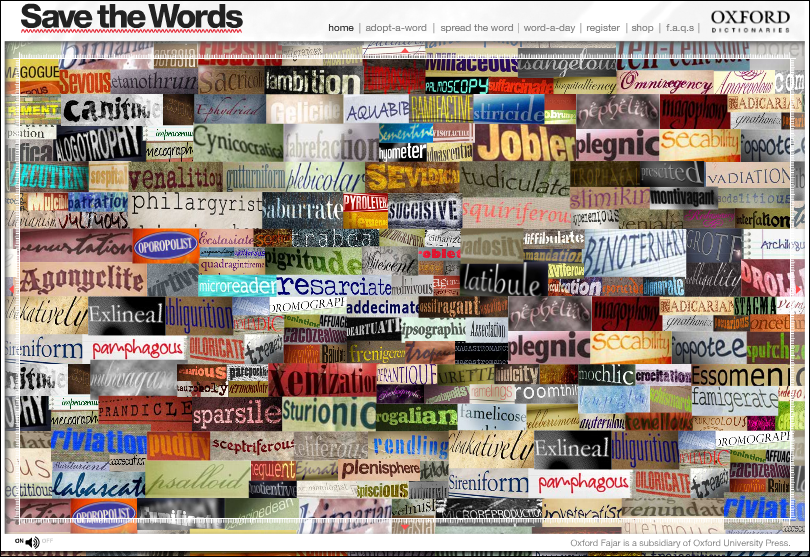
A post from BridgetOne of my grad students, Isabel Bauerlin, brought my attention to this quirky vocabulary website from Oxford University Press, savethewords.org. Unusual (dare I say, archaic?) words call out to you when moused over, “Hey you, adopt me!”. Of course, with adoption comes commitment – you must swear to incorporate the word into your speaking vocabulary (well, okay, perhaps your writing vocabulary). Just for fun, hold a weekly adopt-a-word day in your class. Have two or three students make a case for adopting a word and then have the class vote for their “adoptee”. The challenge is to see how creatively the word can be woven into conversation in and out of class during the week. In no time at all, you will find your vocabulary knowledge gumfiating (swelling, that is!). Verily, your students will find this activity to be locupletive (enjoyable), contributing to the word consciousness and playfulness that is at the heart of vocabulary development.  Enjoy!

eVoc Strategies: 10 Ways to Use Technology to Build Vocabulary in Feb 2011 Reading Teacher

A post from Jill

Fellow Literacy Beat bloggers Bridget Dalton and Dana Grisham have just had a new piece published entitled Voc Strategies: 10 Ways to Use Technology to Build Vocabulary in Feb 2011 Reading Teacher!  In this brilliantly insightful article Bridget and Dana invite teachers to ‘go digital with word learning’ and experiment with integrating technology. The piece draws on research-based principles of vocabulary instruction and features free digital tools and Internet resources that engage students in vocabulary learning. Bridget and Dana offer readers ten practical and easy-to-implement ways to develop students’ interest in words as they read, view, interact with, and create word meanings in digital and multimedia contexts. A listing of these ten strategies, a brief description of each, and live links to the resources included in the article follow:

The first five eVoc strategies focus on explicit teaching of vocabulary and helping students become independent word learners.

  • eVoc Strategy 1: Learn From Visual Displays of Word Relationships Within TextTwo of Bridget and Dana’s favorite word mapping tools that support visual representation are Wordle and Wordsift. Both tools help students develop visual displays that highlight the relationships between words.
  • eVoc Strategy 2: Take a Digital Vocabulary Field TripTeachers can create a digital version of a vocabulary field trip using a free online program called TrackStar. This tool makes it easy to collect a series of websites and annotations that together create a connected online journey.
  • eVoc Strategy 3: Connect Fun and Learning With Online Vocabulary GamesBridget and Dana recommend two sites that offer a variety of activities to engage students in playing with words and word meanings: Vocabulary Can Be Fun! and Vocabulary.com. Both sites feature games including crossword puzzles, picture-word matches, word scrambles, and other word fun. These sites offer hours of interactivity and enjoyment for students of all ages.
  • eVoc Strategy 4: Have Students Use Media to Express Vocabulary KnowledgeThis strategy focuses on students’ vocabulary representations in multiple modes—writing, audio, graphic, video, and animation. Bridget and Dana suggest that a multimedia composing and presentation tool that is often underused is PowerPoint.  However, they found that PowerPoint can be used creatively for expression and offer compelling and illustrative suggestions and examples in the article.
  • eVoc Strategy 5: Take Advantage of Online Word Reference Tools That Are Also Teaching ToolsMany online word reference tools, such as The Visual Thesaurus are also excellent teaching resources. This resources supplements its fee-based content with free information such as the Behind the Dictionary and Teachers at Work columns and teacher-created themed word lists. The Dictionary.com Back in School page can be accessed through a variety of platforms (iPhone, Facebook) so its always available as a support tool.

Strategies 6 and 7 highlight two online tools that provide just-in-time support while reading.

  • eVoc Strategy 6: Support Reading and Word Learning With Just-in-Time Vocabulary Reference SupportRather than using print dictionaries or asking teachers for help, students can learn to use online dictionaries and thesauri. Some word reference tools can be mounted on the browser toolbar, allowing students to right click on any word to look it up and have a brief definition display.  For example, see the Dictionary Add-ons for Internet Explorer and Mozilla. Merriam-Webster offers an online visual dictionary, and Enchanted Learning provides a picture dictionary for young children.
  • eVoc Strategy 7: Use Language Translators to Provide Just-in-Time Help for ELs The value of a translator is that it supports learning words as they occur naturally in authentic text and allows students to view bilingual versions of a text side by side so that they can use their first-language  knowledge to develop their English vocabulary. Babelfish,Google translator, and Bing Translator can be very helpful to English learners.

Strategies 8 and 9  help increase students’ volume of reading and, indirectly, their incidental word learning.

  • eVoc Strategy 9: Increase Reading Volume by Listening to Digital Text With a Text-to-Speech Tool and Audio BooksText-t0-speech tools such as Click, Speak for FirefoxNaturalReader free TTS utility, and Balabolka, allow students to listen to text with audio narration. This provides students with access to age-appropriate content and grade-level curriculum.

The last strategy promotes social learning and taps into students’ natural desire to create, to participate in communities, and to develop strategic competence.

  • eVoc Strategy 10: Combine Vocabulary Learning and Social ServiceFree Rice offers an opportunity to promote students’ engagement with words while contributing to the social good. For each correct answer, the United Nations World Food Programme donates 20 grains of rice to countries in need.

Join me in applauding fellow bloggers Bridget Dalton and Dana Grisham on a supremely well-done piece that offers numerous engaging ideas for expanding vocabulary using free digital tools.

Wordle – a free word cloud tool

A post from Bridget

Okay, here I go.  My first blog.  What is important enough to share?  Maybe I won’t worry so much about importance (for whom, after all?  It should be important to some, of course, and certainly important to me).

I’ve been playing with Wordle, a free online tool that allows you to create a word cloud based on the frequency of words in a text (wordle.com).  Here is one that I created based on a National Geographic article about the mysterious disappearance of bees: