Generative Technology for Teacher Candidates: The Assignment

Generative Technology for Teacher Candidates:  The Assignment

Dana L. Grisham

My friend and colleague, Linda Smetana, and I have been working together since about 2004. She’s a full professor at CSU East Bay (Hayward, CA), from which I retired in 2010. Linda is one of those extraordinary scholars and teacher educators who stays close to her field—she teaches one day per week in a Resource classroom in the West Contra Costa Unified School District—and also works full time at the university, where she specializes in literacy teacher education in both special and general education. Recently, Linda and I have been investigating the intersections of literacy and technology in teacher preparation together and I’d like to share with you a project we just completed and the results of which are going to be published in a book edited by Rich Ferdig and Kristine Pytash, due out later in 2013.

Our belief is that “generative” technology needs to be infused into teacher preparation. Technology in teacher preparation tends to be “silo-ed” in the programs where we teach. Currently, candidates at our university have one technology course, based on the ISTE standards, but bearing relatively little on pedagogy for teaching. By generative technology, we mean that the technology is embedded in the content of the course in teaching methods, rather than something “added on.”

The basic framework that we used for the assignment was the TPACK model (Mishra & Koehler, 2006) that has appeared in this blog before:

TPACK

The TPACK model asks the teacher to look at the content of the lesson, or what we want students to learn, as well as the pedagogy (how best to teach this content), and then at the technological knowledge that might be advanced in the lesson. Where the three elements intersect is known as TPACK or the theoretical foundation and link between technology and praxis. In our courses, we have presented TPACK as the goal for integrating meaningful technology into lesson planning and teaching.

The participants in our recent study consisted of 21 teacher candidates in the fifth quarter of a seven-quarter post-baccalaureate teacher preparation program; 17 of these candidates were simultaneously completing their masters degree in education while 18 of the 21 participants were earning their education specialist and multiple subject (elementary) credentials.

In creating the assignment, we carefully considered the context for teaching of the candidates in the course, structuring the assignment so that all candidates could successfully complete it. Candidates had different levels of access to student populations. Accessibility ranged from 30 minutes a day three days a week, to the full instructional day five days a week.  Teacher candidates also taught different subjects among them: English, History, Writing, Reading, Language Arts, Study Skills, and Social Skills. To insure that teacher candidates considered all aspects of their assignment in their write-ups of the project, Linda provided guidelines for the reflection. Students were responsible for learning to use the tools they chose. Linda collected and we jointly analyzed the data. Findings from the research were uniformly positive. In fact, right now Linda is doing post-research interviews with a couple of the candidates who have really taken to the integration of technology into their teaching.

For the purposes of this post, I would like to share the assignment with you. In my next post I plan to share a couple of the projects. Teacher candidates were provided with guidelines for the technology assignment and provided with a list of potential tools that they might use for the assignment. They learned the TPACK model for planning. Below is the technology assignment from Linda’s syllabus and the list of technology tools (free or very inexpensive) provided for students to investigate. We offer this with complete permission for other teacher educators to use or modify for use in their courses.

The Generative Technology Assignment

The Common Core Standards mandate the use of technology for instruction, student work, and student response.  Students with special needs, especially those with mild moderate disabilities may not have access to technology or their access may be limited to hardware and software that may not be useful to support the learning process.

During the second month of the class, we will have three independent learning sessions.  These sessions are intended to enable you to complete the technology assignment.  This assignment focuses on integrating technology with academic skill development, core content with teacher and student creativity. The focus should be on an aspect of literacy or multiple literacies.

In this assignment you will use technology to develop a set of learning sequences for use with your students.  You may complete this assignment in groups of no more than two individuals one of the technology tools in the syllabus or one that you locate on your own.  If completed in pairs, the finished product must demonstrate increased complexity and include the work of students in both individuals’ classrooms.

Your technology assignment should enhance the learning of your students.  Prepare an introduction to the presentation to educate your viewer.  Think about the content of the presentation, reason for the your selection this medium and/or process.  Share how your presentation meets the needs of your students and reflects their knowledge. The assignment must incorporate student work.  Identify how the students participated in the development and creation of the assignment. 

Prepare a thoughtful reflection of your thoughts on the process and the final product including the preparation, implementation and evaluation of the product and the management of students and content. This reflection should be descriptive and include specific examples. It may be submitted as a word document.

Place your project on a flash drive that may be placed into the classroom computer for projection.  Use your student work of materials from the web, interviews, u-tube and anything else that will capture students’ attention. 

Technology Web Resources Provided to Teacher Candidates

VoiceThread http://www.voicethread.com.

Animoto http://www.animoto.com/education

ComicCreator http://www.readwritethink.org/files/resources/interactives/comic/index.html

Edmodo http://www.edmodo.com

Glogster http://www.glogster.com

Prezi http://www.prezi.com

Popplet http://popplet.com

Slidepoint http://www.slidepoint.net

Storybird http://storybird.com

Strip Designer http://itunes.apple.com/gb/app/strip-designer/id314780738?mt=8

(iPad app)

Stripcreator http://stripcreator.com

Screencast http://screencast.com

Screencast-o-matic  http://screencast-o-matic.com

Cool Tools for Schools http://wwwcooltoolsforschools.wikispaces.com/Presentations+Tools

Toontastic http://launchpadtoys.com/toontastic/

In addition to the assignment, teacher candidates were provided with guidelines for reflection, seen below.

Questions to Guide Reflection

What and how did students learn? Include both intentional and unintentional lessons.
What did you learn?
What would you do differently if you were to do this project again?
What were the greatest successes of this project?
How would you improve this project?
What advice would you give a teacher contemplating a similar project?
What kinds of questions did students ask?
Where were students most often confused?
How did you address the needs of different learners in this project?
What resources were most helpful as you planned and implemented this project?

To scaffold teacher candidates application of technology to lesson planning for the project, each one provided Linda with a proposal to which she gave feedback. Each proposal contained the following components: Context, Students, Standards (literacy and NETS•S standards), Technology, Process, and Product.

Every student completed the assignment successfully and their reflections are highly interesting….more to come! In my next post, I will share with you some of the amazing projects that Linda’s teacher candidates produced.

References

Grisham, D. L. & Smetana, L. (in press). Multimodal composition for teacher candidates: Models for K-12 writing instruction. In R. Ferdig & K. Pytash (Eds.). Exploring Multimodal Composition and Digital Writing. Hershey, PA: I-G-I Global.

Mishra, P. & Koehler, M. J. (2006). Technologiical Pedagogical Centent Knowledge: A new framework for teacher knowledge. Teachers College Record, 108, 6, 1017-1054.

Digital Concept Mapping

A new post from Jill Castek

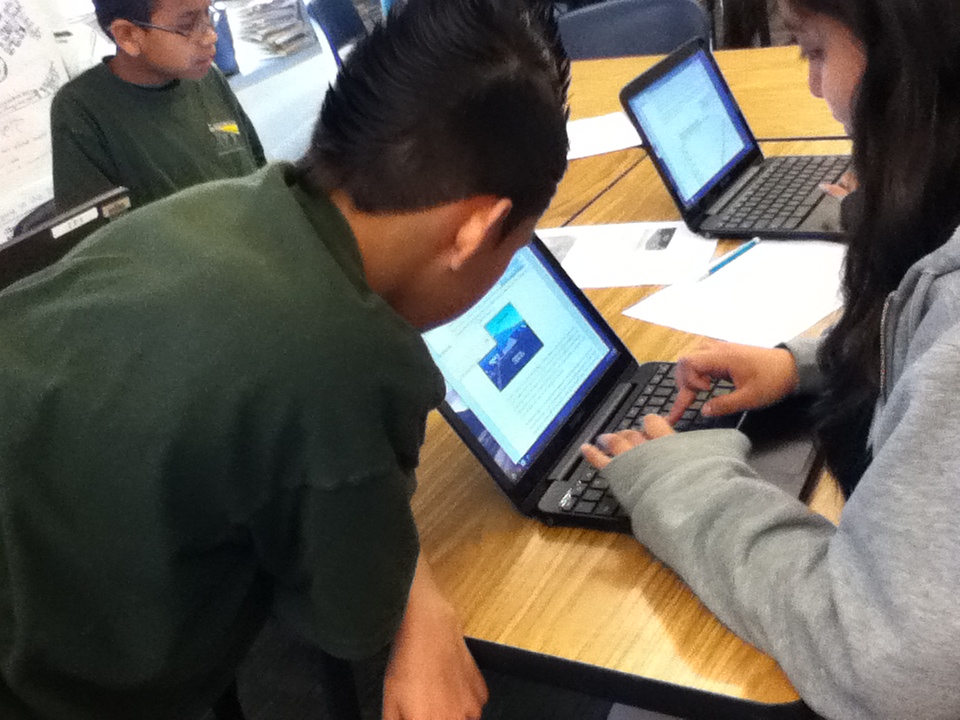
kids at workI started a new study last week with colleagues Heather Cotanch, Rick Beach, John Scott and 6th grade math and science teacher Laura Kretschmar from Lighthouse Community Charter school in Oakland, CA – a frequent collaborator. This work explores middle school students’ and teachers’ experiences with using digital technologies for learning. While I’ve done other studies like this over the years, this one has a distinct focus on student interviews to document learning perspectives.

The school had recently purchased rolling carts of Google Chromebooks, which offered an inexpensive solution to facilitating online work. As a regular user of Google tools I was excited to see the wide-array of apps that can easily loaded on Chromebooks.

chromebooksmore chromebooks

The sixth grade students had begun a unit on climate change and were eager explore some ways digital technologies could be used to enhance their learning experiences. To dig into the project, we began with a familiar process – compare and contrast. In this case, students were examining the concepts of weather and climate to better understand long and short-term changes in the atmosphere. We agreed that after reading, discussing, and generating examples, organizing ideas into a concept map was the best way to create archive of their thinking. We used the free tools from Mind Meister (see http://www.mindmeister.com) as the platform. We made this choice because of the abundance of free templates, the ease of use in incorporating images into the maps, and the ability to showcase the completed maps in a zoom-in and out Prezi-type way.

Concept-mapping apps help students visually represent logical or causal relationships between ideas associated with a certain phenomenon. In using concept-mapping apps, students identified a variety of key words associated with climate and weather and visually organized the logical relationships between these words. Students could insert the words into circles or boxes, drawing lines between ideas with spokes into which they inserted sub-topics. These connecting lines served to define the logical relationships between ideas, for example, how a new word might serve as an illustrative example of a major topic.

Within many concept-mapping apps (such as Bubble.us or Webspiration)  students can create an outline list of words with subcategories within those words, and will then generate different types of maps using these outlines. Many concept-mapping apps also include the ability to color-code ideas as a means of visually representing different categories of information.

Use of concept-mapping apps helps students collaboratively develop and expand topics. Online collaboration to create, revise, and develop maps with others is also a key feature. By sharing the same concept maps, a group of students working on the same project can visually represent their thinking for each other so that they are literally and figuratively on the same page. Students can then pose questions of each other based on their maps, for example, questions about connections between ideas or the need for more information to solidify understanding of a topic. While concept mapping can also be accomplished using paper and pencil, revision capabilities are limited. In the digital form, substantial changes can be made effortlessly, making revision more palatable to students.

While I’m still archiving the students examples and analyzing the interview data we collected, this experience with digital concept mapping suggested that students were able to visually link concepts through logical connections or groupings.  The act of organizing their ideas fostered students’ use of causal/hierarchical thinking. They were motivated to view each other’s maps, which led to collaborative brainstorming that prompted revisions. There’s more to come once the data are analyzed, but I was excited to share my “in-process” thoughts while they were fresh in my mind.

If you’ve used other tools for digital concept mapping and have some insights to share, please leave a comment!  Thanks!

Book Review: Using iPad and iPhone Apps for Learning Literacy Across the Curriculum

A new post by Jill Castek

The Literacy Beat bloggers are back on the beat!  We’re rested and relaxed from the winter holidays with lots of great new ideas to share.  Stay connected with us over the next several months. We’ll once again be posting dynamic new content weekly. This week’s post is dedicated to a incredible new e-book that has inspired me to think in new ways about incorporating tablet technologies into literacy and content instruction.

Schools all over the world are making iPads a part of the classroom experience.  Yet how can we best use this tool in ways that support student learning? Rick Beach and David O’Brien from the University of Minnesota offer their insights in  Using iPad and iPhone Apps for Learning Literacy Across the Curriculum.  It is one of the best professional books I’ve read this year.  Not only  is it one of the only books out there that explores tablet use (an area that has grown exponentially in the last year) but it tackles this content from a literacy and learning perspective aimed at supporting teachers’ pedagogy.  The e-book was released on Dec. 26th and is available from Amazon as a Kindle Edition and on Apple iTunes Books.

Screen Shot 2013-01-17 at 1.28.27 PM

Each chapter of the book addresses an important area of literacy instruction. For example there are chapters focused on Writing to Learn, Discussing to Learn, Using Audio and Video to Learn and Using Images to Learn (to name but a few). Each content genre that is covered showcases new dimensions of literacy and learning that apps make possible. Echoed throughout the text is an emphasis on learning contexts such as focused collaboration, peer-supported reading and writing, use of visual and multimedia to express ideas, sharing learning with audiences, and student-teacher communication.

Beach and O’Brien think about the uses of apps in terms of their affordances.  They define app affordances as the particular features of apps and the ways they mediate the uses of literacies and show tangible ways that app affordances serve as tools connecting the student with certain goals for learning. They assert that these affordances are not in the apps themselves but rather are part of the learning context.  This way of thinking suggests that using tablets purposefully in the classroom requires creating a context in which apps are a part of the instructional context for learning (not the end in and of itself).

Reading about apps for iPads, iPhones, and other portable technologies, sparks a desire to check out the features and explore possibilities. For this reason, the e-book format is perfect for this type of text. Some of the most powerful examples of the potentials of apps demonstrate how they can be used for building conceptual understanding and communicating ideas through use of concept-mapping, screencasting, or video production apps. Beach and O’Brien show how these apps allow students to access information and create their own products that include rich visual representations.

The book includes numerous links  that bring readers directly to examples  that illustrate the authors’ key ideas. But what sets this book apart from others is its range of resources referenced.  A supplementary wikhttp://usingipads.pbworks.com  and website http://www.appsforlearningliteracies.com provide even more to explore in the form of resources and further reading.

Congratulations to Rick and David on an incredibly useful and timely book.  While many e-books are not lendable, my Kindle edition indicates I CAN in fact lend out my e-copy.  Feel free to add a comment below if you’d like me to share with you.

A Framework for Effective Technology Use in Online Teaching

Since my retirement from the California State University system, I have enjoyed teaching online at several universities. My field is literacy and I am a teacher educator, but I have always been interested in the intersection of literacy and technology. Thus my students, usually practicing teachers who are returning to the university for advanced degrees and meaningful professional development are usually eager to learn about new “tools of the trade,” especially for use their K-12 classrooms.

All of us know that today’s K-12 students tend to be intensive media users who use the Internet for many social purposes. Students use media and the Internet to respond to literature, create compositions and fanfiction, and to connect with others in interest-driven communities, both outside of school and in classrooms (Grisham & Wolsey, 2006; Wolsey & Grisham, 2012). But what are we doing to prepare teachers to address the learning needs of today’s tech-savvy students? In the context of the classroom, teachers choose the content. We know what we want to teach and what we want our students to learn. Can we (should we) try new technological tools to reach and teach our tech-savvy students? When looking for new technological tools, I look for ease of use, application to curriculum and instruction, and positive impact on affect and learning of mystudents. This is what we (Grisham & Smetana, 2011) call “generative technology.”

In the online teaching environment it is relatively easy to answer that, as teachers (and teacher educators) must learn to use some new tools in order to participate in online coursework. But I would argue that we need to be both savvy and strategic about the tools we require them to learn. It is not new, but I like to use the TPACK model in my planning (Mishra & Koehler, 2006) as shown in the figure below.

The TPACK framework or model suggests that three elements must be considered in planning instruction:  content knowledge, pedagogical knowledge, and technological knowledge. Where the three intersect may be referred to as the “sweet spot” of TPACK and where we should direct our attention when we plan instruction.

I’d like to give an example of this from my own work. I have taught research methods for many years, originally in the brick and mortar environment of Washington State University, where teacher candidates did action research for their certification and MA degrees. I taught it for almost a decade at SDSU, and recently I have been teaching it online for two other universities.

Content Knowledge:  Teachers need to know about research paradigms and how action research fits into their practice. They need to know how to frame a research question, how to do a literature review, collect and analyze data and how to present and discuss their findings.

Pedagogical Knowledge:  As the instructor, I need to engage these teachers in both learning and applying their new knowledge. The key is engagement.  I can lecture, using a PowerPoint presentation (and I do some of that), but I want them to think and interact with others over the content.

Technological Knowledge: I want to find a tool that is relatively simple to learn and use that will provide my teachers with something “new” and useful to them beyond their own immediate learning (hopefully, something they will use for their K-12 students).

In my research classes, then, I have used another fairly well-known tool called Voicethread to provide an opportunity for my teachers to think and respond to what they have read about action research and use a visual to prompt their reflections.

I created a 4-page Voicethread and provided audio directions for responding to each page. Then I suggested my students should respond to the prompt via audio, which they did. The following screen capture shows the initial page of the Voicethread and if you follow the link below, you can view the page itself.

http://voicethread.com/share/2802061/

Students responded thoughtfully and appeared to enjoy the process from the feedback I received. Several of them also talked about using Voicethread in their classrooms (the Voicethreads can be kept private) with their K-12 students. Their action research projects also seemed to reflect a deeper understanding of the purposes of action research and evidence-based instruction.

In the same classes, I asked students to prepare Glogs and Prezis to summarize their research reports and have been really pleased with the results. I’m grateful that I have the TPACK model to remind me that technological tools have to be used meaningfully.

In a prior blog posting I made the following recommendations for distributing technology throughout teacher preparation and professional development programs, but I think they bear repeating here:

Whether or not you are teaching online, I would suggest the following guidelines for teacher preparation (and teacher professional development):

1)   Work collaboratively within the university to distribute technological use across the teacher preparation programs instead of relying on stand-alone  “Ed Tech” courses.

2)   Seek workshops on technology use for themselves and to learn at least one new tool each academic year to apply to their own teaching.

3)   Where possible, seek student teaching placements for teacher candidates in classrooms and schools where technology is being used productively.

References

Grisham, D.L. & Smetana, L. (2011) Generative technology for teacher educators. Journal of Reading Education, 36, 3, 12-18.

Grisham, D. L. & Wolsey, T.D. (2006). Recentering the middle school classroom as a vibrant learning community: Students, literacy, and technology intersect. Journal of Adult and Adolescent Literacy, 49, (8), 648-660.

Mishra, P., & Koehler, M. J. (2006). Technological Pedagogical Content Knowledge: A new framework for teacher knowledge . Teachers College Record 108 (6), 1017-1054.

Wolsey, T. D. & Grisham, D.L. (2012). Transforming writing instruction in the Digital age: Techniques for Grades 5-12. New York: Guilford.


Expanding Opportunities for Professional Development: Online Conferences and Professional Learning Communities

A post by Jill Castek

We’re all familiar with the impact of shrinking school budgets over the past few years.  One unfortunate consequence has been the decline in funding for teacher participation in national and international conferences. Avenues for teacher learning have shifted and expanded as technology has given rise to new forms of professional development. When it comes to effectively using new technologies to support student learning in particular, these seeking out professional development opportunities is essential.  The IRA Position Statement, New Literacies and 21st Century Technologies (IRA, 2009) calls for professional development that provides opportunities for teachers to explore online tools and resources expected for use with students.  The statement asserts that it isn’t enough to just make new technologies available to students but to provide options in ways to use them to access information and share ideas. To inspire new ways of thinking about the use of technology, tangible ideas and examples of what knowledgeable teachers have implemented need to be shared widely and discussed.  This post introduces free PD resources and online communities that support teachers in integrating digital technologies into learning activities in meaningful ways.

The IRA Standards for Reading Professionals (2010) encourage teachers to integrate technology into student learning experiences. More specifically, learners are expected to engage in opportunities that utilize traditional print, digital, and online reading and writing and represent various genres and perspectives, as well as media and communication technologies. The integration of technology into literacy learning is also called for in the Common Core State Standards (2010). Students that meet the standards are able to, amongst other aspects, use technology and digital media strategically and capably.

Professional development efforts such as the New Literacies Teacher Leader Institute (http://nli2012.wikispaces.com/Home) offer transformative models that expand beyond the school level and help build extended learning communities that promote lasting change. This week-long institute addresses ways that new digital tools can create challenging and engaging learning opportunities for students and teachers in K-12 and higher education. Participants come together to network, share ideas, boost their leadership skills, and create technology infused curriculum units they can implement in their own classrooms. For teachers who are unable to attend such an institute in person, online resources can be explored and discussed with colleagues to support implementation.

Available resources include videos, instructional suggestions, readings that link theory to practice, and online networking tools which allow teachers to connect with others who have similar goals and interests. Teachers who tap into the wide range of social networking tools that are available to educators can participate in virtual learning experiences that can be customized based on the needs in their own setting.

Special interest groups such as the Technology in Literacy Education Special Interest Group, (http://tilesig.wikispaces.com/) affiliated with the International Reading Association (IRA), the 21st Century Literacies Group, (http://ncte2008.ning.com/group/21stcenturyliteracies) affiliated with the National Council for Teachers’ of English (NCTE), and the New Literacies Collaborative affiliated with North Carolina State University (http://newlitcollaborative.ning.com/ ) put teachers in touch with an extended network of colleagues with whom to discuss instructional approaches, share resources, and collaborate.

Rick Beach (from the University of Minnesota) and I will be giving a talk at the K-12 online conference (http://k12onlineconference.org/) coming up Oct. 15 – Nov. 2, 2012. This is a free online conference open to anyone. This all volunteer event is organized by educators for educators with the goal of helping educators make sense of and meet the needs of a continually changing learning landscape.  Presenters will share ways to integrate emerging technologies into classroom practice.  The schedule of session is available at http://k12onlineconference.org/?page_id=1091.  Our session, entitled Using iOS App Affordances to Foster Literacy Learning in the Classroom is available for download at http://ge.tt/6EtYbCP/v/0.

Literacy Beat aims to build a professional learning community amongst its readership. Please make a comment suggesting other professional development outlets or professional learning communities we can learn and benefit from.  These shared resources will allow us to expand our online networks and be in touch with new resources and ideas that benefit our teaching and our students learning.  We look forward to your comment!

References

Common Core State Standards for English Language Arts and Literacy in History/Social Studies, Science and Technical Subjects (2010). Retrieved from http://www.corestandards.org/the-standards/english-language-arts-standards

International Reading Association. (2009). New literacies and 21st century technologies: A position statement of the International Reading Association International Reading Association. Newark, DE: International Reading Association.

International Reading Association (2010). Standard for reading professionals—revised 2010. Newark, DE: Author.

Insights From A Service Learning Project: Creating Digital Projects with iPads to Encourage Safe Driving

A new post by Jill Castek

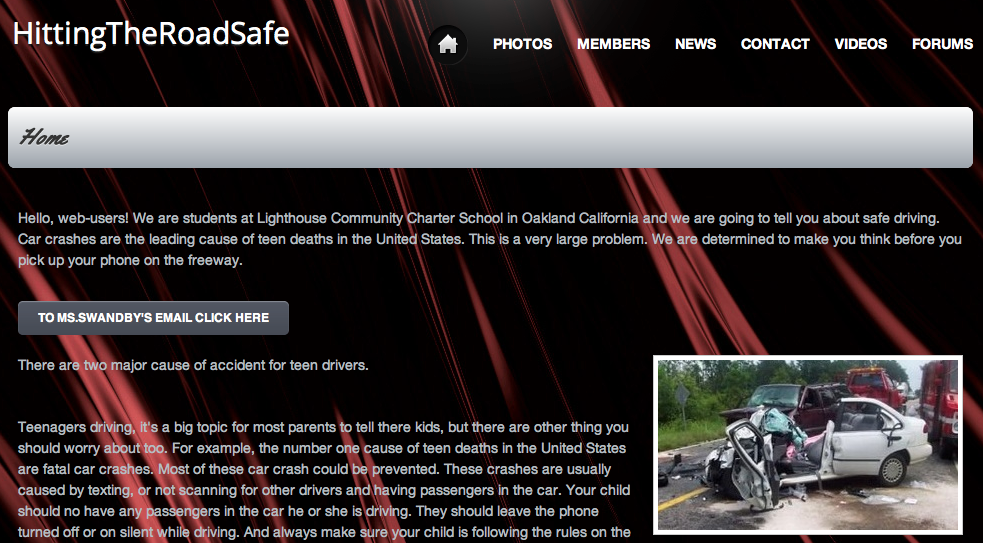
Melanie Swandby, a 7th grade teacher at Lighthouse Community Charter School in Oakland, CA was conducting a service learning project geared toward promoting safe driving habits.  Melanie was happy to explore digital content creation with her students, extending her original vision for the project with the goal of producing clear and coherent writing in which the development, organization, and style were appropriate to task, purpose, and audience (CCSS Initiative, 2010). She invited Heather Cotanch and I to explore the use of iPads to create digital products that would resonate with teens and the wider community. We were excited to witness the content creation process which included elements of collaboration, experimentation, and flexible grouping to support peer facilited tech-help.

Why Digital Content Creation?

Digital tools are transforming what it means to be literate in today’s world. In the past, it may have been that decoding words on a page was enough to consider a student literate. Today, we live in a world with ever increasing importance on digital tools and technologies as a means of accessing and sharing ideas.  Students need to become facile with the full range of communicative tools, modes (oral and written), and media. Having the ability to comprehend, critically respond to, and collaboratively compose multimodal texts will play a central role in our students’ success in a digital information age (Partnership for 21st Century Skills, 2007; IRA, 2009).

Setting the Context for Digital Content Creation

Melanie’s class  worked to actively create projects that resonated with their intended audience without needing elaborate direction with the use of iPad apps. First, we provided a basic overview of the affordances of three digital composition apps (ShowMe www.showme.com, VoiceThread www.voicethread.com, and iMovie for the iPad www.apple.com/ipad/from-the-app-store/apps-by-apple/imovie.html – these three content creation apps were chosen because they allow users to integrate still images, include a drawing tool, and have the capacity to include voice and sound effects).  Then, we shared an example product from each app and students were off and running. They soon discovered many features of the apps themselves as they worked.  This new knowledge was distributed throughout the classroom as peer support and flexible grouping was implemented.

Students completed digital products can be viewed from their student-created website Hitting The Road Safe http://hittingtheroadsafe.webs.com and at Safe Driving VoiceThreads https://sites.google.com/site/swandby/safe-driving-voicethreads and also ShowMe http://www.showme.com under the username jill.castek@gmail.com and password safedriving.

iMovie. While using iMovie, students worked in groups and took on different roles such as creators, actors, and editors. Collaboration came in many forms, for example, some students did not want to appear on camera, but were willing to write a script and film a partner.

 Other groups took turns incorporating found pictures and discussing sequencing to communicate a strong, clear message. Because of the ease of use and multiple options within the iMovie app, the editing process can become never ending.  To support a more skilled use of the app, we pointed students toward a YouTube editing tutorial. Students who found themselves with extra time added captions or experimented with the background music offered within the tool. These “extras” gave the movies a professional feel while extending the students’ knowledge of the technology and supportive the processes of reflection and revision.  While the iMovie app proved easy for students to navigate, explore, and edit, teachers would be well advised to guide students through ample planning of their project during their first few interactions with this tool.

ShowMe.  Possibly the greatest successes were achieved with students use of the ShowMe app. Like iMovie, it produces a video, but its affordances allowed students to deliver the most complete, succinct messages of all three tools (student work is available at showme.com under the username jill.castek@gmail.com and password safedriving). During the showcase at the end of the project, the student audience commented on the ability for students to appropriate humor about a serious topic to be showcased. This was achieved through the use of voice, drawing, and integration of selected images. This app has limitations in the amount of media that can be uploaded and may have prompted the students to choose wisely from their options, making the message clear rather than being lost in elaborate visuals.

From the first introduction of this app, the students demonstrated an eagerness to peruse the tools and begin incorporating images, drawing and voice together rather than compiling images for a later use (a pattern we noticed with other tools). Even after several projects were lost due to glitches with the system, students simply started over learning from their mistakes, making strategic use of the drafting process, and integrating their new knowledge into final products.

VoiceThread.  This tool offered the most structured means of conveying ideas and the students took to the tool readily.  Once slides containing images were created, they could be moved around as the message was drafted and revised. Once sequenced, students could voice over the visuals to communicate their message.  Completed VoiceThreads can be viewed at https://sites.google.com/site/swandby/safe-driving-voicethreads.

Students created multiple drafts of their VoiceThread project and practiced their voiceover several times to ensure the tone and quality of the message was spot on. Unfortunately, the VoiceThread interface selectively saved some of voiceovers, which required students to re-create their projects more than once.  However, this redrafting wasn’t something students balked at and the message conveyed in each subsequent draft was more extensive, and richer in vocabulary and details.  The limits of the technology were not discouraging, but rather a valuable introduction to the process of creating technology-based multimodal products.

What Did We Learn?

Students completed projects included a logical sequence but also incorporate personal touches through the use of music, voice, sound effects, and pictures remixed and used in creative ways.  By including a specific focus on intended audience, Melanie’s students were readily able to form and frame a persuasive message. For example, students who chose parents of teen drivers as the target audience drew on experiences from their out-of-school lives and combined them with statistics from a school-based text. This resulted in charts and graphs representing percentages, an articulated message free from teenage jargon and pictures free from gore (as opposed to an increased shock value to presentations geared toward teen drivers).

Collaboration is key. Collaboration was widely fostered by encouraging students to turn to each other as resources and to help each other figure out how to accomplish their goals. For example, one group of students was using the ShowMe app and wanted include text in their presentation (there is no feature in which students can type using a keyboard). Students offered each other a workaround demonstrating the use the notepad feature and taking a screenshot to import it into the project. Other students offered another option and hand-wrote text on a piece of paper in bold marker and took a picture to import into the project.  Still others shared how to use their finger to write the message manually. As was the case here, students often knew what feature that they wanted and found innovative ways to use the app to meet their goals. These observations reinforce the idea that step-by-step instruction by a teacher is not necessary before students use new apps.  We discovered taking the time was not worthwhile and may, in fact, detracted from the collaborative and discovery nature of the work and curtail digital competence.

Time for experimentation is vital.  We recognized at the outset of the project thatstudents were eager to learn how to use the apps offered to them in the act of content creation.  While our instincts told us to model for students, it became increasing clear to us that experimentation with the apps supported student learning much more efficiently.  It became evidence that when technology is being used, a new role for the teacher is created.  She is no longer the “sage on the stage” and must be more comfortable circulating to support implementation by being the “guide on the side.”

Creativity and humor were strategically to convey ideas. As students created their projects, they infused persuasiveness through their use of creativity and humor.  Creativity extended well beyond being able to draw well.  When asked to reflect on the project, students reported being more engaged in the digital creation process, than the paper and pencil task (even though they needed to develop digital skills quickly to use the tools).  They also enjoyed viewing the projects created by other classmates (even though they were very familiar with the content contained within them).  Students created multiple digital drafts of their project (and were glad to do so).  They appeared to use the multiple drafts to improve the project iteratively.  If a student wanted to revise or rethink a portion of the digital creation, the opportunity to do this was manageable as opposed to the static poster version from which the students began. As pairs worked collaboratively, new ideas for improvement were shared amongst partners, which led to subsequent (improved) drafts. Even though students might have stumbled through the first couple of tries, they got better at it each time. Persistence was key!

Student Insights

Through the implementation of this project, we aimed to test a process by which students could create digital products (including drawings, images, and voice)  that could be shared with a school and community audience.  At the end of the project, students were asked to share what was different about digital content creation. One student remarked, “It’s more creative and more fun to play around with. It’s more exciting. You can put your voice into it and you can make it more fun.” This student aptly points out that digital projects are flexible.  If a student wants to revise a portion of the digital creation, this is manageable. In contrast, changes on a static page can be messy or difficult and offer little room for rethinking of an idea. Another student shared, “You can use funny pictures but you can still have a serious message.”  This learner points out that students could develop and incorporate their own multifaceted literacies. Although humor was never mentioned as a component of the project, students freely infused their personalities through media to reach their intended audiences on a level that demonstrated a high degree of literacy skill. A third student pointed out, “It’s a lot faster than when we usually do projects, you can write in different ways like voicing your message.”

Communicating with a Real Audience

In viewing the final projects,  the audience (made up of members of the school and community) found the addition of suspenseful music, images, and the story-lines conveyed through multiple modes generated a tangible impact that was memorable. Witnessing the audience’s reaction interaction was one way that the students owned their success. It was clear that all students felt accomplished and through the act of digital content creation, they became more skilled in the digital literacies that are a vital  part of our 21st century world.

References

Common Core State Standards Initiative. 2010. Common Core State Standards for English Language Arts and Literacy in History/Social Studies, Science, and Technical Subjects. Available at http://www.corestandards.org/assets/CCSSI_ELA%20Standards.pdf

International Reading Association. (2009). Integrating literacy and technology in the curriculum: A position statement.  Newark, DE: International Reading Association.

Partnership for 21st Century Skills. (2007). Learning for the 21st century. Available at http://www.21stcenturyskills.org/reports/learning.asp