Expanding the Scope of Digital Writing with iBooks Author

A New Post by Jill Castek

Tools for digital publishing are becoming much more sophisticated. With iBooks Author, it’s now easier than ever to create interactive and visually appealing iBooks for iPad. The Apple-provided templates feature a variety of page layouts. You can add your own text and images using drag-and-drop. Interactive photo galleries, movies, Keynote presentations, 3D objects, and more can also be embedded. Completed books can be submitted iBookstore in a few simple steps. And before you know it, your students can be published authors.

Many teachers are now using the iBooks Author app to create iBooks. Some have used the ePub export option using Apple’s word processing program Pages to create PDFs that can be stored and accessed on iPads (using Kindle Reader for iPad).

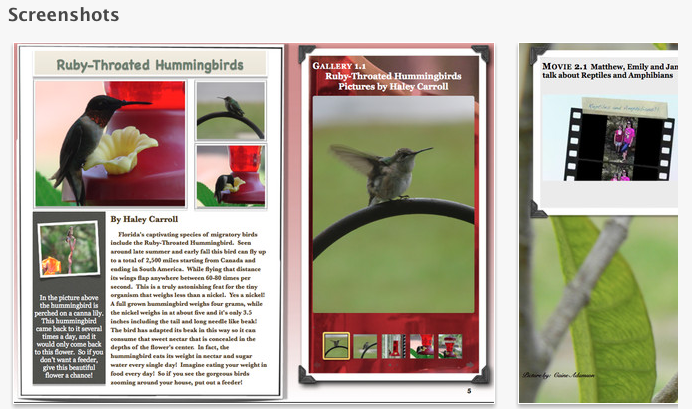
Andrea Santilli and her seventh graders at Woodlawn Beach Middle School created a 133 page iBook entitled Creatures, Plants and More: A Kids Guide to Northwest Florida, that includes numerous images of creatures and plants. This book is an interactive field guide of Northwest Florida. The stories and photos are now a published collection that has become top seller in Apple’s iBookstore. For those interested in visiting Florida, or just reading about it, this book will bring you in contact with fascinating interactive photo galleries and videos along with detailed narrative descriptions.

Creatures, Plants, and More:   A Kid's Guide to Northwest Florida

Creatures, Plants, and More: A Kid’s Guide to Northwest Florida

Mr. Smith’s 5th graders created  Two Kids and a Desert Town. These special education students were greatly motivated to write for an authentic audience. The project integrated technology, provided opportunities for collaboration, and gave students the chance to reflect on their learning process. Having published this book, and knowing that individuals all over the world have downloaded it and read it, these students will forever see themselves as writers!

Two Kids and a Desert Town

Two Kids and a Desert Town

After the success of Desert Town, Mr. Smith’s students created a second iBook entitled 5th Grade: Reflections on our Year. This book showcases the growth made by each student across the year.  Reflecting on their progress has encouraged them to see themselves as readers and writers.

5th Grade:  Reflections on our Year

5th Grade: Reflections on our Year

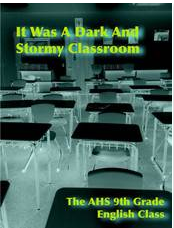
Other creative teachers, such as Chris Schillig, and his students created spin-offs works including It Was A Dark and Stormy Classroom. This book is made up of more than 40 of their collaborations and solo stories — an anthology of crime, murder and clues that proves detective fiction is alive and well in the 21st century.

It Was a Dark and Stormy Classroom

It Was a Dark and Stormy Classroom

Mr. Schillig’s AP English class tried their hands at modernizing The Canterbury Tales and created Canterbury Remixed. As you peruse this book, you can see how engaging this tools in iBooks can really be!

Canterbury Remixed

Canterbury Remixed

If you’re interested in learning the specifics of iBooks Author and are attending the International Reading Association conference in San Antonio (April 19 – April 22), check out Genya Devoe’s session entitled Using iBooks Author to Bring Content To Life with Your Students. The session will include an introduction to iBooks Author and an extensive step-by-step presentation in how participants can use iBooks Author to meet the differentiate needs of students and engage students in literacy in a new, exciting way. This session will take place Sunday April 21st from 9am – 10am in the Grand Hyatt Lone Star Ballroom E.

IRA 2013

IRA 2013

If you’ve used iBook author and have a book or experiences to share, please leave a comment. It would be great to hear from you!

Delivering Presentations as Learning Opportunities

By Thomas DeVere Wolsey

We all know what a presentation is, right? The teacher presents information, typically thought of as a lecture, to a classroom full of students. A financial officer presents a budget to the board of a corporation. Students, having completed research on a topic present it to their peers. Often visual aids, such as a poster or PowerPoint enhance what the presenter has to say. Multimedia software, along with media hosting sites (e.g., YouTube) gives teachers and their students so many more options than a person with a laser pointer at the front of a room with a captive student audience. Equally important, those same multimedia tools offer the possibility of improving the learning they are intended to promote.

Presentations involve multiple steps; we can think of them as compositions. They require selection of a topic, identification of appropriate sources of information, characterizing that information for the audience, organizing it, choosing the presentation tools, designing the components of the presentation, rehearsing, and finally delivering it to the audience. Delivery is our focus for this blog post. Students are very familiar with traditional presentations using presentation software (e.g., PowerPoint, Keynote). In this format, the student (or a small group of students) prepare a presentation then deliver it to the class as a kind of lecture. Students do need to learn effective presentation skills in a face-to-face environment.

An effective alternative is to ask students to put their presentations online. Some presentation tools live online naturally. Prezi is one such tool, and Glogs make excellent e-posters. Newer versions of PowerPoint easily support audio files and can be converted to videos that may be uploaded to YouTube, Vimeo, and similar services. The big advantage is that students need not sit through all the presentations of their classmates. If the teacher embeds the presentation on a class blog or provides a link in a threaded discussion group, students may then select three or four presentations from their classmates to view. Other social media may also be used–Facebook, Edmodo, Twitter, etc. Using the comment feature of the blog or the threaded discussion forum, they comment on the presentations, adding to the information, questioning it, or suggesting strengths or possible alternatives to the ideas presented.


This format also works well for “dress rehearsal.” A student-created presentation might be shared via a private link to a small group for comment with an eye toward improvement of the product. Andrea Shea (Lapp, Wolsey, & Shea, 2012) taught her second graders to offer “praises” and “pushes” on student writing, and the idea can be used to help students improve their presentations, as well. A push is just gentle feedback designed to offer suggestions, alternatives, and the perspective of a member of the audience. As with written work, students often think of their presentation tools in a once and done way. They may not rehearse what they will say (either recorded or for live presentation) and design elements often benefit from feedback from an audience. Consider PowerPoint presentations with so much text crowded on the slide that the small text is almost impossible to read, or the slide with fonts so fancy they require much work of the audience just to get past all the curlicues and serifs (cf., Reynolds, 2010). Such presentation aids could benefit from some peer response during drafting.
High school teacher Jason Kintner promotes peer feedback on presentations through an Oscar or People’s Choice award format. He writes,

“Something I like to do in my classes to allow students to recognize and reward outstanding performance of the peers in delivering presentation is to designate specific awards. Students pick the top three presentations in the following categories (They are not allowed to pick the same student for each category):
• Einstein Award—Outstanding originality and depth of understanding.
• Rembrandt Award—Outstanding creativity and artistic ability.
• Gestalt Award—Presentation creates an “aha” moment, sudden burst of understanding, enlightenment, or enrichment.

References

Lapp, D., Wolsey, T. D., & Shea, A. (2012). “Blogging helps your ideas come out”—Remixing writing instruction + digital literacy=audience awareness. The California Reader, 46(1), 14-20.

Reynolds, G. (2010). Presentation zen design. Berkeley, CA: New Riders.

Generative Technology for Teacher Candidates: The Assignment

Generative Technology for Teacher Candidates:  The Assignment

Dana L. Grisham

My friend and colleague, Linda Smetana, and I have been working together since about 2004. She’s a full professor at CSU East Bay (Hayward, CA), from which I retired in 2010. Linda is one of those extraordinary scholars and teacher educators who stays close to her field—she teaches one day per week in a Resource classroom in the West Contra Costa Unified School District—and also works full time at the university, where she specializes in literacy teacher education in both special and general education. Recently, Linda and I have been investigating the intersections of literacy and technology in teacher preparation together and I’d like to share with you a project we just completed and the results of which are going to be published in a book edited by Rich Ferdig and Kristine Pytash, due out later in 2013.

Our belief is that “generative” technology needs to be infused into teacher preparation. Technology in teacher preparation tends to be “silo-ed” in the programs where we teach. Currently, candidates at our university have one technology course, based on the ISTE standards, but bearing relatively little on pedagogy for teaching. By generative technology, we mean that the technology is embedded in the content of the course in teaching methods, rather than something “added on.”

The basic framework that we used for the assignment was the TPACK model (Mishra & Koehler, 2006) that has appeared in this blog before:

TPACK

The TPACK model asks the teacher to look at the content of the lesson, or what we want students to learn, as well as the pedagogy (how best to teach this content), and then at the technological knowledge that might be advanced in the lesson. Where the three elements intersect is known as TPACK or the theoretical foundation and link between technology and praxis. In our courses, we have presented TPACK as the goal for integrating meaningful technology into lesson planning and teaching.

The participants in our recent study consisted of 21 teacher candidates in the fifth quarter of a seven-quarter post-baccalaureate teacher preparation program; 17 of these candidates were simultaneously completing their masters degree in education while 18 of the 21 participants were earning their education specialist and multiple subject (elementary) credentials.

In creating the assignment, we carefully considered the context for teaching of the candidates in the course, structuring the assignment so that all candidates could successfully complete it. Candidates had different levels of access to student populations. Accessibility ranged from 30 minutes a day three days a week, to the full instructional day five days a week.  Teacher candidates also taught different subjects among them: English, History, Writing, Reading, Language Arts, Study Skills, and Social Skills. To insure that teacher candidates considered all aspects of their assignment in their write-ups of the project, Linda provided guidelines for the reflection. Students were responsible for learning to use the tools they chose. Linda collected and we jointly analyzed the data. Findings from the research were uniformly positive. In fact, right now Linda is doing post-research interviews with a couple of the candidates who have really taken to the integration of technology into their teaching.

For the purposes of this post, I would like to share the assignment with you. In my next post I plan to share a couple of the projects. Teacher candidates were provided with guidelines for the technology assignment and provided with a list of potential tools that they might use for the assignment. They learned the TPACK model for planning. Below is the technology assignment from Linda’s syllabus and the list of technology tools (free or very inexpensive) provided for students to investigate. We offer this with complete permission for other teacher educators to use or modify for use in their courses.

The Generative Technology Assignment

The Common Core Standards mandate the use of technology for instruction, student work, and student response.  Students with special needs, especially those with mild moderate disabilities may not have access to technology or their access may be limited to hardware and software that may not be useful to support the learning process.

During the second month of the class, we will have three independent learning sessions.  These sessions are intended to enable you to complete the technology assignment.  This assignment focuses on integrating technology with academic skill development, core content with teacher and student creativity. The focus should be on an aspect of literacy or multiple literacies.

In this assignment you will use technology to develop a set of learning sequences for use with your students.  You may complete this assignment in groups of no more than two individuals one of the technology tools in the syllabus or one that you locate on your own.  If completed in pairs, the finished product must demonstrate increased complexity and include the work of students in both individuals’ classrooms.

Your technology assignment should enhance the learning of your students.  Prepare an introduction to the presentation to educate your viewer.  Think about the content of the presentation, reason for the your selection this medium and/or process.  Share how your presentation meets the needs of your students and reflects their knowledge. The assignment must incorporate student work.  Identify how the students participated in the development and creation of the assignment. 

Prepare a thoughtful reflection of your thoughts on the process and the final product including the preparation, implementation and evaluation of the product and the management of students and content. This reflection should be descriptive and include specific examples. It may be submitted as a word document.

Place your project on a flash drive that may be placed into the classroom computer for projection.  Use your student work of materials from the web, interviews, u-tube and anything else that will capture students’ attention. 

Technology Web Resources Provided to Teacher Candidates

VoiceThread http://www.voicethread.com.

Animoto http://www.animoto.com/education

ComicCreator http://www.readwritethink.org/files/resources/interactives/comic/index.html

Edmodo http://www.edmodo.com

Glogster http://www.glogster.com

Prezi http://www.prezi.com

Popplet http://popplet.com

Slidepoint http://www.slidepoint.net

Storybird http://storybird.com

Strip Designer http://itunes.apple.com/gb/app/strip-designer/id314780738?mt=8

(iPad app)

Stripcreator http://stripcreator.com

Screencast http://screencast.com

Screencast-o-matic  http://screencast-o-matic.com

Cool Tools for Schools http://wwwcooltoolsforschools.wikispaces.com/Presentations+Tools

Toontastic http://launchpadtoys.com/toontastic/

In addition to the assignment, teacher candidates were provided with guidelines for reflection, seen below.

Questions to Guide Reflection

What and how did students learn? Include both intentional and unintentional lessons.
What did you learn?
What would you do differently if you were to do this project again?
What were the greatest successes of this project?
How would you improve this project?
What advice would you give a teacher contemplating a similar project?
What kinds of questions did students ask?
Where were students most often confused?
How did you address the needs of different learners in this project?
What resources were most helpful as you planned and implemented this project?

To scaffold teacher candidates application of technology to lesson planning for the project, each one provided Linda with a proposal to which she gave feedback. Each proposal contained the following components: Context, Students, Standards (literacy and NETS•S standards), Technology, Process, and Product.

Every student completed the assignment successfully and their reflections are highly interesting….more to come! In my next post, I will share with you some of the amazing projects that Linda’s teacher candidates produced.

References

Grisham, D. L. & Smetana, L. (in press). Multimodal composition for teacher candidates: Models for K-12 writing instruction. In R. Ferdig & K. Pytash (Eds.). Exploring Multimodal Composition and Digital Writing. Hershey, PA: I-G-I Global.

Mishra, P. & Koehler, M. J. (2006). Technologiical Pedagogical Centent Knowledge: A new framework for teacher knowledge. Teachers College Record, 108, 6, 1017-1054.

Digital Concept Mapping

A new post from Jill Castek

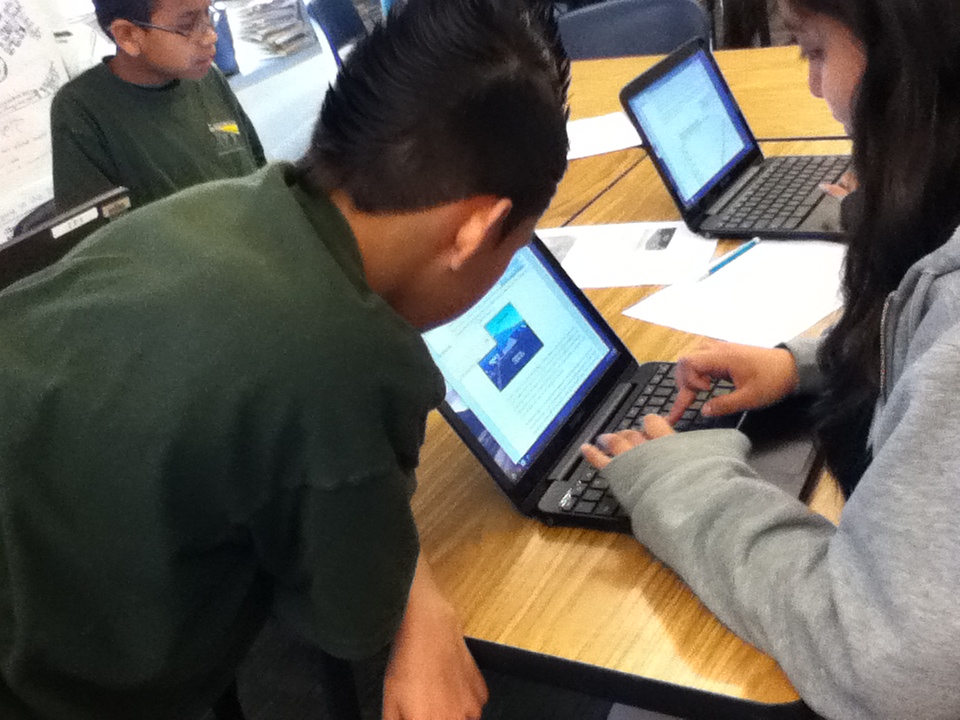
kids at workI started a new study last week with colleagues Heather Cotanch, Rick Beach, John Scott and 6th grade math and science teacher Laura Kretschmar from Lighthouse Community Charter school in Oakland, CA – a frequent collaborator. This work explores middle school students’ and teachers’ experiences with using digital technologies for learning. While I’ve done other studies like this over the years, this one has a distinct focus on student interviews to document learning perspectives.

The school had recently purchased rolling carts of Google Chromebooks, which offered an inexpensive solution to facilitating online work. As a regular user of Google tools I was excited to see the wide-array of apps that can easily loaded on Chromebooks.

chromebooksmore chromebooks

The sixth grade students had begun a unit on climate change and were eager explore some ways digital technologies could be used to enhance their learning experiences. To dig into the project, we began with a familiar process – compare and contrast. In this case, students were examining the concepts of weather and climate to better understand long and short-term changes in the atmosphere. We agreed that after reading, discussing, and generating examples, organizing ideas into a concept map was the best way to create archive of their thinking. We used the free tools from Mind Meister (see http://www.mindmeister.com) as the platform. We made this choice because of the abundance of free templates, the ease of use in incorporating images into the maps, and the ability to showcase the completed maps in a zoom-in and out Prezi-type way.

Concept-mapping apps help students visually represent logical or causal relationships between ideas associated with a certain phenomenon. In using concept-mapping apps, students identified a variety of key words associated with climate and weather and visually organized the logical relationships between these words. Students could insert the words into circles or boxes, drawing lines between ideas with spokes into which they inserted sub-topics. These connecting lines served to define the logical relationships between ideas, for example, how a new word might serve as an illustrative example of a major topic.

Within many concept-mapping apps (such as Bubble.us or Webspiration)  students can create an outline list of words with subcategories within those words, and will then generate different types of maps using these outlines. Many concept-mapping apps also include the ability to color-code ideas as a means of visually representing different categories of information.

Use of concept-mapping apps helps students collaboratively develop and expand topics. Online collaboration to create, revise, and develop maps with others is also a key feature. By sharing the same concept maps, a group of students working on the same project can visually represent their thinking for each other so that they are literally and figuratively on the same page. Students can then pose questions of each other based on their maps, for example, questions about connections between ideas or the need for more information to solidify understanding of a topic. While concept mapping can also be accomplished using paper and pencil, revision capabilities are limited. In the digital form, substantial changes can be made effortlessly, making revision more palatable to students.

While I’m still archiving the students examples and analyzing the interview data we collected, this experience with digital concept mapping suggested that students were able to visually link concepts through logical connections or groupings.  The act of organizing their ideas fostered students’ use of causal/hierarchical thinking. They were motivated to view each other’s maps, which led to collaborative brainstorming that prompted revisions. There’s more to come once the data are analyzed, but I was excited to share my “in-process” thoughts while they were fresh in my mind.

If you’ve used other tools for digital concept mapping and have some insights to share, please leave a comment!  Thanks!

A Framework for Effective Technology Use in Online Teaching

Since my retirement from the California State University system, I have enjoyed teaching online at several universities. My field is literacy and I am a teacher educator, but I have always been interested in the intersection of literacy and technology. Thus my students, usually practicing teachers who are returning to the university for advanced degrees and meaningful professional development are usually eager to learn about new “tools of the trade,” especially for use their K-12 classrooms.

All of us know that today’s K-12 students tend to be intensive media users who use the Internet for many social purposes. Students use media and the Internet to respond to literature, create compositions and fanfiction, and to connect with others in interest-driven communities, both outside of school and in classrooms (Grisham & Wolsey, 2006; Wolsey & Grisham, 2012). But what are we doing to prepare teachers to address the learning needs of today’s tech-savvy students? In the context of the classroom, teachers choose the content. We know what we want to teach and what we want our students to learn. Can we (should we) try new technological tools to reach and teach our tech-savvy students? When looking for new technological tools, I look for ease of use, application to curriculum and instruction, and positive impact on affect and learning of mystudents. This is what we (Grisham & Smetana, 2011) call “generative technology.”

In the online teaching environment it is relatively easy to answer that, as teachers (and teacher educators) must learn to use some new tools in order to participate in online coursework. But I would argue that we need to be both savvy and strategic about the tools we require them to learn. It is not new, but I like to use the TPACK model in my planning (Mishra & Koehler, 2006) as shown in the figure below.

The TPACK framework or model suggests that three elements must be considered in planning instruction:  content knowledge, pedagogical knowledge, and technological knowledge. Where the three intersect may be referred to as the “sweet spot” of TPACK and where we should direct our attention when we plan instruction.

I’d like to give an example of this from my own work. I have taught research methods for many years, originally in the brick and mortar environment of Washington State University, where teacher candidates did action research for their certification and MA degrees. I taught it for almost a decade at SDSU, and recently I have been teaching it online for two other universities.

Content Knowledge:  Teachers need to know about research paradigms and how action research fits into their practice. They need to know how to frame a research question, how to do a literature review, collect and analyze data and how to present and discuss their findings.

Pedagogical Knowledge:  As the instructor, I need to engage these teachers in both learning and applying their new knowledge. The key is engagement.  I can lecture, using a PowerPoint presentation (and I do some of that), but I want them to think and interact with others over the content.

Technological Knowledge: I want to find a tool that is relatively simple to learn and use that will provide my teachers with something “new” and useful to them beyond their own immediate learning (hopefully, something they will use for their K-12 students).

In my research classes, then, I have used another fairly well-known tool called Voicethread to provide an opportunity for my teachers to think and respond to what they have read about action research and use a visual to prompt their reflections.

I created a 4-page Voicethread and provided audio directions for responding to each page. Then I suggested my students should respond to the prompt via audio, which they did. The following screen capture shows the initial page of the Voicethread and if you follow the link below, you can view the page itself.

http://voicethread.com/share/2802061/

Students responded thoughtfully and appeared to enjoy the process from the feedback I received. Several of them also talked about using Voicethread in their classrooms (the Voicethreads can be kept private) with their K-12 students. Their action research projects also seemed to reflect a deeper understanding of the purposes of action research and evidence-based instruction.

In the same classes, I asked students to prepare Glogs and Prezis to summarize their research reports and have been really pleased with the results. I’m grateful that I have the TPACK model to remind me that technological tools have to be used meaningfully.

In a prior blog posting I made the following recommendations for distributing technology throughout teacher preparation and professional development programs, but I think they bear repeating here:

Whether or not you are teaching online, I would suggest the following guidelines for teacher preparation (and teacher professional development):

1)   Work collaboratively within the university to distribute technological use across the teacher preparation programs instead of relying on stand-alone  “Ed Tech” courses.

2)   Seek workshops on technology use for themselves and to learn at least one new tool each academic year to apply to their own teaching.

3)   Where possible, seek student teaching placements for teacher candidates in classrooms and schools where technology is being used productively.

References

Grisham, D.L. & Smetana, L. (2011) Generative technology for teacher educators. Journal of Reading Education, 36, 3, 12-18.

Grisham, D. L. & Wolsey, T.D. (2006). Recentering the middle school classroom as a vibrant learning community: Students, literacy, and technology intersect. Journal of Adult and Adolescent Literacy, 49, (8), 648-660.

Mishra, P., & Koehler, M. J. (2006). Technological Pedagogical Content Knowledge: A new framework for teacher knowledge . Teachers College Record 108 (6), 1017-1054.

Wolsey, T. D. & Grisham, D.L. (2012). Transforming writing instruction in the Digital age: Techniques for Grades 5-12. New York: Guilford.


Expanding Opportunities for Professional Development: Online Conferences and Professional Learning Communities

A post by Jill Castek

We’re all familiar with the impact of shrinking school budgets over the past few years.  One unfortunate consequence has been the decline in funding for teacher participation in national and international conferences. Avenues for teacher learning have shifted and expanded as technology has given rise to new forms of professional development. When it comes to effectively using new technologies to support student learning in particular, these seeking out professional development opportunities is essential.  The IRA Position Statement, New Literacies and 21st Century Technologies (IRA, 2009) calls for professional development that provides opportunities for teachers to explore online tools and resources expected for use with students.  The statement asserts that it isn’t enough to just make new technologies available to students but to provide options in ways to use them to access information and share ideas. To inspire new ways of thinking about the use of technology, tangible ideas and examples of what knowledgeable teachers have implemented need to be shared widely and discussed.  This post introduces free PD resources and online communities that support teachers in integrating digital technologies into learning activities in meaningful ways.

The IRA Standards for Reading Professionals (2010) encourage teachers to integrate technology into student learning experiences. More specifically, learners are expected to engage in opportunities that utilize traditional print, digital, and online reading and writing and represent various genres and perspectives, as well as media and communication technologies. The integration of technology into literacy learning is also called for in the Common Core State Standards (2010). Students that meet the standards are able to, amongst other aspects, use technology and digital media strategically and capably.

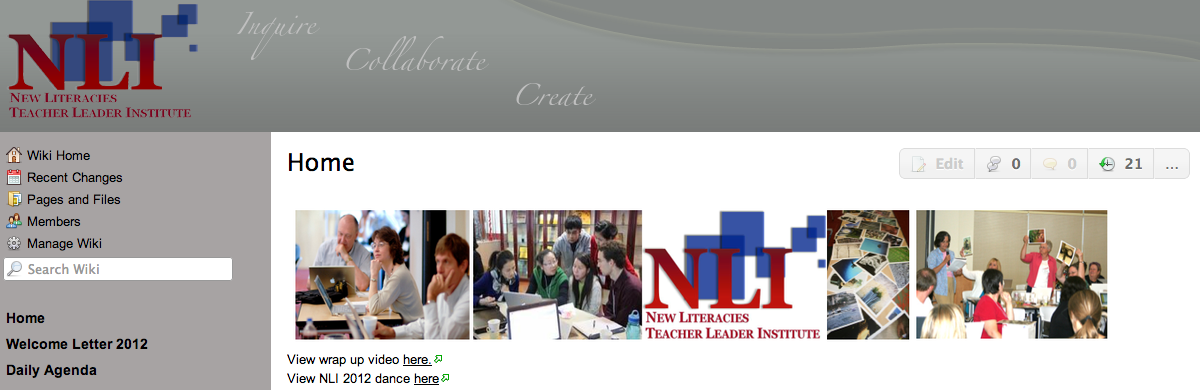
Professional development efforts such as the New Literacies Teacher Leader Institute (http://nli2012.wikispaces.com/Home) offer transformative models that expand beyond the school level and help build extended learning communities that promote lasting change. This week-long institute addresses ways that new digital tools can create challenging and engaging learning opportunities for students and teachers in K-12 and higher education. Participants come together to network, share ideas, boost their leadership skills, and create technology infused curriculum units they can implement in their own classrooms. For teachers who are unable to attend such an institute in person, online resources can be explored and discussed with colleagues to support implementation.

Available resources include videos, instructional suggestions, readings that link theory to practice, and online networking tools which allow teachers to connect with others who have similar goals and interests. Teachers who tap into the wide range of social networking tools that are available to educators can participate in virtual learning experiences that can be customized based on the needs in their own setting.

Special interest groups such as the Technology in Literacy Education Special Interest Group, (http://tilesig.wikispaces.com/) affiliated with the International Reading Association (IRA), the 21st Century Literacies Group, (http://ncte2008.ning.com/group/21stcenturyliteracies) affiliated with the National Council for Teachers’ of English (NCTE), and the New Literacies Collaborative affiliated with North Carolina State University (http://newlitcollaborative.ning.com/ ) put teachers in touch with an extended network of colleagues with whom to discuss instructional approaches, share resources, and collaborate.

Rick Beach (from the University of Minnesota) and I will be giving a talk at the K-12 online conference (http://k12onlineconference.org/) coming up Oct. 15 – Nov. 2, 2012. This is a free online conference open to anyone. This all volunteer event is organized by educators for educators with the goal of helping educators make sense of and meet the needs of a continually changing learning landscape.  Presenters will share ways to integrate emerging technologies into classroom practice.  The schedule of session is available at http://k12onlineconference.org/?page_id=1091.  Our session, entitled Using iOS App Affordances to Foster Literacy Learning in the Classroom is available for download at http://ge.tt/6EtYbCP/v/0.

Literacy Beat aims to build a professional learning community amongst its readership. Please make a comment suggesting other professional development outlets or professional learning communities we can learn and benefit from.  These shared resources will allow us to expand our online networks and be in touch with new resources and ideas that benefit our teaching and our students learning.  We look forward to your comment!

References

Common Core State Standards for English Language Arts and Literacy in History/Social Studies, Science and Technical Subjects (2010). Retrieved from http://www.corestandards.org/the-standards/english-language-arts-standards

International Reading Association. (2009). New literacies and 21st century technologies: A position statement of the International Reading Association International Reading Association. Newark, DE: International Reading Association.

International Reading Association (2010). Standard for reading professionals—revised 2010. Newark, DE: Author.

Finding the needle in the haystack

A post from Bernadette

Successful online readers access information speedily, effectively and efficiently (Leu, Kinzer, Coiro & Cammack, 2004). However, given the sheer volume of information available online, finding relevant information for a task focus can be laborious, rather daunting and somewhat overwhelming and akin to finding a ‘needle in a haystack’.

Two issues warrant attention. The first issue relates to judging the relevance of a search result blurb for your inquiry focus. As Eileen (a struggling reader in 6th grader) noted to me, “The blurb might tell you something but when you go inside it, it’s something different. Don’t get your hopes up if it says what you want to find ’cause it mightn’t always be inside it”.

The second issue relates to remembering ‘aha’ websites. Given the amount of time we all spend online finding your way back to particularly relevant websites, which you have previously visited, can be rather taxing. In this post I will explore two digital tools (Yolink and Diigo) which may help to enhance search functionality.

Yolink (http://www.yolinkeducation.com/education/) is an add on browser extension tool that scans web pages, search engine results and digitized books to find your inputted search terms and deliver information that is relevant to your inquiry. Yolink is a supportive digital tool in two ways. Firstly, it enables the reader to dig deeper behind the links without painstakingly navigating to and opening each website link in turn. It does this by previewing and filtering the search results and highlighting snippets of information from relevant sections of search results for the reader. Secondly, Yolink can also search within bodies of texts (e.g. digitized versions of books) for key words or phrases to find information relevant for a particular research focus. Yolink helps you move, as the developers say, ‘from search to find’.

Sample lesson plans and resources are available on the Yolink education site (http://www.yolinkeducation.com/education/teachers.jsp).

For example, the lesson plan for ‘Polar Bears in a Changing Climate’, prepared by Julene Reed, is an example of a Challenge Based Learning unit using Yolink, and is based on the Apple Learning Interchange. Students are assessed on abilities in areas, such as creativity and innovation, communication and collaboration, research and information fluency and critical thinking, problem solving and decision making.

Bookmarking relevant sites by adding them to your favorites tab is one way to collect and retrieve websites that you visit. Creating subfolders with meaningful names is helpful when you want to revisit a particular website. However, if like me, you engage in squirreling behaviors where you tab multiple web sites on an hourly/daily basis you can end up with hundreds of websites in multiple subfolders. Just why you wanted to bookmark a particular website can be lost in the moment of tabbing! It is also difficult to backtrack quickly to a specific website when you want to locate information. So the proverbial haystack looms again!

A digital tool for organizing research online is Diigo or Digest of Internet Information, Groups and Other Stuff. (http://www.diigo.com/ ). Diigo is a cloud-based information management tool that enables users to collect, highlight, bookmark, tag, clip, share and annotate websites.

Teachers can create an educator account with Diigo. This will enable you to generate student accounts and establish collaborative research groups within your classroom. Diigo is helpful when conducting research, creating personal learning environments and collaborating with others. Some of the features of this tool which are useful include:

  • Annotating and highlighting snippets of information on websites with sticky notes.
  • Saving a screen shot of a web site on a particular day and revisiting to review changes over time or simply to archive the website.
  • Categorizing relevant information through the use of tags and lists on websites for quick retrieval of information.
  • Creating collaborative groups where teams of students can research information and post their findings and annotations for others in the group to review. Members can then interpret, critique and synthesize information from a variety of online sources.
  • Accessing your own digital library, as part of a personal learning environment, from any computer or through apps on Ipads and Android Tablets or smart phones.
  • Developing professional learning opportunities for teachers through Diigo created educator groups.

Reference
Leu, D. J., Kinzer, C. K., Coiro, J., & Cammack, D. (2004). Towards a theory of new literacies emerging from the Internet and other Information and Communication Technologies. In R. B. Ruddell & N. Unrau (Eds.), Theoretical models and processes of reading (5th ed., pp. 1570-1613). DE: International Reading Association.

Podcasting to Teach Content Literacy

Posted by Dana L. Grisham

This week’s post is targeted to teacher educators as well as teachers.

If you have ever taught secondary teacher candidates the required course in content literacy (secondary reading), you are probably aware of what a “hard sell” it can be. Teacher candidates who will be teaching their content area or discipline in middle and high schools tend to be, first and foremost, experts in that content or discipline.  They care deeply about art, music, mathematics, science, social science, world languages and English. They believe that by communicating their love of content to Grade 6-12 students, said students will develop a similar love.

Often, they are doomed to disappointment because they may not understand that teacher passion and expertise does not guarantee student learning in a subject area. Certainly, love for and knowledge about one’s discipline is necessary, but the ability to teach one’s discipline often relies on knowledge of what the student needs in order to learn. This student-centered stance toward teaching is often difficult to convey.

One of the important aspects of disciplinary teaching is the development of vocabulary and academic language.  Zwiers (2008) argues that all secondary teachers, regardless of content area, need to develop their students’ academic language.  For example, when trying to explain why academic language was not necessary in physical education, a teacher candidate in my content literacy course stated, “After all, I’m in kinesiology!” Upon encountering a sardonic look from me as he used the term “kinesiology,” he looked sheepish and muttered “Oh, now I get it.”

At the same time, we are in the midst of such rapid technological change that we must also prepare “tech savvy” teachers who are flexible risk takers ready to challenge their grades 6-12 students. Thus, teachers need to consider the teaching and learning of their content areas, but they are not always aware of the intersections of content learning and literacy processes. And in today’s world of rapidly changing technologies, composing is not wholly a writing task. While teachers and students typically conceptualize composing processes in terms of words on a page, composition also involves the manipulation of new or complex ideas that are also possible with multimedia tools including the audio file known popularly as a podcast.

To assist secondary teacher candidates to recognize the important of literacy processes to teaching their content area and to differentiate instruction for the varied content area teachers represented in the course, I asked them to create audio podcasts according to criteria as noted below.

*****

Sample Podcasting Instructions

Literacy Strategy: Based upon the requirements of your subject area choose a reading/literacy strategy from your textbook. Read two additional published scholarly articles that indicate the usefulness of the strategy for students in your content area.

Write a Script: Your podcast script should sound much like a radio broadcast when recorded and should include the following components:

• Name, the date of your broadcast, content area, and the school level (middle, high school) where you would use the strategy

• Your concern about students being able to read complex text in your subject area; why they may have a problem (use the textbooks in this course to support your concern)

• The textbook from which you took an appropriate strategy to support the students’ reading of text in your content area

• The strategy and your rationale for choosing it (what will it do to support student learning in your content area and how will it address the need you identified)

• Identify sources, authors, dates published and then summarize the additional research that supports the use of the strategy. Connect this back to the reading problem identified

• A brief explanation of how you will introduce this strategy in your own class.

Record the Podcast:  Using an MP3 recording device, record your podcast. The podcast should sound much like a radio broadcast when recorded. Be sure to practice so that it doesn’t seem like you are merely reading the script you have written.

Post your script: After you have emailed the audio file to the Instructor, go to the Blackboard assignment (in the Course Materials section of this class) and post your podcast and written script there.

*****

Secondary teacher candidates submitted some truly wonderful audio podcasts—what I like to call “generative” in the sense that teacher candidates had choice in what they featured in the podcasts, they had general parameters to meet, but could also create their audio podcasts in diverse ways, and, most importantly, they learned new ways to communicate their content! A post-course survey indicated that 90% of the 48 teacher candidates felt positive about the experience and felt they had learned something useful.

I believe that what made the difference between failure and success was the degree of collaboration between participants. They helped each other extensively, from the recording to the posting, to making scripts more interesting, and adding creative touches, such as music and sound effects. Lieberman and Mace (2009) suggest that such collegial action around new learning provides the teacher with the most meaningful professional development in a learning community.

So, 48 audio podcasts on literacy topics are available in my library with permission to use them from my students. For this post, I am making 12 of these available. Remember that there is a written script for each podcast!  I have posted the script of one of the podcasts below, so you can see what a script looks like. But remember! They need to be HEARD to get the full impact.

Beyond the use of audio podcasts to teach the importance of literacy processes to teacher candidates, the use of audio (and video) podcasts can be extended to the K-12 classroom.  Some uses are offered by the secondary teacher candidates themselves (such as podcasts of student performances). A colleague and I used audio podcasts with PPt. slides for authentic responses to literature for special day class students and found students’ vocabulary growth and engagement positively affected.

Where can you post podcasts?  Well, if you have a website or your school does, podcasts can be posted there. You can also use a couple of websites that are freely available. One is Podbean (www.podbean.com) and with a bit of effort, a Google site (as I have used). If you are interested in more on this, just search “podcasting” on Google Scholar. Now that you’ve heard the teacher candidate podcasts, I’d like to throw out the following question:   How can you use audio podcasts in your classroom?

References:

Lieberman, A., & Pointer-Mace, D. (2009). Making Practice Public: Teacher Learning in the 21st Century. Journal of Teacher Education, 0022487109347319. doi: 10.1177/0022487109347319

Zwiers, J. (2008). Building academic language: Essential practices for content classrooms. Hoboken, NJ: John Wiley & Sons, Inc.

*****

A Sample Podcast Script by John for Mathematics

You have just tuned into John’s Podcast for Thursday, July 31st, 2008. On this podcast, I’ll be talking about a strategy that I would consider using in my future high school mathematics class to teach my students how to read a mathematics textbook.

Now, I understand what you may be thinking. “Why would you want to teach students how to read in a math course?” or “What does reading and language development have to do with numbers?” or “Why did John’s voice suddenly get very annoying?” To address those first two questions, I invite you to think back to your wonderful times in a mathematics course when you were a high-schooler. Do you remember how every new section in the chapter would involve a number of bolded new terms, and they were generally built on previous chapters’ bolded terms? I am a mathematics major, and I can attest that learning these new terms was not a walk in the park. My main concern about my future students is that they will pick up the textbook, read through the examples, follow it like a cookbook when doing the homework, and then close the book. They would either not find a point to learning the new terms, or find it to be difficult to remember. But I suppose there isn’t a great harm in that. I mean, when would you really use the words “numerator” and “denominator” in any other context than mathematics, or perhaps the floweriest of the flowery essays? It would be so much more convenient to say, “You gotta make the bottom numbers the same on each number thingy, then times that number to make it the same number to the top number for both thingies before you can add the top numbers, but you gotta keep the bottom number the same.” Archimedes would roll over and over in his grave hearing this obscenely basic monologue describing adding fractions. I would not want my students to be viewed by society as being ignorant to the long history of mathematics, nor sound so ineloquent as to destroy the meaning of their statements because they are judged by how they say, as opposed to what they say.

So as a preventive measure, I’ve enlisted the help of Martha Rapp Ruddell. Okay, so I just perused her book, but I did see a literacy strategy to help students with the learning of those academic mathematical terms. Ruddell discussed an instructional procedure called CSSR. No, this is not the Soviet Union reuniting for another world tour. CSSR stands for: Context, Structure, Sound, Reference. This is a system of vocabulary research that can help students address the issue of not learning the terms because they don’t understand how to figure out the definition of the new term. It works in 4 steps with 3 of them being conditional steps. When a student encounters a new term, say for example, “polynomials,” the student would read the entire sentence and guess the meaning based on the CONTEXT in which it was used. If it makes sense, then great, they move on. If not, then they move to step 2 where they analyze the STRUCTURE of the actual word. In this case, if the student understands the prefix “poly” as meaning “many,” then they are already halfway towards understanding the word. If it still does not make sense to them while putting that into the context, then they try step 3 and SOUND it out and try to associate that word with other words that they have heard before. Step 4 is the most disruptive, yet surest form of definition, which is to look into a REFERENCE location such as the glossary, dictionary, or other people. I can appreciate this system because it is versatile enough to be used in any subject area that has subject-specific terms, which is, umm…all of them, and this self-directed learning will help with retention as they cycle through step after step of repeating the word to themselves with different perspectives on it.

And to be sure that Ruddell wasn’t just full of it, Jane Harmon asserted in her article, “Constructing word meanings: Strategies and perceptions of four middle school learners,” that the most proficient reader in her study utilized a system similar to this while encountering new terminology. She published her findings in 1998 in the Journal of Literacy Research, Volume 30, Number 4. And specifically, pages 561 through 599. Other supporters of developing in-depth word knowledge, which is promoted by the SS and R parts of CSSR, are E. Sutton Flynt and William G. Brozo. Their article, “Developing Academic Language: Got Words?” was published in the 2008 issue of The Reading Teacher, Volume 61, Number 6, pages 500-502. Both of these articles support what CSSR is trying to accomplish with student readers.

Lastly, how we do educate the students of this system? As Ruddell plainly spells it out, telling the students clearly and drawing a schematic to illustrate the procedure will help cement this system for the visual and auditory learners. After using this system a few times, a quick assessment by discussion would ultimately decide if the system is effective for my students.

And that wraps up this podcast. Thank you for spending time listening to me yap, and good luck to the Future Teachers of America. Team 06!