Web-Watch: The Balanced Literacy Diet

By Thomas DeVere Wolsey

This week, I share a website I recently discovered while visiting with a colleague from the University of Toronto. The Balanced Literacy Diet website takes an innovative approach to supporting teachers, parents, administrators, and teacher-educators in preventing literacy failure. The Balanced Literacy Diet approach uses a familiar metaphor to address the complex nature of teaching literacy: the food pyramid. On this site, the food pyramid is transformed into a reading pyramid and a writing pyramid. Fifteen essential “food” groups form the foundation of the literacy diet.

Reading Pyramid

Literacy Diet Reading Pyramid

The food groups include topics such as motivation to read, writing processes, and text structures, for example. View a full list by clicking here. Teachers can then use the recipe finder to locate activities and explanations built on the food groups. For example, one recipe for fourth grade addresses the food group, “Real Writing: Text Structures” through a math lesson (see figure 2, below). The recipe includes an activity objective, four images of student work products, a video with a teacher explaining the recipe, and a transcript of the video. Links to other recipes by the featured teacher are included. Each video is concise and just long enough to keep the viewer engaged. The math literacy lesson video is just one minute, twenty-three seconds in length.

math & literacy

Math and Literacy Recipe

Another innovative feature of the site is the virtual classroom tour option. The virtual classroom tours are interactive; that is, the viewer controls what to look at in the classroom and can point to features which then pop-up a description and additional video describing what is on the screen. I recommend using Chrome or Firefox rather than Internet Explorer at this time; Internet Explorer 10 appears to limit what you can do on the website.

The Literacy Diet website is a project of the Melissa Institute for Violence Prevention and Treatment. A key tool in the Institute’s arsenal rests on the idea that improved literacy for students translates to a more peaceful and less violent society overall. Please take a moment to read about the Institute. The Ontario Institute for Studies in Education at the University of Toronto hosts the site. You may want to grab a soda and snack before you visit the Literacy Diet site—once you start reading, viewing, and touring the recipes for literacy success, you may spend more time than you planned getting to know the innovative teachers on this interactive and useful site. Teacher educators will find all kinds of useful examples for the teachers-to-be-with whom they work. Excellent ideas gathered by grade/age, stage of literacy development, and food group will inspire new ideas for teachers, parents, and administrators.

Generative Technology: Teacher Candidate Examples

by Dana Grisham

In my last post, on March 2, 2013, I talked about a project that my colleague, Linda Smetana, and I did with teacher candidates who were asked to integrate technology into literacy lessons they were doing in their assignments in schools. Linda and I refer to this as “generative technology” and feel that when students create something as a result of using technology, there is a positive synergy about it. The teacher candidates benefit from learning to use technology in their teaching and their K-12 students benefit from creating something academic with the tools they are offered.

Linda and I believe that “generative” technology needs to be infused into teacher preparation. Technology in teacher preparation tends to be “silo-ed” in the programs where we teach.  By generative technology, we mean that the technology is embedded in the content of the course in teaching methods, rather than something “added on.” In my March 2013 post, I talked at length about the assignment that was generated and promised to share the products in my next post. So, here are a couple of the products that resulted from our generative technology assignment. Remember that there were 21 teacher candidates in the fifth quarter of a seven-quarter post-baccalaureate teacher preparation program; 17 of the candidates were simultaneously completing their masters degree in education while 18 of the 21 participants were earning their education specialist and multiple subject (elementary) credentials.

First, teacher candidates showed a great deal of diversity in the choices they made about the technology they infused into their projects. The actual projects that candidates chose are listed below (all names are pseudonyms).

Simone

High School

Mixed general education English class includes

Sped, at risk, low performing

Intern

Using Voki to create avatars who read student created papers

Nita and Lila

Elementary

RSP & intervention 4th & 5th graders

Interns

Shared teaching position

Class Writing Blog where student progress was chronicled

Avram

Middle School

RSP & intervention

Intern

Writing Website created by the Flamingo Writers; weebly.com

Lani and Ed

Middle School

RSP & Instructional Support, history

Student teachers

Election Brochure using

MyBrochureMaker

Alicia

Early primary

Special education self contained class

Intern

Storybird for creating books with repetitive text incorporating sight words

Elana

Primary

Special education, self contained class

Intern

Prezi for zoo-phonics lessons

Joanne

Upper elementary

Special education, self contained class

Intern

Toontastic as a vehicle for Story Writing using the iPad.

Callum

Middle School

Communication and Social Skills class

Intern

Toontastic as a vehicle for Story Writing using the iPad

Lianne and Jerri

Elementary

Resource

Student teachers

Comic Creator to create a class book of prepositions; iPod to record student’ reading of authored page; student videos

Jake

Middle School

Resource

Student teacher

Using Glogster, students created presentations of specific historical events

Monte

Middle School

Resource & Intervention History class

Intern

Using Glogster, students created

presentations of inventions

Joleen

Elementary

Language enriched special education self contained class

Student teacher

Comic Creator to create simple stories

Tina

Elementary

Special education self contained class

Intern

Storybird to create stories – social skills and sharing

Miles

High School

SPED class for students with Emotional Disturbance

Intern

Began with Prezi and changed to ppt because of site technology resources; Students isolated the elements of the novel ‘the necklace’ located images on the web that reflect essence of event

Larry

Elementary

Special Education self contained class

Intern

Strip Generator, student created panels regarding sharing. Luke’s presentation to the class was through Prezi.

Serena

Middle School

Resource Specialist Program

Student teacher

Storybird to create stories; illustrate stories from gallery pictures

Janet

Elementary

Special Education self contained class

Student teacher

Using Xtranormal, a text to movie website; students created short films reflecting narrative story structure with their own scripts using text-to speech technology.

Callista

Elementary

Resource Specialist Program

Intern

VoiceThread; understanding literal and figurative meaning of idioms

I’d like to share just a couple of examples with you.

In the first example, low track high school students in tenth grade learned to create avatars using VOKI (http://www.voki.com/). Simone, their teacher, planned a series of lessons for the students to write a descriptive paragraph incorporating at least four adjectives and one metaphor after reading the poem Mother to Son by Langston Hughes and highlighting the staircase metaphor. After writing their paragraphs, students audio-recorded them and the VOKI avatars voiced the paragraphs for the entire class. Simone stressed in her reflection that students had discovered “the power of their voices” and were incredibly motivated by the project.  She stated, “I was happy to learn more about my students—because they were more motivated to complete the assignment, they were participating more in the activities as well, and I got a great insight into both their comprehension and writing levels.” She also recounted one of the “greatest successes” was with a male student who became more engaged and active when he realized “he could become his character.”

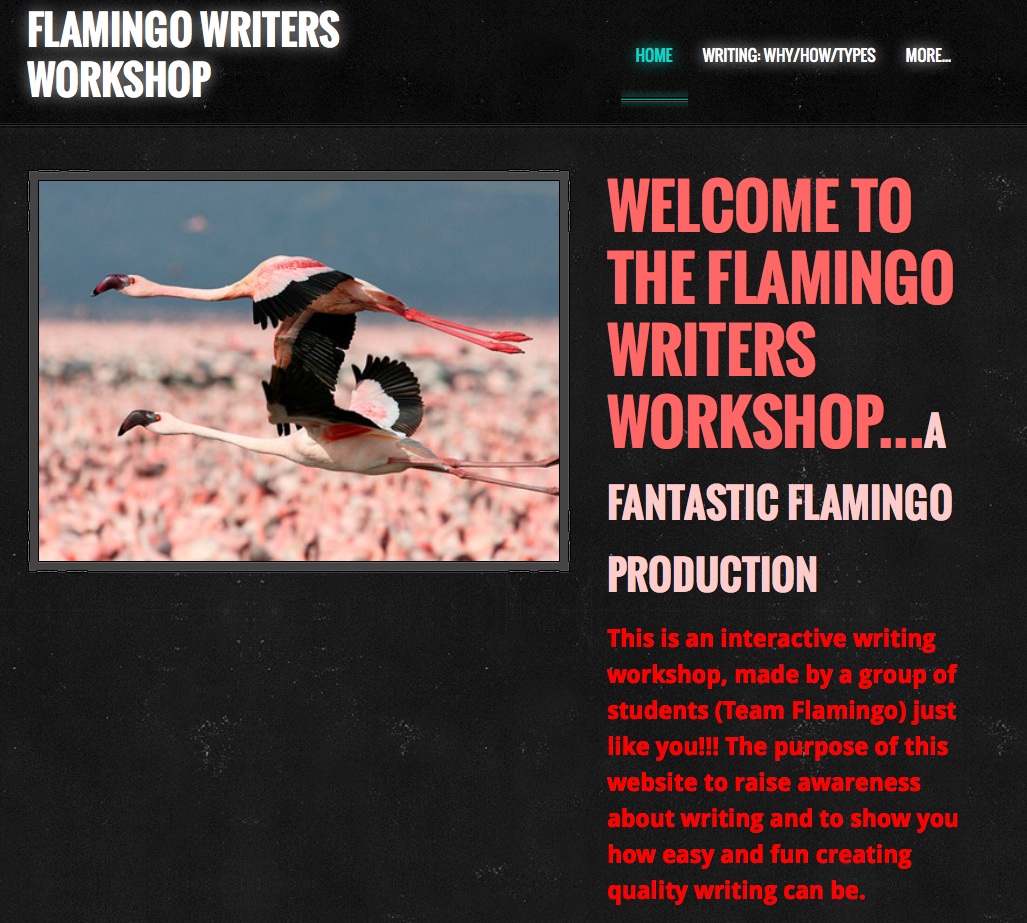
Another example is the Flamingo Writers Workshop, which comes from the middle school level.  The teacher, Avram, developed the Flamingo Writers Workshop, a pullout group of behaviorally and academically challenged English Learners, all boys. The project lasted several weeks and Avram stated that they “stayed completely engaged” with it. The students created a website after receiving instruction in both writing and in using technology on Weebly (http://www.weebly.com/).  Avram stated, “I wanted to give them something that they could remember for years to come.” One of the interesting aspects of this project was the parallel he drew and emphasized throughout the lessons, between writing as a process—as represented by the POWER acronym (Prewriting, Organizing, Writing, Editing, and Revising) and the “steps” for creating the website: Plan, Design, Create, Register, Inspect, and Publish.  He stated, “Technology made everything we did more engaging to the students.” Avram, an admitted “technophobe” changed his views substantially, stating that the assignment “has certainly helped me understand that students need the enrichment and engagement that technology can provide.”  He related that the website and the writing posted there gave these students an identity as a community that they have continued into other spaces. You can explore the Flamingo Writers Workshop (which continues to function as of this date) at http://flamingowritersworkshop.weebly.com/.

The first page of the website looks like this (and it is truly interactive):
Flamingo
Students worked really hard to make an interactive website that reflected their needs and identities. The next page defines writing:
Why I should care
Finally, here is an example of expository writing (and there are examples for narrative writing also):
Expository

The final example comes from the elementary level and was unique because it is the only project submitted that was not generative in the sense that students did not create anything, but from the report they were certainly the benificiaries.

Elana was working at the second and third grade level in a Special Day Class setting. She chose Prezi (http://prezi.com) for lessons in phonemic awareness and phonics—chosen as presentation software that is “interesting to my students, but not too distracting.” She stated that Prezi allowed her to “take something my students have been working on since Kindergarten and make it new and exciting.” She scanned the “Zoo Phonics” (http://www.zoo-phonics.com/) picture cards into the computer and inserted them into the Prezi. She then projected the Prezi onto the whiteboard and the students did the body movements and chanted the alphabetic sounds. Later Elana plans to add sight words to the Prezi. For the students, here was a more engaging and multimodal way of learning “the same old thing.”  Here is an example of one of the cue cards:

Catina

           Linda and I believe that for all educators there is an urgent need to embrace technological tools for communication and composition in our homes and schools. There are examples everywhere of sound technology use in schools as well as the examples we have provided here (Google sites, for example). Teacher candidates need practical experience in using new tools in academic settings. Grisham and Wolsey (2012) have highlighted the fear factor that even technologically adept teacher candidates have until they gain experience applying new tools as teaching and learning opportunities for themselves and for their K-12 students.  In teacher preparation programs, candidates can collaborate to support each other as they work with these 21st century tools. As teacher educators we are committed to articulate the use of 21st century technology for teaching and student learning across program courses so that teacher candidates may have multiple opportunities to practice and develop the skills to implement technology-rich instruction in their classrooms. We would like to stress that while ours is not the only way to meaningfully integrate technology into teacher preparation courses, we would argue that it is one effective way to do so and we invite readers to try this for themselves.

           In closing, I’d like to once again share the TPACK model that guided our students in their integration of technology and literacy.  Another of our LiteracyBeat authors, Bridget Dalton, has shared this with teachers everywhere in her 2013 column in The Reading Teacher.

TPACK

References:

Grisham, D. L. & Smetana, L. (in press). Multimodal Composition for teacher candidates: Models for K-12 classroom writing instruction. In R. Ferdig & K. Pytash (Eds.), Exploring multimodal composition and digital writing. Hershey, PA: I-G-I Global.

Mishra, P., & Koehler, M. J. (2006). Technological Pedagogical Content Knowledge: A new framework for teacher knowledge . Teachers College Record 108 (6), 1017-1054.

Wolsey, T.D. & Grisham, D. L. (2012). Transforming Writing Instruction in the Digital Age: Techniques for Grades 5-12. New York: Guilford.

UDL Studio: Deepening response to literature

UDL Studio, a free digital tool (funded largely by the Carnegie foundation) has recently been released by CAST. UDL studio is underpinned by the principles of Universal Design for Learning . UDL Studio  joins other successful digital tools created by CAST. See for example my blog post on LEA Meets Book Builder. UDL Studio enables anyone to create media-rich resources, to actively engage and motivate students, and to respond flexibly to the needs of each learner; thereby ensuring quality and equality in access to learning for all.

UDL Studio offers templates to scaffold you or your students as you create content using multimodal elements, such as text, image¸ video, audio, and animation. You can explore the project library to view previous projects created by UDL studio users.
For example, Katherine Cooper has created a project around Charles Dickens’ classic tale A Christmas Carol. In the screen shot you can see links to audio recording related to character study. Students can also record their prior knowledge of the story through multiple modalities, such as writing, recording, drawing, or uploading a file attachment.

Katherine Cooper

Katherine Cooper

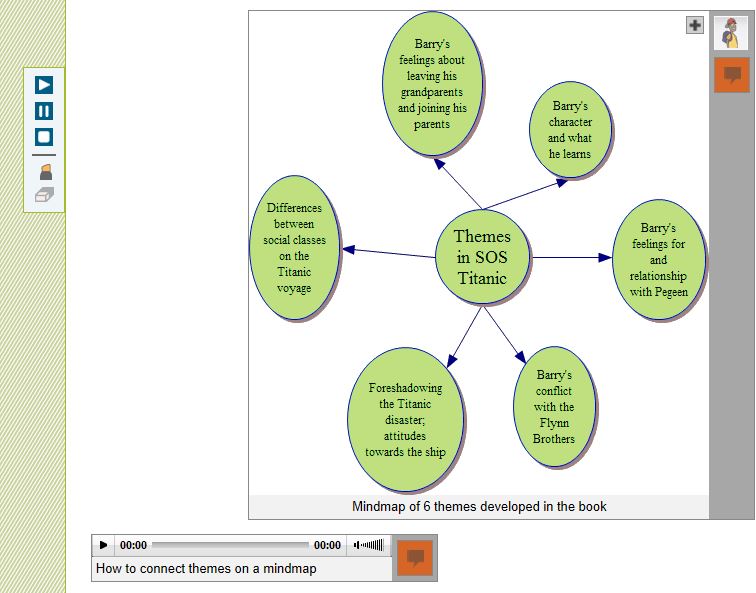
Meanwhile, Matthew Puma has created a resource to support his students while reading SOS Titanic by Eve Bunting. Students can explore historical information relating to the Titanic; inner feelings of the characters; and actions and events within the book. The screen shot below relates to a mind map of themes in the Titanic.

mind map SOS Titanic

My wonderful, final year, elective student teachers have begun to explore the possibilities presented by UDL Studio to encourage immersion in, involvement with, and interpretation of literature (Dwyer & Larson, 2013). We have begun a project around The Boy in the Striped Pyjamas/Pajamas by John Boyne. Our aim is to deepen engagement with the text through close reading to explore the structure of the text; the perspectives of the characters; the use of vocabulary; and historical perspectives relating to the text.

The Boy in the Striped Pyjamas

We really like the tips and resources page which asks you to reflect carefully on how the use of the digital tool enhances children’s understanding of text; enriches the reading experience; and represents information in an engaging manner. The plethora of free digital tools include:

Recording and editing software
Audacity: http://audacity.sourceforge.net/
Free Sound Editor: http://www.free-sound-editor.com/
Audio Pal: http://www.audiopal.com/index.html

Video search engines and editing software
• Blinkx Video Search Engine: http://www.blinkx.com/
• Truveo Video Search: http://www.truveo.com/
• Video editing http://www.stroome.com/

Sources for images
• Pics4Learning: http://pics.tech4learning.com
• Creative Commons image search: http://search.creativecommons.org/
• Free Photos: http://www.freeimages.co.uk

Animation tools
• Gifninja: http://www.gifninja.com/
• Picasion: http://picasion.com/
• GoAnimate: http://goanimate.com/

Reference
Dwyer, B. & Larson, L. (2013). The writer in the reader: Building communities of response in digital environments. In Kristine E. Pytash & Richard E. Ferdig (Eds.). Exploring Technology for Writing and Writing Instruction. US: IGI Global

Power Up What Works!

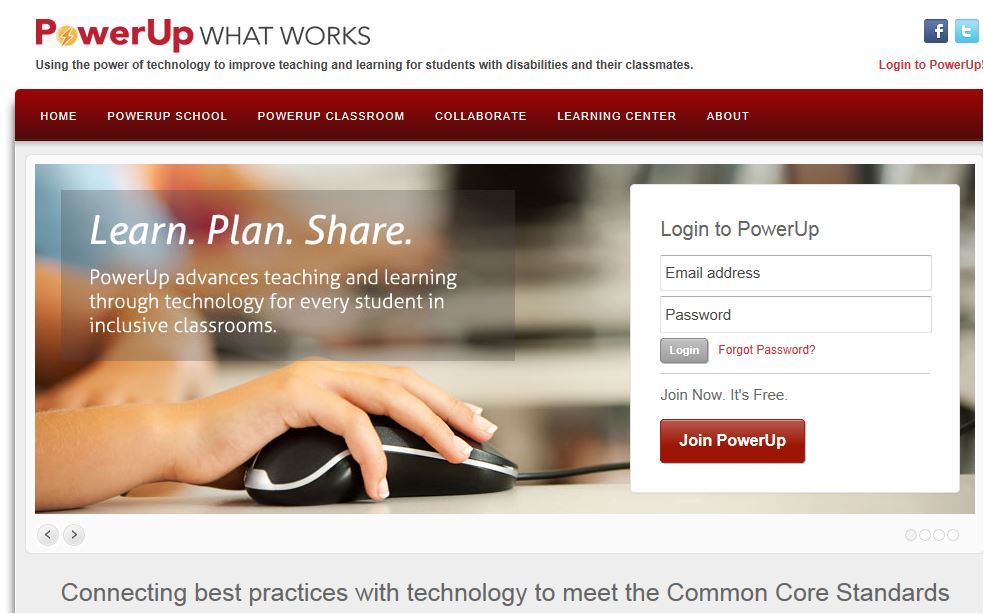
I want to share an excellent resource to support technology integration, the Center for Technology Implementation’s Power Up What Works website (http://powerupwhatworks.com).  With funding from the US Department of Education, EDC, AIR, and CAST have partnered on this project to develop a comprehensive set of online resources for using technology to support literacy and math (of course, I have focused my attention on the literacy materials!).

What makes Power Up unique is its special attention to the needs of students who struggle with learning, including students with special needs.    As a member of the Power Up Advisory Board, I’ve had the opportunity to see the resource evolve and want to share a few of my favorite features.

Image

Power Up with Technology Blog

Stay connected and get up-to-date information and teaching ideas through the Power Up with Technology blog.   The April 17 blog post caught my eye, since it was about “create your own interactives”, something that I find key to my own teaching. It highlighted three resources that offer lots of potential:

Did you notice that the blogger noted whether the resource was free and/or fee-based?  I find this incredibly helpful, since like most teachers, I have limited funds and want to take advantage of the high-quality free resources that are available online.

You can find the blog on facebook:  https://www.facebook.com/pages/PowerUp-What-Works/127625650650645?group_id=0

The Learning Center

http://powerupwhatworks.com/content/render/LearningCenter

The Learning Center has a wealth of information and resources to explore. Since literacy is my thing, I’ve spent most of my time in the Reading and Writing sections.  In Reading, the focus is on comprehension and vocabulary, while the Writing section focuses on supporting the writing process, from idea generation to publication.  Throughout, you’ll notice the links to the Common Core State Standards.  You can get information at the level and type that is useful to you. For example, each of the Reading sections includes an overview of the strategy (e.g., self-questioning, summarizing, visualizing, context clues, s semantic mapping and word analysis), a description of how to teach the strategy, an extended classroom example, a list of resources, research, and tech tips.

Image

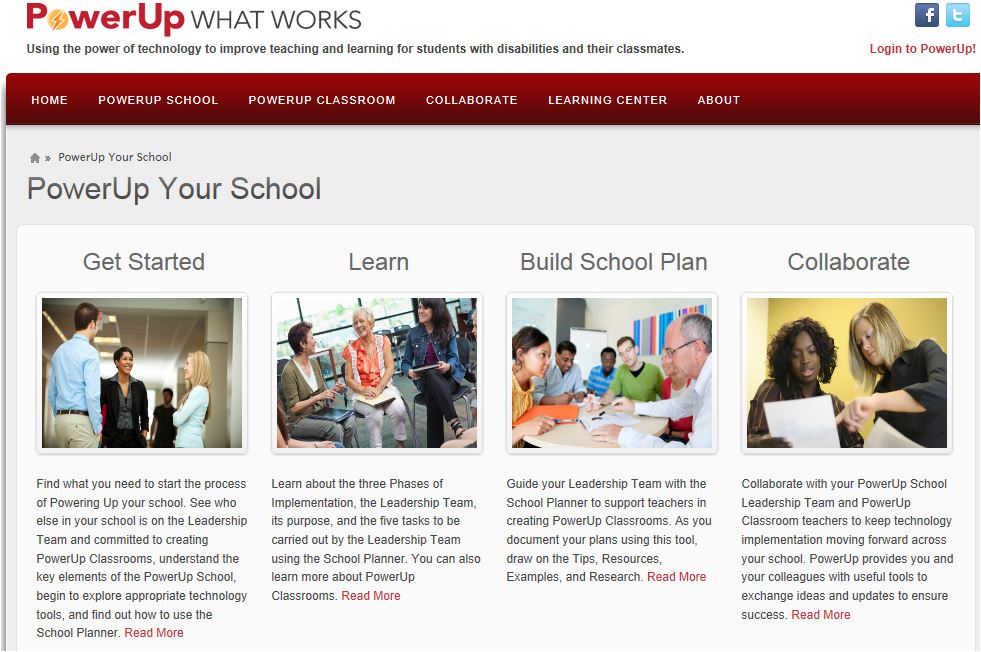
PowerUp Your School

Teachers are the ones leading the way on integrating technology into their teaching and their students’ learning.  While teachers are ‘making it happen’, sometimes one classroom at a time, we know that more is usually required to sustain effective technology integration over the long term.  If your school is interested in developing a school-wide plan for integrating technology, Power Up offers a range of resources to support you in developing a school-wide plan and building a team that will work together to support one another in making technology a meaningful part of children’s learning.

Image

I know the Power Up team is eager for feedback, so let them know what you find especially helpful and share suggestions for improvement.

The Info on Infographics: Synthesizing Multiple Sources with Text and Visuals

By Thomas DeVere Wolsey
Infographics may be a term you haven’t heard (or if you have heard of it, you may have thought, “Ugh, another infomercial”). However, even if you haven’t heard the term, it is very likely you have seen an infographic if you have been on Facebook, YouTube, or on your school or company website. What they are is as intriguing as the first picture book (it was Orbis Pictus, by the way) or the comic books and graphic novels you read when you were a kid, or last week, for that matter. As important, infographics are tools that teachers can use to help students understand big ideas, and they are tools that students can use to synthesize multiple sources of information.
What is an infographic? Well, it combines data, charts and tables, text, maps, and images in a persuasive and engaging way. Infographics are often fun to read. They transcend the individual chart or table by bringing together many types of information. Here is one example:

Infographics

Infographic of Infographics

and here is another

The topics captured by infographics are diverse. They can convey complex economic concepts, or persuade the reader to take action to help solve a complicated problem facing the world. They may present an array of terms that develop conceptual understanding of vocabulary. For students, infographics gather information and present it in an interesting and coherent way. At the same time, the best infographics challenge the imagination and the intellect. Quite often, infographics have a very professional look about them, but, get this: students (and their teachers) can create them, too. I decided to test one infographic creation tool just to show readers of LiteracyBeat that it can be done. If I can do it, so can you. I used Picktochart for this experiment to render LiteracyBeat as an infographic. LitBeat-Infographic

Click the image to see the infographic in greater detail.

How might readers of LiteracyBeat use infographics to help their students make sense of content? When students create infographics, they might
• Compare two or more works of literary fiction or the authors of those works +
• Use images, text, and tables to show how social media affects their own lives
• Present local findings and those of peers at another school in a different geographic region with comparisons of international data
• Encourage peers to read, via an infographic on the school webpage, by including data about the most popular books read, the most assigned books, and so on.

How have you used infographics? How might you plan to use infographics to assist your students with summarization, synthesis, and other high-level cognitive tasks?

Resources:
From Kathy Schrock: http://www.schrockguide.net/infographics-workshop.html
Plus a rubric: http://www.schrockguide.net/uploads/3/9/2/2/392267/infographic_rubric.pdf
From Visual.ly: http://create.visual.ly/
List of tools and links From InfographicsArchive: http://www.infographicsarchive.com/create-infographics-and-data-visualization/
More resources on Delicious: https://delicious.com/tdwolsey/Infographics

News from the International Reading Association Conference

The International Reading Association conference took place April 19 – 22nd in San Antonio, Texas. We were thrilled that all of us were able to attend and participate in IRA board activities, committee meetings, SIG sessions, preconference institutes, and workshops. Below are highlights from the conference.

• Bernadette was officially inaugurated onto the IRA board of directors. Her vast experience with teaching and learning in Ireland has yielded a goldmine of ideas that will help IRA forge ahead in new and innovative directions. She is sure to share many useful insights about the use of technology to support reading, writing, collaboration, and learning. We’re excited about what lies ahead for Bernadette and for IRA.

• Dana was honored with the Computers in Reading Research Award. This award is given by the TILE-SIG to honor reading researchers who have made a significant contribution to research related to classroom literacy instruction and technology integration. Her recent book Transforming Writing Instruction in the Digital Age (co-authored with DeVere) provides professional development for teachers and techniques for integrating writing with Web 2.0 technologies. This ground breaking work, coupled with Dana’s work in digital vocabulary learning and teacher development, sets her apart as an exceptional scholar who is committed to supporting the work of teachers and teacher educators. Her keynote address will be presented at 2014 TILE-SIG session during the New Orleans conference.

• DeVere presented an interactive session at preconference institute organized by Kathy Ganske: Making a Difference through Writing. Participants explored two aspects of working in digital environments: How to work with digital sources to inform their writing and how to bring together digital images and composing processes, as means for increasing language learning. Participants learned how to use online tools their students can employ to draw or reuse images found on the Internet in service of writing as a means of learning. Examples of digital stories that combine images and words were provided, and participants with computers or smartphones had the opportunity to try some of the tools. By linking the parts of the brain that process images with those parts that process language, written work improves and so does student learning. Follow this link to view the presentation slides and resources.

• Bridget presented her innovative work on multimodal composition at the ‘Meet the Researchers’ poster session. She reported on a study conducted with Blaine Smith of Vanderbilt University that examined how two urban middle school youth collaboratively composed a digital video retelling of a folktale. Drawing on Camtasia real time video screen capture of the youth’s composing processes, their retelling products, and their perspectives on composing, they created an in-depth portrait of this pair of engaged, successful storytellers. The study supports the integration of multimodal composition into the literacy program, highlighting the value of teaching within a scaffolded digital composition workshop model.

• Jill, together with her colleague Heather Cotanch from the Lawrence Hall of Science, presented a workshop entitled Enhancing Literacy and Content Learning Using iPad Apps for Digital Content Creation. This hands-on learning experience involved participants in designing instructional experiences that actively engage students in creating digital content. Three digital content creation tools were used: 1) iMovie, a video creation app that makes shooting and editing a video simple, 2) ShowMe, an app that makes it easy to create a storyboard with images and drawing and includes a voiceover feature, and 3) VoiceThread, a collaborative, multimedia slide show that holds images and allows creators or viewers to add voice over, text, and video commentary. During the workshop, participants worked collabortively on iPads to create a product using one of the applications introduced. This full immersion approach mirrored what students face in the classrooms as they engage in digitally enhanced learning. Selected final products were shared and celebrated. Participant observations about the learning process were discussed with an eye toward design principles for implementation.

We hope you’re able to join the fun at next year’s IRA conference that will take place May 9-12, 2014 in New Orleans.

Expanding the Scope of Digital Writing with iBooks Author

A New Post by Jill Castek

Tools for digital publishing are becoming much more sophisticated. With iBooks Author, it’s now easier than ever to create interactive and visually appealing iBooks for iPad. The Apple-provided templates feature a variety of page layouts. You can add your own text and images using drag-and-drop. Interactive photo galleries, movies, Keynote presentations, 3D objects, and more can also be embedded. Completed books can be submitted iBookstore in a few simple steps. And before you know it, your students can be published authors.

Many teachers are now using the iBooks Author app to create iBooks. Some have used the ePub export option using Apple’s word processing program Pages to create PDFs that can be stored and accessed on iPads (using Kindle Reader for iPad).

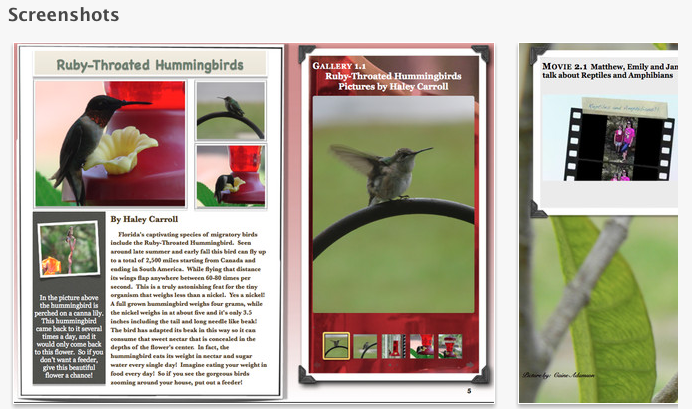
Andrea Santilli and her seventh graders at Woodlawn Beach Middle School created a 133 page iBook entitled Creatures, Plants and More: A Kids Guide to Northwest Florida, that includes numerous images of creatures and plants. This book is an interactive field guide of Northwest Florida. The stories and photos are now a published collection that has become top seller in Apple’s iBookstore. For those interested in visiting Florida, or just reading about it, this book will bring you in contact with fascinating interactive photo galleries and videos along with detailed narrative descriptions.

Creatures, Plants, and More:   A Kid's Guide to Northwest Florida

Creatures, Plants, and More: A Kid’s Guide to Northwest Florida

Mr. Smith’s 5th graders created  Two Kids and a Desert Town. These special education students were greatly motivated to write for an authentic audience. The project integrated technology, provided opportunities for collaboration, and gave students the chance to reflect on their learning process. Having published this book, and knowing that individuals all over the world have downloaded it and read it, these students will forever see themselves as writers!

Two Kids and a Desert Town

Two Kids and a Desert Town

After the success of Desert Town, Mr. Smith’s students created a second iBook entitled 5th Grade: Reflections on our Year. This book showcases the growth made by each student across the year.  Reflecting on their progress has encouraged them to see themselves as readers and writers.

5th Grade:  Reflections on our Year

5th Grade: Reflections on our Year

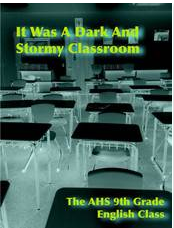
Other creative teachers, such as Chris Schillig, and his students created spin-offs works including It Was A Dark and Stormy Classroom. This book is made up of more than 40 of their collaborations and solo stories — an anthology of crime, murder and clues that proves detective fiction is alive and well in the 21st century.

It Was a Dark and Stormy Classroom

It Was a Dark and Stormy Classroom

Mr. Schillig’s AP English class tried their hands at modernizing The Canterbury Tales and created Canterbury Remixed. As you peruse this book, you can see how engaging this tools in iBooks can really be!

Canterbury Remixed

Canterbury Remixed

If you’re interested in learning the specifics of iBooks Author and are attending the International Reading Association conference in San Antonio (April 19 – April 22), check out Genya Devoe’s session entitled Using iBooks Author to Bring Content To Life with Your Students. The session will include an introduction to iBooks Author and an extensive step-by-step presentation in how participants can use iBooks Author to meet the differentiate needs of students and engage students in literacy in a new, exciting way. This session will take place Sunday April 21st from 9am – 10am in the Grand Hyatt Lone Star Ballroom E.

IRA 2013

IRA 2013

If you’ve used iBook author and have a book or experiences to share, please leave a comment. It would be great to hear from you!

Delivering Presentations as Learning Opportunities

By Thomas DeVere Wolsey

We all know what a presentation is, right? The teacher presents information, typically thought of as a lecture, to a classroom full of students. A financial officer presents a budget to the board of a corporation. Students, having completed research on a topic present it to their peers. Often visual aids, such as a poster or PowerPoint enhance what the presenter has to say. Multimedia software, along with media hosting sites (e.g., YouTube) gives teachers and their students so many more options than a person with a laser pointer at the front of a room with a captive student audience. Equally important, those same multimedia tools offer the possibility of improving the learning they are intended to promote.

Presentations involve multiple steps; we can think of them as compositions. They require selection of a topic, identification of appropriate sources of information, characterizing that information for the audience, organizing it, choosing the presentation tools, designing the components of the presentation, rehearsing, and finally delivering it to the audience. Delivery is our focus for this blog post. Students are very familiar with traditional presentations using presentation software (e.g., PowerPoint, Keynote). In this format, the student (or a small group of students) prepare a presentation then deliver it to the class as a kind of lecture. Students do need to learn effective presentation skills in a face-to-face environment.

An effective alternative is to ask students to put their presentations online. Some presentation tools live online naturally. Prezi is one such tool, and Glogs make excellent e-posters. Newer versions of PowerPoint easily support audio files and can be converted to videos that may be uploaded to YouTube, Vimeo, and similar services. The big advantage is that students need not sit through all the presentations of their classmates. If the teacher embeds the presentation on a class blog or provides a link in a threaded discussion group, students may then select three or four presentations from their classmates to view. Other social media may also be used–Facebook, Edmodo, Twitter, etc. Using the comment feature of the blog or the threaded discussion forum, they comment on the presentations, adding to the information, questioning it, or suggesting strengths or possible alternatives to the ideas presented.


This format also works well for “dress rehearsal.” A student-created presentation might be shared via a private link to a small group for comment with an eye toward improvement of the product. Andrea Shea (Lapp, Wolsey, & Shea, 2012) taught her second graders to offer “praises” and “pushes” on student writing, and the idea can be used to help students improve their presentations, as well. A push is just gentle feedback designed to offer suggestions, alternatives, and the perspective of a member of the audience. As with written work, students often think of their presentation tools in a once and done way. They may not rehearse what they will say (either recorded or for live presentation) and design elements often benefit from feedback from an audience. Consider PowerPoint presentations with so much text crowded on the slide that the small text is almost impossible to read, or the slide with fonts so fancy they require much work of the audience just to get past all the curlicues and serifs (cf., Reynolds, 2010). Such presentation aids could benefit from some peer response during drafting.
High school teacher Jason Kintner promotes peer feedback on presentations through an Oscar or People’s Choice award format. He writes,

“Something I like to do in my classes to allow students to recognize and reward outstanding performance of the peers in delivering presentation is to designate specific awards. Students pick the top three presentations in the following categories (They are not allowed to pick the same student for each category):
• Einstein Award—Outstanding originality and depth of understanding.
• Rembrandt Award—Outstanding creativity and artistic ability.
• Gestalt Award—Presentation creates an “aha” moment, sudden burst of understanding, enlightenment, or enrichment.

References

Lapp, D., Wolsey, T. D., & Shea, A. (2012). “Blogging helps your ideas come out”—Remixing writing instruction + digital literacy=audience awareness. The California Reader, 46(1), 14-20.

Reynolds, G. (2010). Presentation zen design. Berkeley, CA: New Riders.

Webinars: Professional Development Across a Global Community of Learners

A post from Bernadette

Webinars and online interactive podcasts provide opportunities for professional development that is convenient and participatory. A key feature of webinars is the ability to cross time and space and to interact synchronously with key researchers and scholars in literacy in real time seminars. Participants can ask questions, make comments, and interact with colleagues in a global community of learners. In this blog post I want to draw attention to some of my favourite webinars and online podcasts.

I have been following the interpretation and implementation of the Common Core State Standards (CCSS) in the U.S. with great interest. Text Project, under the expert guidance of Elfrieda (Freddy) Hiebert, has been running a series of really useful and informative webinars on the core goals of the CCSS featuring speakers who served in an advisory capacity for drawing up the CCSS. For example, Professor P. David Pearson provided a very enlightening webinar entitled Research and the Common Core: Can the Romance Survive? where he discussed the research underpinning the CCSS with particular reference to comprehension. He provided a very illuminating critique of the interpretation and implementation of the CCSS. You can also view the archived webinars asynchronously on the Text Project You Tube channel . Other archived webinars include Dr. Timothy Shanahan on CCSS and Education. Upcoming events on the webinar series include eminent scholars and researchers such as, Dr. Karen Wixson, University of Michigan on Key Shifts in Assessment and Instruction Related to CCSS-ELA (24th of April, 2013); and Dr. Nell Duke on Informational Text and the CCSS: Pitfalls and Potential (30th of May, 2013). You can register for these webinars on the Text Project website.

The International Reading Association (IRA) has also conducted a series of webinars on Staying Ahead of the CCSS. Members can access the archive of these seminars for a modest rate on the IRA website.

Another series of webinars which I follow are the Global Conversations in Literacy Research (GCLR). Past webinars have included eminent scholars, from across the globe, on a diverse range of issues pertaining to literacy and have included Dr. James Paul Gee, Dr. Allen Luke, and Dr. Julia Davies. An upcoming webinar features Dr. Patrick Shannon (April 14th, 2013) on A Closer Reading of the Common Core: Reading Wide Awake looks particularly interesting. The GCLR team hope to begin archiving these webinars in the coming months.

Finally, I really enjoy the biweekly podcasts on the Voice of Literacy where Dr. Betsy Baker interviews researchers about recently published research in Tier 1 journals such as, Reading Research Quarterly (RRQ) or Journal of Literacy Research (JLR). These podcasts provide an opportunity to listen to a researcher flesh out their research findings in discussion with Betsy. The Voice of Literacy site provides a comments section where listeners/ readers can pose questions or provide commentary on the podcast. Our very own Literacy Beat Blogger Bridget Dalton has been featured discussing her research related to utilising digital technologies to support the development of reading comprehension and vocabulary with 5th grade monolingual and bilingual students. I have embedded the link below.

Designing technology to support comprehension among monolingual and bilingual students with Dr. Bridget Dalton

Generative Technology for Teacher Candidates: The Assignment

Generative Technology for Teacher Candidates:  The Assignment

Dana L. Grisham

My friend and colleague, Linda Smetana, and I have been working together since about 2004. She’s a full professor at CSU East Bay (Hayward, CA), from which I retired in 2010. Linda is one of those extraordinary scholars and teacher educators who stays close to her field—she teaches one day per week in a Resource classroom in the West Contra Costa Unified School District—and also works full time at the university, where she specializes in literacy teacher education in both special and general education. Recently, Linda and I have been investigating the intersections of literacy and technology in teacher preparation together and I’d like to share with you a project we just completed and the results of which are going to be published in a book edited by Rich Ferdig and Kristine Pytash, due out later in 2013.

Our belief is that “generative” technology needs to be infused into teacher preparation. Technology in teacher preparation tends to be “silo-ed” in the programs where we teach. Currently, candidates at our university have one technology course, based on the ISTE standards, but bearing relatively little on pedagogy for teaching. By generative technology, we mean that the technology is embedded in the content of the course in teaching methods, rather than something “added on.”

The basic framework that we used for the assignment was the TPACK model (Mishra & Koehler, 2006) that has appeared in this blog before:

TPACK

The TPACK model asks the teacher to look at the content of the lesson, or what we want students to learn, as well as the pedagogy (how best to teach this content), and then at the technological knowledge that might be advanced in the lesson. Where the three elements intersect is known as TPACK or the theoretical foundation and link between technology and praxis. In our courses, we have presented TPACK as the goal for integrating meaningful technology into lesson planning and teaching.

The participants in our recent study consisted of 21 teacher candidates in the fifth quarter of a seven-quarter post-baccalaureate teacher preparation program; 17 of these candidates were simultaneously completing their masters degree in education while 18 of the 21 participants were earning their education specialist and multiple subject (elementary) credentials.

In creating the assignment, we carefully considered the context for teaching of the candidates in the course, structuring the assignment so that all candidates could successfully complete it. Candidates had different levels of access to student populations. Accessibility ranged from 30 minutes a day three days a week, to the full instructional day five days a week.  Teacher candidates also taught different subjects among them: English, History, Writing, Reading, Language Arts, Study Skills, and Social Skills. To insure that teacher candidates considered all aspects of their assignment in their write-ups of the project, Linda provided guidelines for the reflection. Students were responsible for learning to use the tools they chose. Linda collected and we jointly analyzed the data. Findings from the research were uniformly positive. In fact, right now Linda is doing post-research interviews with a couple of the candidates who have really taken to the integration of technology into their teaching.

For the purposes of this post, I would like to share the assignment with you. In my next post I plan to share a couple of the projects. Teacher candidates were provided with guidelines for the technology assignment and provided with a list of potential tools that they might use for the assignment. They learned the TPACK model for planning. Below is the technology assignment from Linda’s syllabus and the list of technology tools (free or very inexpensive) provided for students to investigate. We offer this with complete permission for other teacher educators to use or modify for use in their courses.

The Generative Technology Assignment

The Common Core Standards mandate the use of technology for instruction, student work, and student response.  Students with special needs, especially those with mild moderate disabilities may not have access to technology or their access may be limited to hardware and software that may not be useful to support the learning process.

During the second month of the class, we will have three independent learning sessions.  These sessions are intended to enable you to complete the technology assignment.  This assignment focuses on integrating technology with academic skill development, core content with teacher and student creativity. The focus should be on an aspect of literacy or multiple literacies.

In this assignment you will use technology to develop a set of learning sequences for use with your students.  You may complete this assignment in groups of no more than two individuals one of the technology tools in the syllabus or one that you locate on your own.  If completed in pairs, the finished product must demonstrate increased complexity and include the work of students in both individuals’ classrooms.

Your technology assignment should enhance the learning of your students.  Prepare an introduction to the presentation to educate your viewer.  Think about the content of the presentation, reason for the your selection this medium and/or process.  Share how your presentation meets the needs of your students and reflects their knowledge. The assignment must incorporate student work.  Identify how the students participated in the development and creation of the assignment. 

Prepare a thoughtful reflection of your thoughts on the process and the final product including the preparation, implementation and evaluation of the product and the management of students and content. This reflection should be descriptive and include specific examples. It may be submitted as a word document.

Place your project on a flash drive that may be placed into the classroom computer for projection.  Use your student work of materials from the web, interviews, u-tube and anything else that will capture students’ attention. 

Technology Web Resources Provided to Teacher Candidates

VoiceThread http://www.voicethread.com.

Animoto http://www.animoto.com/education

ComicCreator http://www.readwritethink.org/files/resources/interactives/comic/index.html

Edmodo http://www.edmodo.com

Glogster http://www.glogster.com

Prezi http://www.prezi.com

Popplet http://popplet.com

Slidepoint http://www.slidepoint.net

Storybird http://storybird.com

Strip Designer http://itunes.apple.com/gb/app/strip-designer/id314780738?mt=8

(iPad app)

Stripcreator http://stripcreator.com

Screencast http://screencast.com

Screencast-o-matic  http://screencast-o-matic.com

Cool Tools for Schools http://wwwcooltoolsforschools.wikispaces.com/Presentations+Tools

Toontastic http://launchpadtoys.com/toontastic/

In addition to the assignment, teacher candidates were provided with guidelines for reflection, seen below.

Questions to Guide Reflection

What and how did students learn? Include both intentional and unintentional lessons.
What did you learn?
What would you do differently if you were to do this project again?
What were the greatest successes of this project?
How would you improve this project?
What advice would you give a teacher contemplating a similar project?
What kinds of questions did students ask?
Where were students most often confused?
How did you address the needs of different learners in this project?
What resources were most helpful as you planned and implemented this project?

To scaffold teacher candidates application of technology to lesson planning for the project, each one provided Linda with a proposal to which she gave feedback. Each proposal contained the following components: Context, Students, Standards (literacy and NETS•S standards), Technology, Process, and Product.

Every student completed the assignment successfully and their reflections are highly interesting….more to come! In my next post, I will share with you some of the amazing projects that Linda’s teacher candidates produced.

References

Grisham, D. L. & Smetana, L. (in press). Multimodal composition for teacher candidates: Models for K-12 writing instruction. In R. Ferdig & K. Pytash (Eds.). Exploring Multimodal Composition and Digital Writing. Hershey, PA: I-G-I Global.

Mishra, P. & Koehler, M. J. (2006). Technologiical Pedagogical Centent Knowledge: A new framework for teacher knowledge. Teachers College Record, 108, 6, 1017-1054.