Digital Concept Mapping

A new post from Jill Castek

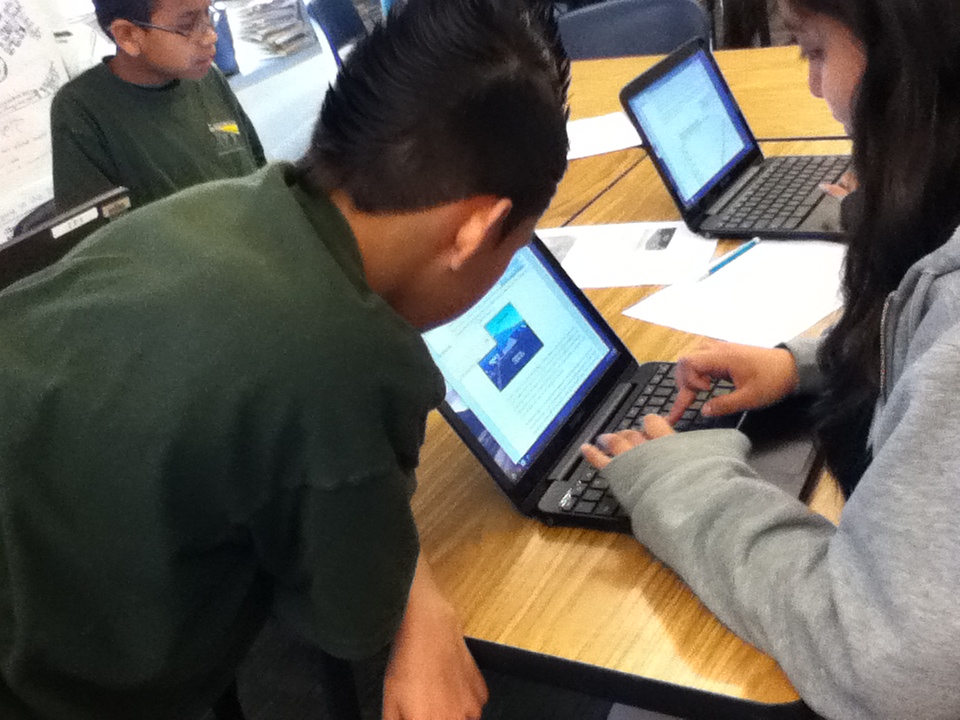
kids at workI started a new study last week with colleagues Heather Cotanch, Rick Beach, John Scott and 6th grade math and science teacher Laura Kretschmar from Lighthouse Community Charter school in Oakland, CA – a frequent collaborator. This work explores middle school students’ and teachers’ experiences with using digital technologies for learning. While I’ve done other studies like this over the years, this one has a distinct focus on student interviews to document learning perspectives.

The school had recently purchased rolling carts of Google Chromebooks, which offered an inexpensive solution to facilitating online work. As a regular user of Google tools I was excited to see the wide-array of apps that can easily loaded on Chromebooks.

chromebooksmore chromebooks

The sixth grade students had begun a unit on climate change and were eager explore some ways digital technologies could be used to enhance their learning experiences. To dig into the project, we began with a familiar process – compare and contrast. In this case, students were examining the concepts of weather and climate to better understand long and short-term changes in the atmosphere. We agreed that after reading, discussing, and generating examples, organizing ideas into a concept map was the best way to create archive of their thinking. We used the free tools from Mind Meister (see http://www.mindmeister.com) as the platform. We made this choice because of the abundance of free templates, the ease of use in incorporating images into the maps, and the ability to showcase the completed maps in a zoom-in and out Prezi-type way.

Concept-mapping apps help students visually represent logical or causal relationships between ideas associated with a certain phenomenon. In using concept-mapping apps, students identified a variety of key words associated with climate and weather and visually organized the logical relationships between these words. Students could insert the words into circles or boxes, drawing lines between ideas with spokes into which they inserted sub-topics. These connecting lines served to define the logical relationships between ideas, for example, how a new word might serve as an illustrative example of a major topic.

Within many concept-mapping apps (such as Bubble.us or Webspiration)  students can create an outline list of words with subcategories within those words, and will then generate different types of maps using these outlines. Many concept-mapping apps also include the ability to color-code ideas as a means of visually representing different categories of information.

Use of concept-mapping apps helps students collaboratively develop and expand topics. Online collaboration to create, revise, and develop maps with others is also a key feature. By sharing the same concept maps, a group of students working on the same project can visually represent their thinking for each other so that they are literally and figuratively on the same page. Students can then pose questions of each other based on their maps, for example, questions about connections between ideas or the need for more information to solidify understanding of a topic. While concept mapping can also be accomplished using paper and pencil, revision capabilities are limited. In the digital form, substantial changes can be made effortlessly, making revision more palatable to students.

While I’m still archiving the students examples and analyzing the interview data we collected, this experience with digital concept mapping suggested that students were able to visually link concepts through logical connections or groupings.  The act of organizing their ideas fostered students’ use of causal/hierarchical thinking. They were motivated to view each other’s maps, which led to collaborative brainstorming that prompted revisions. There’s more to come once the data are analyzed, but I was excited to share my “in-process” thoughts while they were fresh in my mind.

If you’ve used other tools for digital concept mapping and have some insights to share, please leave a comment!  Thanks!

Literacy and Technology Special Issue from Research in the Schools

It’s snowing here in Boulder and time for me to catch up on some reading!  Guest edited by Marla Mallette, this special issue from Research in the Schools focuses on ‘Literacy and Social Networking’.

The articles can be accessed online at http://dtm10.cep.msstate.edu/rits_191.htm.

As you can see from the table of contents below, the authors address a broad range of topics, from Diane Barone’s article on young children’s experience with social media and Web 2.0, to Frank Serafini’s piece on reading multimodal texts in the 21st century, to Don Leu and Elena Forzani’s article on Web 2.0 –  now and into the future!  Blaine Smith and I also have an article in this issue about how teachers design Internet-based literacy and learning lessons with Strategy Tutor, a free online authoring tool developed by Cast, Inc. (www.cast.org).

Enjoy reading and please post a comment, question, or related resource.

Let it snow, let it snow, let it snow!

TABLE OF CONTENTS

In the latest issue: Spring, 2012, Volume 19(1)
(Special Issue on Literacy and Social Networking)

Mallette, M. H., & Mthethwa, P. M. (2012). Guest editorial: Web 2.0 and literacy: Enacting a vision, imagining the possibilities. 19(1), i-iv.

Barone, D. M. (2012). Exploring home and school involvement of young children with Web 2.0 and social media. 19(1), 1-11.

Dalton, B., & Smith, B. E. (2012). Teachers as designers: Multimodal immersion and strategic reading on the internet. 19(1), 12-25.

Serafini. F. (2012). Reading multimodal texts in the 21st century. 19(1), 26-32.

Alvermann, D. E., Hutchins, R. J., & McDevitt, R. (2012). Adolescents’ engagement with Web 2.0 and social media: Research, theory, and practice. 19(1), 33-44.

Beach, R. (2012). Uses of digital tools and literacies in the English language arts classroom. 19(1), 45-59.

Karchmer-Klein, R., & Shina, V. H. (2012). 21st century literacies in teacher education: Investigating multimodal texts in the context of an online graduate-level literacy and technology course. 19(1), 60-74.

Leu, D. J., & Forzani, E. (2012). Discussion, new literacies in a Web 2.0, 3.0, 4.0, …, [infinity] world. 19(1), 75-81.

What Do Instructional Natives Need to Know about Technology?

By Thomas DeVere Wolsey

Students seem to know how to do all kinds of things digitally. They can tweet and text. Email is so last decade. iPads and Samsung Galaxy Tabs offer so many ways to connect to friends, family and the world at large via the Internet. Anyone can sign up for a MOOC. Fifteen-year-olds are outlining educational approaches—on a Washington Post blog, no less. Education professionals might be wondering just where they fit in the world where information is readily available.

Just what can teachers and other education professionals do when digital environments make data and information* seemingly ubiquitous? What is their role, if there is one? Last week, the National Council of Teachers of English updated its policy statement titled The NCTE Framework for 21st Century Curriculum and Assessment. What is notable about it is what is does not contain. There are no references to tools such as blogs or wikis. The word “computer” appears only once, and then only in the appendix. There is not a single reference to a SMARTboard or similar technology.

Rather, what is notable about this Framework is that is focuses on the dispositions of “Active, successful participants in this 21st century global society” (para 3). Verbs that characterize these 21st century outcomes include: design, create, develop, and manage. These verbs lend vibrancy to the technology and media students do and will continue to encounter even as the tools themselves continue to evolve (cf. Leu, Kinzer, Coiro, & Cammack, 2004). One aspect of the Framework is one that has long fascinated me; though the Internet can bring volumes of information right to the desk of anyone with access, the real strength of the internet lies in how it brings people together in new ways across and within cultures, affinity groups, geographical regions, and more. The Framework emphasizes this aspect, too.

Build intentional cross-cultural connections and relationships with others so to pose and solve problems collaboratively and strengthen independent thought.

This week, Project Tomorrow and BlackBoard, Inc. via the Speak Up National Research Project released a study exploring how those who want to be teachers are employing technology in their quest to become teachers and in their daily lives. The report also explores what aspiring or preservice teachers expect to encounter once they become teachers. The report delves into many nuances; however, here it is worth noting that though aspiring teachers use technology more than current teachers, they need and want models of how those technologies can be used in service of learning. Moreover, the principals for whom they might someday work hold high expectations that the new teachers entering the profession will be able to employ digital technology in service of learning.

The Project Tomorrow report continues to emphasize the problematic “digital native” metaphor (see last week’s post, for example); however, it does provide guidance for teachers who work with aspiring teachers including cooperating teachers in schools and teacher educators. Education professionals, as instructional natives, can help meet the needs of aspiring teachers and the demands of the 21st century, now well into its second decade. It is not necessary, or even realistic, to believe that any teacher, student, or teacher educator can “keep up” with every development on the technological horizon.

Some dispositions characterize instructional natives (Wolsey & Grisham, 2011) that may help:

• Teachers and teacher educators can use technology to assist them to better their own professional knowledge and connect with other educators.

• Teachers and teacher educators may not know how to use every tool available (and the secret is that neither do their students), but they can find online resources and ask their own students for help. Seeking the advice of students seems counterintuitive, at first, but I assert that this one quality is the hallmark of the 21st century instructional native.

• Teachers and teacher educators can trust their students to use media in responsible ways, with thoughtful guidance and questions from their teachers who are instructional natives.

• Teachers and teacher educators can and should regularly try out new technologies even if doing so is not quite comfortable at first.

References

Leu, D. J., Kinzer, C. K, Coiro, J. L., & Cammack, D. W. (2004). Toward a theory of new literacies emerging from the Internet and other information and communication technologies. In R. B. Ruddell & N. Unrau (Eds.), Theoretical models and processes of reading (5th ed., pp. 1580-1613). Newark, DE: International Reading Association.

Wolsey, T. D. & Grisham, D. L. (2011). A nation of digital immigrants: Four principles [online editorial]. The California Reader Online, 44(2), 1-9. Retrieved from http://tdwolsey.files.wordpress.com/2012/08/vol44no2_digitalimmigrants_11-05-10.pdf

* For an interesting discussion of the difference between data, information, knowledge, and wisdom, read:
Stewart, T. (1997). Intellectual capital: The new wealth of organizations. New York: Doubleday.

Current Issues in the Digital Divide Debate

Almost 35% of the world’s population are now online! The most recent World Internet Usage and Population Statistics (shown below) suggest high levels of access to the Internet in, for example, Europe (63.2%), North America (78.6%) and Australia (67.6%). Issues of physical access to technologies remain between the ‘haves and have nots’ (Warschauer, 2003). However, from the figures shown you can see phenomenal growth in access to technologies over the past decade or so in ‘developing’ countries, such as Africa.

World internet stats

The focus in the ‘digital divide’ debate has shifted in recent times from issues related to physical access to digital technologies to issues related to (a) the quality of access to digital technologies to enhance literacy and provide deep learning opportunities for our students; and (b) equality of opportunity in access regardless of socio-economic status (SES) or print-based reading capabilities.

The assumption that most of the ‘digital native’, Google, M2 generation have highly developed technological and information-seeking skills on the Internet lacks credibility within the research-based literature (e.g. Livinstone & Helpser, 2007; Williams & Rowland, 2007). To borrow from Ito and colleagues’ (2010) great title ‘Hanging Out, Messing Around and Geeking Out, Kids Living and Learning With New Media’, our students are great at ‘hanging out’ on social networking media sites, such as Facebook and Twitter; great at ‘messing around’ uploading and downloading videos from YouTube; and are great at spending considerable time online (Rideout, Foehr & Roberts, 2010). However, when it comes to ‘geeking out’ it is clear that the M2 Google generation are not a homogeneous population with a uniform digital upbringing, are not sophisticated users of technology, and have not realised the potential of the Internet as a site for deep learning and knowledge construction. If we erroneously assume that our student population have highly developed Internet and technology skills if gives us a free pass as educators and policy makers to disregard the need to explicitly explore and teach new literacies with our students or to fully integrate and embed digital technologies for literacy as essential components of the classroom curriculum.

Research evidence also suggests differences in equality of opportunity in access to technologies depending on SES (e.g. Volman, van Eck, Heemskerk, & Kuiper, 2007). While the Internet and other digital technologies have the potential to motivate and engage struggling readers from low SES communities, the converse is also true. The Internet could further compound the difficulties experienced by these students either through limited access to technologies (it’s too difficult for them) (Karchmer, 2001) or using digital technologies to develop decontextualized, constrained skills. While students from low SES school communities may be engaged in low level skill development using digital technologies, research suggests that their peers from more affluent schools are engaging with higher order, problem solving inquiry based skills and strategies. Those students who have limited home access to Internet technology, those who are struggling with print-based literacy “are precisely those who are being prepared the least” (Coiro, Knoebel, Lankshear, & Leu, 2008) for life in an information age.

So how can we provide improve learning outcomes for all students through the integration of the Internet and digital technologies with subject areas of the curriculum? I leave you today with a non-profit research and development organisation dedicated to building student engagement through the integration of digital technologies with subject matter content and skills. The CAST organisation bases its work on the principles of Universal Design for Learning (UDL) (Rose & Meyer, 2002). We have previously blogged on two free online tools developed by CAST; Book Builder and Science Writer. I would urge you to explore their website and view the brief video embedded below.

References
Coiro, J., Knobel, M., Lankshear, C., & Leu, D. J. (2008). Central issues in new literacies and new literacies research. In J. Coiro, M. Knobel, C. Lankshear, & D. J. Leu (Eds.), Handbook of research on new literacies (pp. 1-21). Mahwah, NJ: Lawrence Erlbaum Associates.
Ito, M., Baumer, S., Bittanti, M., Boyd, D., Cody, R., Herr-Stephenson, B et al. Hanging out, messing around and geeking out: Kids living and learning with New Media. Cambridge, MA: MIT Press:
Karchmer, K. A. (2001). The journey ahead: Thirteen teachers report how the Internet influences literacy and literacy instruction in their K-12 classrooms. Reading Research Quarterly, 36, 442-467.
Livingstone, S., & Helsper, E. (2007). Gradations in digital inclusion: Children, young people and the digital divide. New Media and Society, 9(4), 671-696.
Rideout, V.J., Foehr, U.G., & Roberts, D.F. (2010). Generation M2: Media in the lives of 8- to 18-year olds, Menlo. Park, CA: Henry J. Kaiser Family Foundation.
Rose, D. & Meyer, A. (2002). Teaching Every Student in the Digital Age. ASCD. Available free online: http://www.cast.org/library/books/tes/index.html
Warschauer, M. (2003).Technology and social inclusion: Rethinking the digital divide. Cambridge MA: The MIT Press.
Williams, P., & Rowland, I. (2007). Information behaviour of the researcher of the future. The literature on young people and their information behaviour Work Package 11. A British library JISC study. Retrieved September, 2, 2008 from http://www.ucl.ac.uk/infostudies/research/ciber/downloads/GG%20Work%20Package%20II.pdf.

Let the Reader Beware: Evaluating Digital Books

This week’s post is a guest presentation by Elizabeth Dobler from Emporia State University. Beth has been working in an area that looms large for all educators: evaluating digital books for use in the classroom. Beth has put together a rubric which I believe teachers everywhere will find useful for these essential evaluations. As a teacher educator, I am planning to use the rubric with my master’s level practicing teachers and I beiieve that teacher preparation programs need a useful tool like this for teacher candidates to learn about and use. It is with a great deal of pleasure that I offer Beth’s post on LiteracyBeat. DLG

Let the Reader Beware: Evaluating Digital Books

Elizabeth Dobler

Three things happened to me in the same month that led to my interest in the topic of digital books.  I received an iPad from my university, I began teaching a children’s literature course, and I watched first grade children create their own digital books.  So now, during the winter evenings, instead of watching television or crocheting, I am searching Amazon, the iBookstore, and Barnes and Noble for quality digital books for children that I can recommend to preservice and inservice teachers.

Through my perusal of many digital books, I have reached two conclusions.  First, digital books, or ebooks, have the potential to let readers interact with the book in amazing ways, which can be both motivating and distracting. Many digital books integrate multimedia elements, including text, images, music, sound effects, and narration. In Axel the Truck, published by Harpers Collins, this book for beginning readers provides simple text, colorful images, intro music, and truck sound effects. The reader may choose the narration feature or to read the book themselves.   A reader’s interactive finger tap or swipe can move objects or cause characters to speak. In the app book The Monster at the End of This Book, the beloved Muppet, Grover invites readers to tickle his tummy, upon which he giggles. Some digital books provide ways for readers to become part of the story, such as the app book Cinderella: A 3-D Fairy Tale, which uses  the camera feature of the iPad to place the reader’s own face in a mirror above the mantle.

When teachers, library media specialists, and caregivers choose digital books to use with children, care should be given to selecting books with multimedia elements that deepen the reader’s understanding and appreciation of the story, rather than distract from the meaning of the text. A study by the Cooney Center at Sesame Street Workshop, entitled “Print Books vs. E-Books” (Chiong, Ree, & Takeuchi, 2012), looked at the interactions between parents and their children when reading digital books and found that the enhanced digital book (one with multimedia elements) promotes discussion related to the digital design rather than the content of the book. Does this shift from a focus on the story mean we shouldn’t read ebooks with children? Absolutely not! Children need to experience lots of different genres and formats of books, both print and digital, to prepare them for the wide variety of reading experiences they will encounter in their future.

The second realization I had during my very unscientific-relaxing-on-the-couch study of digital books for children is the quality of these books varies greatly. With the advent of self-publishing and digital bookstores, the world of children’s literature is experiencing unprecedented change. Today anyone can publish a book and make it available in a digital bookstore. On the one hand, this change is highly motivating for our students, as they can see their ideas and writing come alive in a digital book, and this can be shared with others. On the other hand, because anyone can publish their digital book using relatively easy to use publishing software, the traditional system of checks and balances used to screen publications before putting them into the hands of children no longer applies. Books with inappropriate content or incorrect spelling, grammar, or punctuation are available for little or no cost. The book The Case of the Missing Banana, by Matthew Ryan, has bright illustrations and a simple, yet clever text. It’s also missing capital letters for proper nouns and at the beginning of sentences. The Quirky, Nerdy, and Entirely Original Elementary School Adventures of Derpy Dork by Jack Thomas, appears to be a cruder version of The Diary of a Wimpy Kid (Kinney, 2007). Lest I paint an unfair picture, many high quality digital publishing companies do exist. Nosy Crow and Callaway Digital Arts are two of my favorites.

Those who teach, love, and care for children must be the gatekeepers, teaching children how to make wise decisions about book selections of all types, and making these selections for children when necessary.  In order to do this effectively, we must be able to identify quality digital books.  I have shared my interest in digital books with fellow educators, and with their help, we created a simple tool for considering the quality of a digital book.  The Digital Book Evaluation Rubric guides teachers to consider the reading options, user friendliness, appropriateness, and polished appearance of a digital book. Please take the tool, use it, and send us feedback.  In fact, the process of evaluating an digital book works really well if you find a comfy spot on the couch, curl up with a blanket, your digital device of choice and enjoy a book or two.

Elizabeth Dobler is a literacy professor at Emporia State University, in Emporia, Kansas. edobler@emporia.edu

References

Chiong, C., Ree, J., Takeuchi, L., (2012). QuickReport: Print Books vs. E-Books. Joan Ganz Cooney Center.   http://www.joanganzcooneycenter.org/publication/quickreport-print-books-vs-e-books/

Kinney, J. (2007). The Diary of a Wimpy Kid. Amulet Books.

Quality Digital Books

Axel the Truck: Rocky Road (Harper Collins) by J. D. Riley, Illustrated by Brandon Dorman. https://itunes.apple.com/us/book/axel-the-truck-rocky-road/id472125985?mt=11

Cinderella: A 3-D Fairy Tale (Nosy Crow). https://itunes.apple.com/us/app/cinderella-nosy-crow-animated/id457366947?mt=8

The Monster at the End of this Book (Callaway Digital Arts/Sesame Street Workshop) by Jon Stone; Illustated by Mickael Smollin. https://itunes.apple.com/us/app/monster-at-end-this-book…starring/id409467802?mt=8

Questionable Quality Digital Books

The Case of the Missing Banana by Matthew Ryan. https://itunes.apple.com/us/book/the-case-of-the-missing-banana/id442569924?mt=11

The Quirky, Nerdy, and Entirely Original Elementary School Adventures of Derpy Dork by Jack Thomas. https://itunes.apple.com/us/book/quirky-nerdy-entirely-original/id452819761?mt=11

Digital Book Evaluation Rubric

Type of Digital Book (check all that apply):

_____  traditional (print book turned digital)                            _____  gamified (book has embedded game elements)

_____  original (book written for mobile device only)           _____  movie and cartoon inspired

_____  uncertain/unknown

Robust Quality Adequate Quality Limited or Weak Quality
Reading Options Readers can choose options for reading, listening, viewing, or interacting with the text. I can adapt the way I “read” this digital book depending on my reading needs and interests. Or if I cannot choose, I at have several options available (read, view, listen). A limited number of reading options are presented, but the reader has no choice (i.e., audio and text). I can read and listen to this digital book, but cannot choose between one or the other. Reader has no choice of options beyond reading the text and viewing the illustrations. I only have the option of reading this digital book.
User Friendliness Provides various prompts, such as arrows or sounds, for accessing special features (i.e., turning pages, moving objects). Guides the reader towards interaction with the text. I can easily understand how to access all of the bells and whistles available in this digital book. Provides a limited number of prompts for accessing special features.  I can find the special features of this digital book with some exploring. No prompts are provided for accessing special features. The reader must dig to discover the features. I have to search to find the special features of this digital book and even then I may not find them.
Appropriateness The text (vocabulary and ideas) and illustrations are appropriate for the age level of the intended audience.This is an appropriate digital book that I would recommend to the children in my class. One or two questionable elements are present in the words and/or illustrations.  I should provide an explanation prior to sharing this book with my class. The topic, language, and/or illustrations are not appropriate for the age level of the intended audience. I would not share this digital book with my students because it is inappropriate.
Polished Appearance The text has been carefully edited for spelling, grammar, and punctuation.  No errors are present. The illustrations are placed near the appropriate text. I can recommend this digital book to my students with an assurance of high quality. One or two small editing errors are present in the entire digital book, and these do not detract from the text. Illustrations are placed close to the appropriate text. I am aware of the miniscule number of editing errors, but feel the value of the digital book provides a balance. Numerous spelling, grammar, and punctuation errors are present in the text. Illustrations are repeatedly not placed near the text. There are so many editing errors in this digital book, I would be not share this with my students.

Created by Elizabeth Dobler and Daniel Donahoo

This work is licensed under a Creative Commons Attribution-NonCommercial-ShareAlike 3.0 Unported License.

Book Review: Using iPad and iPhone Apps for Learning Literacy Across the Curriculum

A new post by Jill Castek

The Literacy Beat bloggers are back on the beat!  We’re rested and relaxed from the winter holidays with lots of great new ideas to share.  Stay connected with us over the next several months. We’ll once again be posting dynamic new content weekly. This week’s post is dedicated to a incredible new e-book that has inspired me to think in new ways about incorporating tablet technologies into literacy and content instruction.

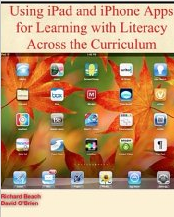
Schools all over the world are making iPads a part of the classroom experience.  Yet how can we best use this tool in ways that support student learning? Rick Beach and David O’Brien from the University of Minnesota offer their insights in  Using iPad and iPhone Apps for Learning Literacy Across the Curriculum.  It is one of the best professional books I’ve read this year.  Not only  is it one of the only books out there that explores tablet use (an area that has grown exponentially in the last year) but it tackles this content from a literacy and learning perspective aimed at supporting teachers’ pedagogy.  The e-book was released on Dec. 26th and is available from Amazon as a Kindle Edition and on Apple iTunes Books.

Screen Shot 2013-01-17 at 1.28.27 PM

Each chapter of the book addresses an important area of literacy instruction. For example there are chapters focused on Writing to Learn, Discussing to Learn, Using Audio and Video to Learn and Using Images to Learn (to name but a few). Each content genre that is covered showcases new dimensions of literacy and learning that apps make possible. Echoed throughout the text is an emphasis on learning contexts such as focused collaboration, peer-supported reading and writing, use of visual and multimedia to express ideas, sharing learning with audiences, and student-teacher communication.

Beach and O’Brien think about the uses of apps in terms of their affordances.  They define app affordances as the particular features of apps and the ways they mediate the uses of literacies and show tangible ways that app affordances serve as tools connecting the student with certain goals for learning. They assert that these affordances are not in the apps themselves but rather are part of the learning context.  This way of thinking suggests that using tablets purposefully in the classroom requires creating a context in which apps are a part of the instructional context for learning (not the end in and of itself).

Reading about apps for iPads, iPhones, and other portable technologies, sparks a desire to check out the features and explore possibilities. For this reason, the e-book format is perfect for this type of text. Some of the most powerful examples of the potentials of apps demonstrate how they can be used for building conceptual understanding and communicating ideas through use of concept-mapping, screencasting, or video production apps. Beach and O’Brien show how these apps allow students to access information and create their own products that include rich visual representations.

The book includes numerous links  that bring readers directly to examples  that illustrate the authors’ key ideas. But what sets this book apart from others is its range of resources referenced.  A supplementary wikhttp://usingipads.pbworks.com  and website http://www.appsforlearningliteracies.com provide even more to explore in the form of resources and further reading.

Congratulations to Rick and David on an incredibly useful and timely book.  While many e-books are not lendable, my Kindle edition indicates I CAN in fact lend out my e-copy.  Feel free to add a comment below if you’d like me to share with you.

A Framework for Effective Technology Use in Online Teaching

Since my retirement from the California State University system, I have enjoyed teaching online at several universities. My field is literacy and I am a teacher educator, but I have always been interested in the intersection of literacy and technology. Thus my students, usually practicing teachers who are returning to the university for advanced degrees and meaningful professional development are usually eager to learn about new “tools of the trade,” especially for use their K-12 classrooms.

All of us know that today’s K-12 students tend to be intensive media users who use the Internet for many social purposes. Students use media and the Internet to respond to literature, create compositions and fanfiction, and to connect with others in interest-driven communities, both outside of school and in classrooms (Grisham & Wolsey, 2006; Wolsey & Grisham, 2012). But what are we doing to prepare teachers to address the learning needs of today’s tech-savvy students? In the context of the classroom, teachers choose the content. We know what we want to teach and what we want our students to learn. Can we (should we) try new technological tools to reach and teach our tech-savvy students? When looking for new technological tools, I look for ease of use, application to curriculum and instruction, and positive impact on affect and learning of mystudents. This is what we (Grisham & Smetana, 2011) call “generative technology.”

In the online teaching environment it is relatively easy to answer that, as teachers (and teacher educators) must learn to use some new tools in order to participate in online coursework. But I would argue that we need to be both savvy and strategic about the tools we require them to learn. It is not new, but I like to use the TPACK model in my planning (Mishra & Koehler, 2006) as shown in the figure below.

The TPACK framework or model suggests that three elements must be considered in planning instruction:  content knowledge, pedagogical knowledge, and technological knowledge. Where the three intersect may be referred to as the “sweet spot” of TPACK and where we should direct our attention when we plan instruction.

I’d like to give an example of this from my own work. I have taught research methods for many years, originally in the brick and mortar environment of Washington State University, where teacher candidates did action research for their certification and MA degrees. I taught it for almost a decade at SDSU, and recently I have been teaching it online for two other universities.

Content Knowledge:  Teachers need to know about research paradigms and how action research fits into their practice. They need to know how to frame a research question, how to do a literature review, collect and analyze data and how to present and discuss their findings.

Pedagogical Knowledge:  As the instructor, I need to engage these teachers in both learning and applying their new knowledge. The key is engagement.  I can lecture, using a PowerPoint presentation (and I do some of that), but I want them to think and interact with others over the content.

Technological Knowledge: I want to find a tool that is relatively simple to learn and use that will provide my teachers with something “new” and useful to them beyond their own immediate learning (hopefully, something they will use for their K-12 students).

In my research classes, then, I have used another fairly well-known tool called Voicethread to provide an opportunity for my teachers to think and respond to what they have read about action research and use a visual to prompt their reflections.

I created a 4-page Voicethread and provided audio directions for responding to each page. Then I suggested my students should respond to the prompt via audio, which they did. The following screen capture shows the initial page of the Voicethread and if you follow the link below, you can view the page itself.

http://voicethread.com/share/2802061/

Students responded thoughtfully and appeared to enjoy the process from the feedback I received. Several of them also talked about using Voicethread in their classrooms (the Voicethreads can be kept private) with their K-12 students. Their action research projects also seemed to reflect a deeper understanding of the purposes of action research and evidence-based instruction.

In the same classes, I asked students to prepare Glogs and Prezis to summarize their research reports and have been really pleased with the results. I’m grateful that I have the TPACK model to remind me that technological tools have to be used meaningfully.

In a prior blog posting I made the following recommendations for distributing technology throughout teacher preparation and professional development programs, but I think they bear repeating here:

Whether or not you are teaching online, I would suggest the following guidelines for teacher preparation (and teacher professional development):

1)   Work collaboratively within the university to distribute technological use across the teacher preparation programs instead of relying on stand-alone  “Ed Tech” courses.

2)   Seek workshops on technology use for themselves and to learn at least one new tool each academic year to apply to their own teaching.

3)   Where possible, seek student teaching placements for teacher candidates in classrooms and schools where technology is being used productively.

References

Grisham, D.L. & Smetana, L. (2011) Generative technology for teacher educators. Journal of Reading Education, 36, 3, 12-18.

Grisham, D. L. & Wolsey, T.D. (2006). Recentering the middle school classroom as a vibrant learning community: Students, literacy, and technology intersect. Journal of Adult and Adolescent Literacy, 49, (8), 648-660.

Mishra, P., & Koehler, M. J. (2006). Technological Pedagogical Content Knowledge: A new framework for teacher knowledge . Teachers College Record 108 (6), 1017-1054.

Wolsey, T. D. & Grisham, D.L. (2012). Transforming writing instruction in the Digital age: Techniques for Grades 5-12. New York: Guilford.


Four Online Reading Tasks

By Thomas DeVere Wolsey

Researchers are delving deeper into the nature of online reading tasks for PK-12 students; however, four common tasks emerge that readers encounter often. The MNOP teaching strategies (model, name, overcome obstacles, and probe) for digital and online texts are bolded throughout. Tasks readers might encounter in digital environments include:

  • Finding and reading appropriate material
  • Determining the best approach for reading digital materials
  • Synthesizing multiple sources
  • Integrating multimodal resources

Finding and Reading Appropriate Material

Confronted by search results from Google or other providers, readers must make a number of decisions. As important, they must do so quickly if they are to succeed in reading anything meaningful in a reasonable time frame.  Identifying appropriate online material is not as easy as it sounds; it involves much more than simply choosing some search terms.  Effective readers of online content try search terms, survey the results, refine search terms as necessary, skim some pages, and read other pages in depth.  Equally important: This process continues as readers encounter ideas and links to other sources; in short, the process does not proceed step-by-step.

Effective practice: Teachers assist readers to set a purpose for reading online sources, evaluate the sources they find, and challenge themselves to read increasingly complex materials online. They model these behaviors, often using a data projector or interactive whiteboard.

Example: Stephanie, a fourth-grade student, looked for information about “California missions,” but most of what she found using just those two words in her search was very broad, and repeated the same information.  She had visited the mission at San Luis Rey, and she knew it was not far from the famous San Juan Capistrano mission. Many of the sites in her search results included information about nearby hotels and restaurants which she knew would not help her learn more about the network of missions along the California coastline.  She knew she needed a web source that went into more detail than what she was finding, and she was sure the information was online somewhere. But, where was it?

CapistranoMrs. Wilkinson, the fourth-grade teacher, had seen students struggle with finding just the right search terms. She had learned that students often got stuck and couldn’t get out  of the mire of many search results but little useful information.  On her class webpage, she had linked some fourth-grade friendly resources.  When she saw Stephanie’s face scrunch up after another click to another website that wasn’t helpful, she walked over and watched for a minute.

“It looks like you have found several sites about the missions, and a couple of them about San Luis Rey that we visited last week on our field trip. But, you seem puzzled, too. What’s going on?”

Stephanie took her finger off the touchscreen, relieved somewhat for a chance to tell Mrs. Wilkinson about her search, “I found a ton of sites, but most don’t tell me anything new. I’m not sure what to do to find out more.”

“Ah, it’s no fun to search and search and come up with so little. That happens to me, too. I remember when we were at the mission, you wondered why San Luis Rey was built so close to the ones in San Diego and Capistrano. Is that what you’re trying to find out?” Mrs. Wilkinson probed.

“Uh huh. I thought it wouldn’t take long to find out. What do I do?”

Do you remember the class webpage we created with ideas to use when we get stuck? Why don’t you open a new browser window, so you don’t lose your place, and take a look at that link? It might have a model you can use.

Young readers of paper-based texts are frequently taught for finding texts that are not too hard to read, called the five finger rule, [learn more about the five-finger rule]. The five-finger rule is used to roughly determine how difficult a text will be; however, online, the five finger rule may not be very effective because page lengths are indeterminate, the amount of text on a page may be lengthy or very brief, and multimodal sources may also constitute portions of the information the reader is asked to process.  Instead, young readers can be taught to challenge themselves by asking themselves a few simple questions when they arrive at a website or other digital text:

  1. How well does it seem this information match my purpose for reading?
  2. How much do I already know about what I am seeing on the page?
  3. Do most of the words look familiar? If not, are there links to definitions or examples that can help me?
  4. Are there tools, such as Twurdy [learn more about Twurdy on this blog here and here], that can assist me in knowing how difficult this page will be to read?
  5. When I read this page, do I feel like I am challenged to learn new information as I read, or do I just feel overwhelmed?

Determining the Best Approach for Reading Digital Materials

Reading for specific purposes that promote content learning as well as increasing proficiency with text means that readers in digital environments must attend to features that differ from traditional paper-based texts. Readers must understand the fundamental differences of reading electronic texts from those in the paper-based environment, and they must be able to regulate comprehension processes in ways that recognize these differences.

Some differences are evident in the layouts designed to work well on a computer monitor or screen versus those that are designed for paper-based environments. A quick experiment will highlight the differences between what our eyes do as we read, what we must do with our hands and fingers, and what are brains are doing when we read complex texts.  Compare this blog post designed with the computer screen in mind with this PDF file that was originally designed mainly for paper (click the link for an example of such a text). As you read, what do you have to do when you read the bottom of page 23 with your eyes, your hands and fingers, and your thinking processes? What if you want to review something from earlier in the article? How do you locate it? Does that process interrupt the flow of your thoughts?

Reading many online materials means that young readers will bring to bear their knowledge of the topic, but it also means they must adapt to online text structures. Online text often differs markedly from paper-based text.  There may be fewer meaning cues to guide inferences because the author believes that the reader will click those links that are relevant to the reader.  The reading may proceed in a non-linear way that is quite unlike reading a book or article in a paper-based magazine.  It is up to the reader in exponentially different ways to construct meaning because the texts are interlinked. Readers literally go to additional sources rather than taking the author at face value, and the quality of inferences drawn may be much more complex. For readers, the potential of consulting a great variety of sources may result in richer thinking. The reader might, for example, consult the links provided by the author, or the reader may search for more information by initiating an original search.

Self-regulation of reading is foregrounded in most online reading environments.  In most reading situations, readers must ask themselves questions as they read and apply fix-up strategies when they realize that the words they read are not matching closely with the background knowledge they bring to the reading task (Hacker, 2004).

Moreover, online readers may be apt to distractions caused by advertisements, instant messaging, a great many sources in a search result and so on.  Teachers can assist students to avoid information overload by attending to the purpose for reading established early on and knowing when to switch from one reading approach to another.

The f-shaped pattern described earlier on this blog can be an efficient approach to locating appropriate sources online; however, as online readers find internet sources that are most helpful to them (focusing on the purpose for reading!), they should be taught to switch from scanning material to reading closely.

Close reading is a term readers will hear more often as the Common Core State Standards (2010) are implemented in most of the United States in the coming months and years.  A useful definition of what close reading is can help here:

Close reading: Close reading is characterized by the use of evidence from the text to support, analysis, conclusions, or views of texts. For example, responses to the definition of text complexity would begin with a reference to the place in the text where the term is defined (Wolsey, Grisham, & Hiebert, 2012, p. 2).

Effective practice: Readers of online materials may apply the same scanning approach to most, if not all, of the web sources they encounter, but sometimes they must slow down and read more carefully.  Teachers can help readers overcome obstacles when they encounter web sources that seem to require close reading. Web sources demand that readers determine when to scan search results and the webpages they find and slow down, applying more thorough approaches as they narrow their search to the information needed to meet reading purposes.

Example: Joe worked on his California missions project, and he was really excited to find out that the hero Zorro, had visited the mission at San Juan Capistrano.  When Mrs.  Wilkinson noticed his finding, she probed for more information. “That’s an interesting bit of information, Joe. Where did you learn this?”

Joe quickly pulled up the webpage, and pointed out that there was a neat picture of Zorro on the Capistrano mission’s website, and the  opening line talked about Zorro at the mission.  Mrs. Wilkinson knew right away that Joe needed help overcoming an obstacle—he had read too fast and not enough.  She probed some more, “Very interesting site, Joe. Zorro is one of my favorite characters, too. What else do you think you might learn if you read some more on this page?” (Note to Literacy Beat readers: There was an exhibit at the Capistrano mission about Zorro, a fictional character, and that is the webpage Joe had mistaken as fact about Zorro visiting the historic mission).

Synthesizing Multiple Sources

Our research, built on the theoretical work of Rand Spiro and his colleagues (e.g., 1992, 1996, 2004), leads us to believe that learners who must reconcile a variety of sources and support their own conclusions with evidence are more likely to think deeply and engage thoroughly with content at every level. Reading online, when properly scaffolded, can lead student readers to develop thinking by carefully evaluating the content they find online, choosing the sources most appropriate to their purposes for reading, and challenging themselves to approach complex material.

Effective practice: Teachers can assist students to approach many sources, evaluate those sources, note differences between them, and reconcile those differences by noting them and deriving their own conclusions. Probing students’ choices of sources and the manner in which they approach the reading task provides the teacher with the opportunity simultaneously name the process (skimming, close reading, and so) and model alternative practices based on the prior knowledge the teacher brings to the interchange as well as the prior knowledge the student has about the topic and the processes necessary for successful online reading.

Example: When Mrs. Wilkinson’s fourth-grade students began to explore the legacy of the California missions, they often encountered information that was new to them. For every new idea they included in their final multimedia projects, she asked students to do two things: 1. Determine the reliability of the source, and 2. Find at least two sources of information (three is better) that supported the new information.  She found that as students read to verify what they included in their projects, they also drew connections between the sources, noticed new ideas and information to explore, and found disparities between the sources for which they had to account.  As a result, they had a richer understanding of the role of the missions in California and that not all views of the mission were positive.

Integrating Multimodal Resources

Though textbooks and other sources have long included photographs, graphs, and artwork, online reading more thoroughly integrates media into the online reading experience.  Graphics are easier for authors to create in the 21st century and include as are video and audio elements.  Icons require readers of online content to understand the icon and the process clicking it may initiate. Often, icons provide support, such as pronouncing a word or reading a passage aloud, that a paper-based text cannot.  Increasingly, multimodal sources invite the reader to interact with concepts about which they have been reading (learn more on this blog about multimodal learning).

Effective practice: Students are often innately aware that multimodal elements found in online reading are worthy of their attention or may be a distraction depending on the purpose for reading the online text, the arrangement of elements on the page, and the relevance of those multimedia elements to the text (and the other way around).  However, novice readers may be distracted by these or lack a process for reading text and viewing multimodal elements.

Example: Often, as Mrs. Wilkinson’s fourth graders worked with online sources, they found video clips, photographs, and primary source documents from the era linked or embedded within the text.  She taught them to decide what elements seemed to be more useful by watching short bits of video to determine whether to watch the entire piece.  Students learned to quickly scroll through a webpage noting the types of information in addition to the words, and whether any of those were ads and other visual information that might not be relevant at all.

Reading Online Text

What difficulties and successes have you and your students encountered when reading digital texts? What made the reading a friendly experience? How have you and your students challenged yourselves to read increasingly complex texts, perhaps a little beyond your comfort zones?

References

Common Core State Standards. (2010). Common core state standards for English/language arts and literacy in history/social studies, science, and technical subjects. Retrieved from http://www.corestandards.org/assets/CCSSI_ELA%20Standards.pdf

Coiro, J., & Dobler, E. (2007). Exploring the online reading comprehension strategies used by sixth-grade skilled readers to search for and locate information on the Internet. Reading Research Quarterly, 42(2), 214-257.

Hacker, D. (2004) .Self-regulated comprehension during normal reading. In R.B. Ruddell, & N. Unrau (Eds.), Theoretical models and processes of reading (5th ed., pp. 755-779). Newark, DE: International Reading Association

Spiro, R. (2004). Principled pluralism for adaptive flexibility in teaching and learning to read. In R. B. Ruddell & N. Unrau (Eds.), Theoretical models and processes of reading (5th ed., pp. 654-659). Newark, DE: International Reading Association.

Spiro, R. J., Feltovich, P. J., & Coulson, R. L. (1996). Two epistemic world-views: Prefigurative schemas and learning in complex domains. Applied Cognitive Psychology, 10, 51-61.

Spiro, R.J., Feltovich, P.J., Jacobson, M.J., & Coulson, R.L. (1992). Cognitive flexibility, constructivism and hypertext: Random access instruction for advanced knowledge acquisition in ill-structured domains. In T. Duffy & D. Jonassen (Eds.), Constructivism and the technology of instruction (pp. 5-75). Hillsdale, NJ: Erlbaum.

Wolsey, T. D., Grisham, D. L., & Hiebert, E. H. (2012). Module 1: Participant edition – What is text complexity? TextProject Teacher Development Series. Retrieved from http://textproject.org/teachers/teacher-development-series/

Using Online Reciprocal Roles to Support Collaborative Learning

A post from Bernadette

Peer-to-peer collaboration supports the acquisition and development of online skills and strategies in a number of important ways. Working in collaborative groups allows students to:
• Share and exchange effective online skills and strategies;
• Apply and hone online skills developed through explicit instruction by the teacher with their peers;
• Challenge each other’s thinking as students contest, examine, affirm and expand ideas through active engagement with inquiry-based tasks in collaborative groups;
• Develop self-regulation as group members keep each other on task to plan, monitor and evaluate online activity;
• Acquire a level of self-efficacy in developing online skills and a ‘can-do’ attitude with the support of peers.

However, as you will no doubt have observed in your own classroom, peer-to-peer collaboration does not occur spontaneously! So in order to develop an effective collaborative culture in an online environment a number of structures need to be put in place to encourage students to share and exchange ideas, insights and strategies.
In a recent research study, conducted with 3rd to 6th grade students (Dwyer, 2010), online reciprocal roles (emulating the Palinscar and Brown (1984) model), were introduced, with prompt cards as temporary scaffolds, where students took interchangeable, leadership roles in triad groups as the Questioner, Navigator, and Summarizer.

The Questioner (a) guides the group to devise higher level questions to focus online inquiry; and (b) directs, generates, discusses and monitors the effectiveness of search terms for the focus inquiry.

Eileen (pseudonym) explained the role thus,

“Their job is to make the question that you want to find out…shorten the search terms so it won’t be too broad …use the plus sign it tells the computer that you want the two of them.”

The Navigator (a) pilots the group to move effectively and efficiently across multiple websites; and (b) encourages the group to carefully scrutinize the search results by examining the clues provided in the abstract blurb and URL and matching both to the focus of inquiry.
The Navigator as Colm explains,

“is  a finder or clicker . They scan the [results] page and decide what to click into [as the] first one [hyperlink] might be good but the last one might be better.”

The Summarizer (a) ensures that the group judges the relevance of the information retrieved to the focus inquiry question; (b) encourages the group to monitor and clarify difficult vocabulary; and (c) guides the group in encapsulating and summarizing the information generated by Internet inquiry.
Katie explains the summarizer role,

pull the most important things, put it in your own words and size it down [and] say what it’s about in one sentence… and see the words we don’t understand.”

Examples of the prompt cards for each of the roles are presented in the embedded document which follows.

How do I introduce these roles in the classroom?

  • Brainstorm with students what each role may entail. If students are already familiar with the print-based reciprocal roles of predicting, summarizing, clarifying and questioning or literature circle roles they could draw on this prior knowledge in constructing the possibilities these roles present in an online environment.
  • Roles should be introduced individually (before combining them) using the gradual release of responsibility model (Pearson & Gallagher, 1983). Sample prompt cards can be used as scaffolds to remind individuals of their roles within groups.
  • Roles should be exchanged within the group to ensure that students internalize the skills and strategies necessary for successful online inquiry. As with all scaffolds, the prompt cards are temporary aids and become redundant as students internalize the necessary skills and strategies and develop proficiency with each of the online roles.

If you have comments or questions about these roles do email me (bernadette.dwyer@spd.dcu.ie), or if you try them out with your students, do let us know how you get on.

References

Dwyer, B. (2010). Scaffolding Internet reading: A study of a disadvantaged school community in Ireland. Unpublished doctoral dissertation, University of Nottingham: U.K.

Palinscar, A. S., & Brown, A. L. (1984). Reciprocal teaching of comprehension-fostering and comprehension-monitoring activities. Cognition and Instruction, 1(2), 117-175.

Pearson, P. D., & Gallagher, M. C. (1983). The instruction of reading comprehension. Contemporary Educational Psychology, 8, 317-344.

Multimodal Shoe Poems and Digital Writers Workshop

by Bridget Dalton

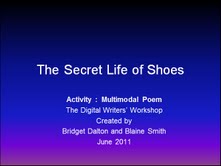
The next issue of the International Reading Association’s The Reading Teacher includes a column that I wrote on ” Multimodal Composing and the Common Core Standards”.  In the column I describe a multimodal shoe poem project . To complement the article, I’ve pasted below the PowerPoint slide presentation that Blaine Smith and I created to introduce the activity and scaffold the process. Feel free to use and remix this for your students.  If you try it out, it would be great to hear from you via a post to the blog or an email (bridget.dalton@colorado.edu).

Multimodal Shoe Poem


Why start with Shoe Poems?

1. Kids know shoes – they are part of popular culture. They begin with expert knowledge and can focus on creating the poem
2. Shoe poems offer multiple entry points – they can be concrete or abstract.
Why Power Point?
1. It’s an easy to use composing tool that allows you to build with image, sound and text.
2. You can build on students’ prior experience with the tool.


Blaine Smith and I have been developing a Digital Writers’ Workshop instructional approach (Dalton & Smith, under review). For this project, we used a Demo, Create, and Share, Reflect, Respond structure, but there are lots of different ways to be successful. Think about how you teach writing and adapt your approach so that it reflects multimodal design.

Here we go! To begin, awaken students’ excitement by ‘showing and telling’.  What is a shoe poem? Why would you want to create one?
How does it work?


I try to use at least 2 examples and encourage students to come up with their own creative approaches. These 3 examples show different types of shoe poems: question-answer; shoe memory; and shoe conversation They offer choices and also show different styles of multimodal design. Tell students the blue box is information to help them – it is not part of the poem!


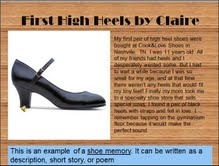
For this shoe memory, Claire selected a wooden floor background and a tap dancing sound effect to complement her written memory of the thrill of wearing her first pair of high heels when she was 11 years old.


This last example is likely to appeal to kid interested in sports. It illustrates a different visual style and how to use the audio-record tool to make the shoe conversation can come alive with dramatic dialogue.


Now for the fun part – create your own shoe poem. I often have students work with a partner so they can benefit from the talents, knowledge and skills that each brings to the task. Working with a partner also requires that they talk about design decisions and negotiate their collaboration.


I use PowerPoint to provide the directions for the activity. I project it on the screen while students are working, and put it in a folder on their computers so that they can consult it as needed. I do this to avoid repeating directions!


Since this was an introduction to multimodal composition for these students, I scaffolded it by putting a folder of shoe images on their desktops. Of course, if they had a special shoe in mind that wasn’t in the folder, they searched on the Internet.  While there are steps involved in creating and producing multimodal pieces, students can change the order as needed. This outlines the overall process; schedule intermittent sharing sessions so that students can present and get feedback as they go along.

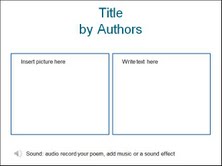
Again, since these students were new to both shoe poems and this type of multimodal composition, I scaffolded it with a template they could use, if they wanted. I remind students that it is one way, and they may have a different way that will work better for them.


The Share, Reflect, Respond stage happens during the process to get feedback, and at the end, to celebrate. Students are more influenced by each other’s work than they are by teacher examples!
I combine students’ class presentations with some kind of publishing. Audience is important; the Internet offers multiple options for publishing student work. I also make color-printed hard copies when I can.

And that is a wrap, my friends! Hope to hear about the creative work you are doing with your students to transform them into designers and multimodal composers!