Webquest for CCSS

By Dana L. Grisham

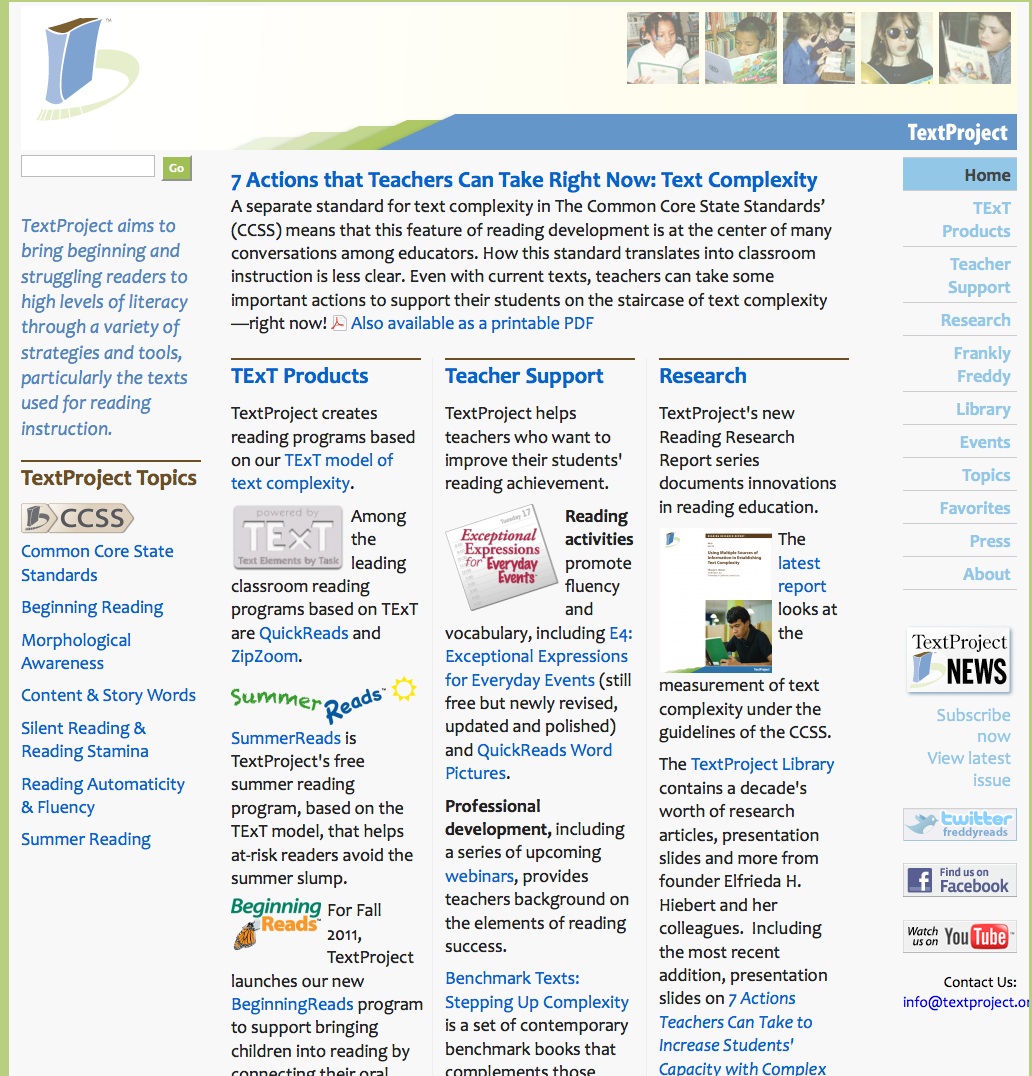
Last year in this blog, I wrote about about TextProject (http://textproject.org) , a not-for-profit organization that supports struggling readers with appropriate texts see the earlier blog on TextProject at https://literacybeat.wordpress.com/2011/10/14/exploring-the-textproject-website-and-text-complexity/.  The site changes constantly, as new materials are added. Below is a screenshot of the current homepage.
The project is headed by Elfrieda Hiebert (Freddy to all) and recently, I have been working with Freddy to provide modules on text complexity to teachers and teacher educators for professional development.  The good news is that the modules (5 of them) will be posted to the TextProject website this summer; the better news is that everything will be FREE to interested parties. You will be able to download the modules and all materials that go with them at no cost. We recently made a research poster presentation on the modules at IRA. The poster shows you the content and instructional sequence of the modules and provides an overview of the final (5th module). Our poster is displayed below.

Speaking for myself, after three decades of teaching reading, I thought I understood text complexity. I found out that I had a somewhat superficial understanding when I began working with Freddy. So this blog post concerns several important understandings that relate to text complexity and the Common Core State Standards (CCSS).

One of the instructional tools that we decided NOT to use is a WebQuest, but for teachers and teacher educators, I think the WebQuest works well to acquaint educators with the CCSS and with some elements of text complexity. I decided to share the WebQuest with you here and you are invited to use it in whatever way you think appropriate. I have field-tested it with several groups of teacher candidates and most of them expressed appreciation for the “just in time” learning.

Critical evaluation of information is an important skill in a print-based or electronic environment. A WebQuest is an inquiry-oriented lesson format in which most or all the information that learners work with comes from the web (Internet). The WebQuest model was developed by Dr. Bernie Dodge at San Diego State University in February, 1995. (You can find out more about WebQuests by visiting the official website at http://webquest.org/index.php). http://webquest.org/index.phpThere are now a number of websites where WebQuests on various subjects may be downloaded and used.

For the Webquest on CCSS, if you are a teacher educator, I recommend dividing it into three parts for use during class sessions or completing it over several sessions of the class. If teacher educators have access to computer labs on campus, the students may work there during class (supervised by the instructor) and may work in pairs or small groups to complete the assignment. It may also be used in this way for professional development for practicing teachers.  Teachers who may be interested may adapt, skip parts that are not of interest to them, or focus on single questions they might want answered.

In order to understand the CCSS, you might also want to spend some time acquainting yourself and/or teacher candidates with the CCSS. One resource is a PowerPoint (in pdf format) presentation that is available through California State University’s Center for the Advancement of Reading (CAR) and available as a free downloadable pdf at http://www.calstate.edu/car/publications/. There are many helpful publications on the website in addition to the CCSS PowerPoint.

In closing, we know that CCSS will generate new assessments for our students, that state standards and curriculum frameworks will change, and that our students will be expected to read more non-fiction more closely and learn to read and write in emphasized genres. How can we use our professional judgment and available technological tools to aid this process? And how can we incorporate these standards into our teaching in a caring and thoughtful way?

The Webquest:

To complete this task, you must carefully read and respond to the questions. Please remember that this task is designed to assist you to become familiar with the Common Core State Standards and your specific content area standards to assist you in your professional life.

Learning Outcomes

  1. What are the Common Core State Standards (CCSS)?
  2. How are the CCSS to be implemented?
  3. What is text complexity and why is it important?
  4. What is the difference between narrative and expository text? How does this affect our teaching of reading?

Websites for this Lesson

The following websites will be used in this WebQuest.

CCSS Website: http://www.corestandards.org/

Lexile Website: http://www.lexile.com/

TextProject Website: http://textproject.org/teachers/the-text-complexity-multi-index/

Activities: CCSS

  1. What is the stated mission (purpose) for the Common Core State Standards? What motivated the NGA and CSSO to generate these standards?
  2. How many states have adopted the CCSS? Has your state adopted the CCSS? If so, what is the URL (web address) for the CCSS in your state?
  3. What is the recommended percentage of literary and informational text at 4th, 8th, and 12th grade levels and what do you think this means for you as a teacher of reading?
  4. How are the English/Language Arts standards for K-5 and for Grades 6-12 organized differently? Why do you think this is?
  5. How do the CCSS standards define text complexity?
  6. Choose a grade level for K-5 (pages 11/12) and read the components; compare to the next or previous grade level components. In the Text Complexity section, what do you think is meant by the “text complexity band?”
  7. Look at page 31, Standard 10. What are the three factors for “measuring” text complexity?
  8. What constitutes “informational text?”
  9. Go to Reading Standards for Informational text, page 39/40. Choose one grade and read the components; compare to the next or previous grade level components.  What are the differences in text complexity in the two grades?
  10. Choose a grade level for literacy in History/Social Science (p. 61) paying attention to how Language Arts is integrated in Social Science. What does this mean to you as a teacher?  Why would this be important to a K-5 teacher?
  11. For the E/LA standards, there are three Appendices (these are NOT in the document you downloaded). Go back to the website and locate these appendices.  Download Appendix A. What is the subject of this appendix?
  12. What was the message of the ACT, 2010 report called Reading Between the Lines?  What is meant by “complex text” and what definition is given of this term in the literature review?
  13. What does Appendix A have to say about scaffolding reading instruction?
  14. What is the three-part model for text complexity (p.4)? Which one is measurable by computer?  What measure is used?
  15. Read the Key Considerations in Implementing Text Complexity (p. 8). What do we know about the tools for measuring text complexity?
  16. Looking at Figure 3, (p. 8), what can we say about Lexile Range changes?
  17. Why do the authors recommend that teachers decrease scaffolding and increase independence?
  18. Download Appendix B and read about the process of text selection for exemplars. Talk about your own definition of complexity, quality, and range. Why are these exemplars important? The authors of the CCSS make some caveats about the exemplars. What are they?
  19. Read the FAQs about the CCSS (on the website). What questions still remain for you?

Activities: Lexile

  1. Go to the Lexile website. Under “What is a Lexile?” read the text and considering scaffolding and independence, respond to the following statement:

“When a Lexile text measure matches a Lexile reader measure, this is called a “targeted” reading experience. The reader will likely encounter some level of difficulty with the text, but not enough to get frustrated. This is the best way to grow as a reader—with text that’s not too hard but not too easy.”

  1. View the video at http://www.lexile.com/about-lexile/lexile-video/. Should teachers allow students to read above or below their Lexile level? Why or why not?
  2. What should you say when someone tells you:  “Research says…”
  3. Books that have prefixes (IG, NC, etc.) before the Lexile level (called Lexile Codes) have meanings for teachers, librarians, and children. Focus on one of these Lexile Codes and tell why this is important.
  4. What is the relationship of MetaMetrics and the CCSS?
  5.  What questions still remain for you?In closing, we know that CCSS will generate new assessments for our students, that state standards and curriculum frameworks will change, and that our students will be expected to read more non-fiction more closely and learn to read and write in new genres. How can we use technological tools to aid this process? And how can we incorporate these standards into our teaching in a caring and thoughtful way?

Search engines and multimodal representations

I was recently working with my third year, teacher candidate, students exploring the skills, strategies and dispositions necessary to successfully conduct Internet inquiry within the information-seeking cycle. The information seeking cycle is comprised of (a) planning inquiry questions and forming goals for internet inquiry; (b) generating and revising search terms; (c) investigating search results with a critical eye; (d) locating and transforming information; (e) critically evaluating information; and synthesising and communicating information to others. The students undertook an Internet information challenge, What caused the downfall of the Mayan civilisation?, to develop metacognitive awareness of their own skills, strategies and dispositions when conducting Internet inquiry. What I observed was that some students began this information quest by exploring videos and images relating to the Mayan civilisation. Helen explained the strategy to me, “I usually search for information by looking at videos and images to get the main concepts related to a topic. Then I will look up some articles when I have this background information”. Does this strategy represent a shift from privileging text as the primary source of information to favouring more multimodal representations of information? In this blog post I will explore some search engines which provide multiple representations of information.

Googling’ has entered the lexicon to become synonymous with searching for information online. The left hand panel on the Google interface, as shown in the screen shot below, provides a number of interesting representational choices such as, images, video, blogs, discussion fora, news features and time ranges. However, you can also customise your search results according to reading levels at basic, intermediate or advanced reading levels. This is a positive affordance for struggling readers. The Twurdy search engine (http://www.twurdy.com/ ) will also sort search results according to readability levels. You can also, of course, customise the search results by using the customised Google Search Engine Tools (http://www.google.com/educators/p_cse.html ). See Jill’s wonderful post on Customised Google search engine on Literacy Beat, March 2011

screen shot of Googel left hand panel

Screen shot of the left hand panel on Google Search engine

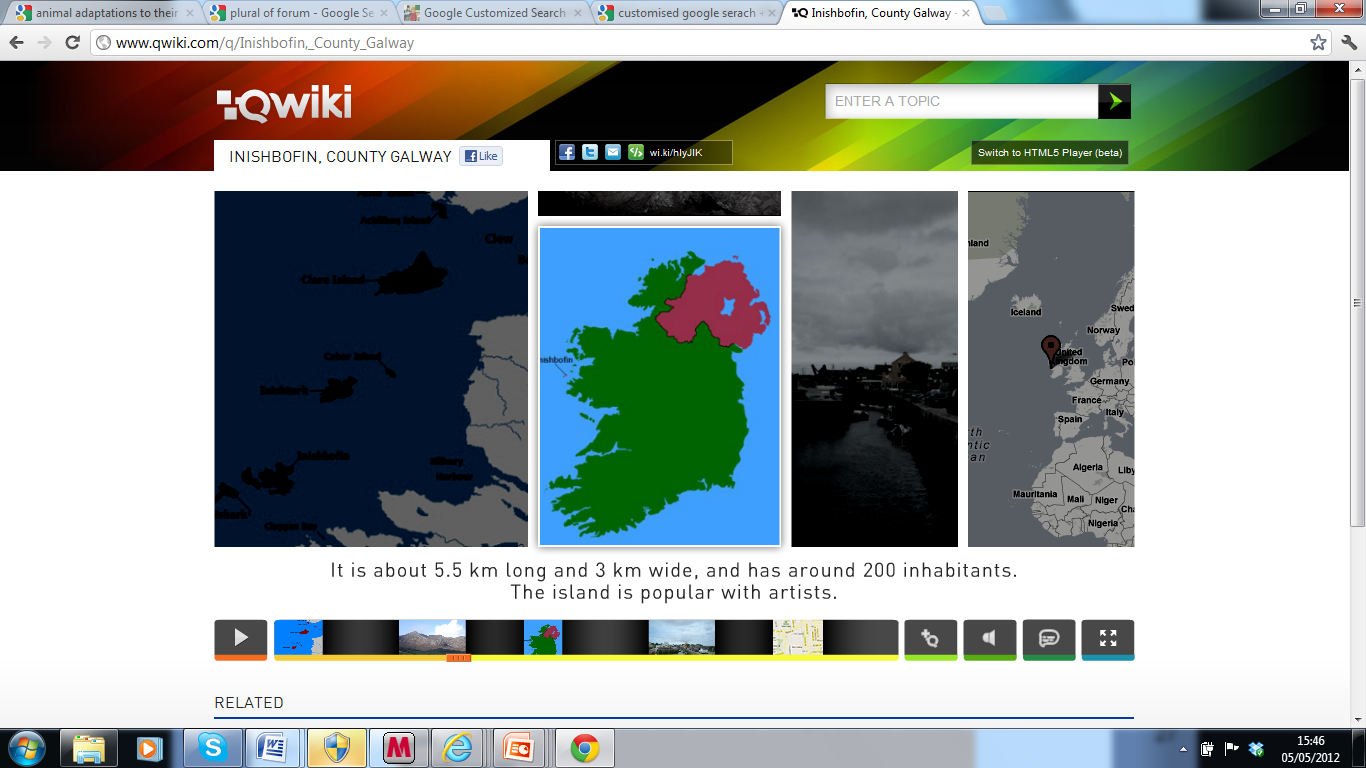
Other search engines privilege a more multimodal, multi-representational approach to presenting information. The Qwiki search engine (http://www.qwiki.com ) combines images, infographics, video and voice to enhance interactivity. Some of the pronunciations, especially for Irish place names are hilarious and entertain my students greatly! Qwiki is also available as an app for IPad, IPhone and Android devices. Qwiki Creator has just been released by the Qwiki team in alpha format and is currently available by invitation only. Qwiki Creator allows the user to create their own Qwiki representation with voice, text, images and video. I can see many possibilities for using Qwiki Creator with students in our classrooms. I think it’s certainly one to watch out for. A screen shot from the Qwiki interface is shown below.

Screen shot of Qwiki related to Inishbofin, Galway, Ireland

I have also recently begun to explore the Instagrok search engine. (http://www.instagrok.com/ )
Instagrok provides both a visual representation and a journal format. Watch the video for an overview.

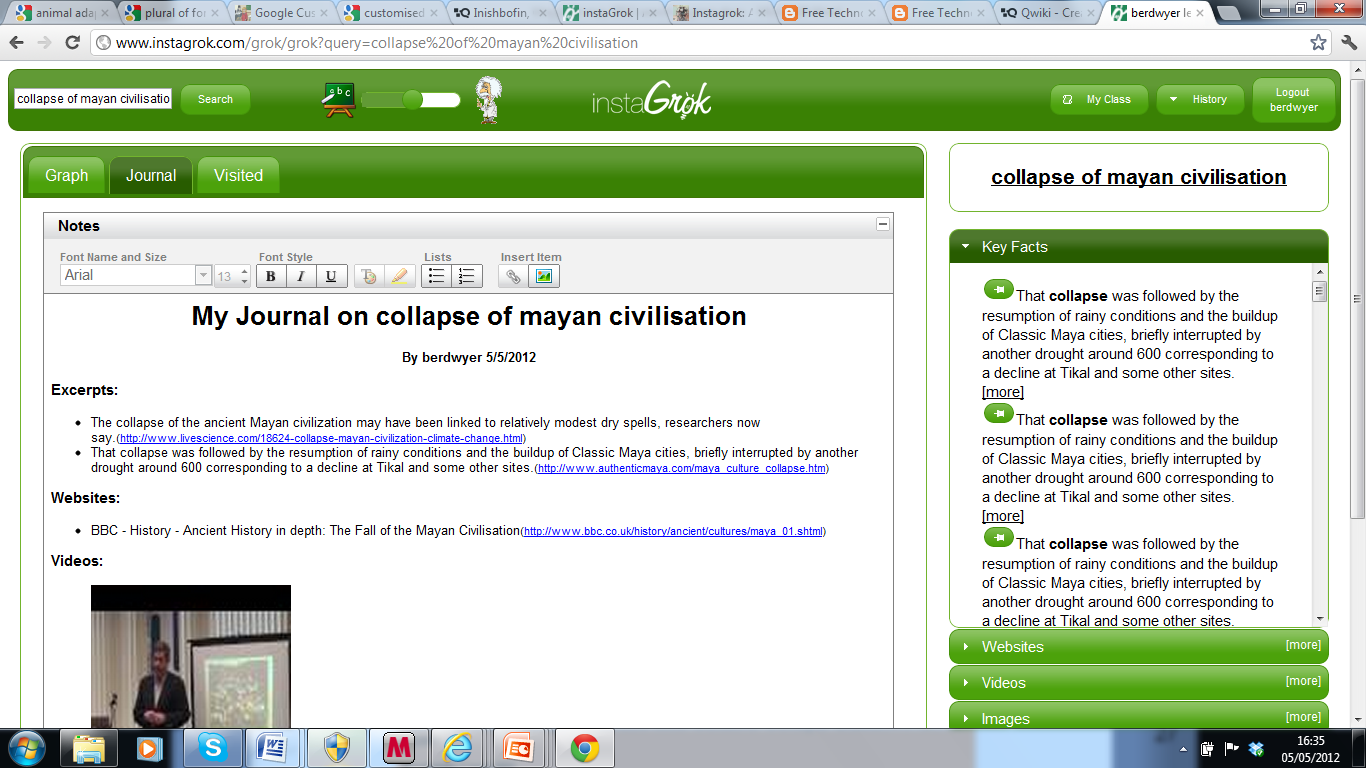
To grok, the developers tell us is to ‘understand thoroughly and intuitively’. Instagrok presents a visual graph of the key concepts related to a topic. You can click on any of the key concepts to investigate that concept more thoroughly. In addition, on the right hand side of the screen, you can view key facts related to the topic¸ web sites, videos, images, and quiz topic questions related to the topic. You can pin any of these representations on to the visual graph. See my screen shot related to a grok I conducted related to the collapse of the Mayan civilisation. There is also a slide bar at the top of the screen to adjust the level of difficulty of the information presented. What really excites me about Instagrok is that you can also create a journal, which is automatically generated, as you annotate the visual graph. See the screen shot of the journal below. As Instagrok allows the teacher to create student accounts you can view the work of students in these journals.

Screen shot of a grok related to the collapse of the Mayan civilisation

Screen shot of the  journal created by Instagrok realted to the collapse of the Mayan civilisation

So have fun exploring these search engines. Have you noticed any changes in the ways you are searching for information online? Do you privilege text over other formats such as, video, voice or images? What about your students? Do let us know by replying to this blog.

CAST’s Science Writer: A free, online tool to scaffold students’ writing of science reports

A post by Bridget Dalton

Before joining Vanderbilt University, I had the good fortune to serve as the Director of Literacy and Technology at CAST, a non-profit research and development organization dedicated  to  improving student learning and engagement through the integration of universal design for learning (Rose & Meyer, 2002), technology, and subject matter content and skills.

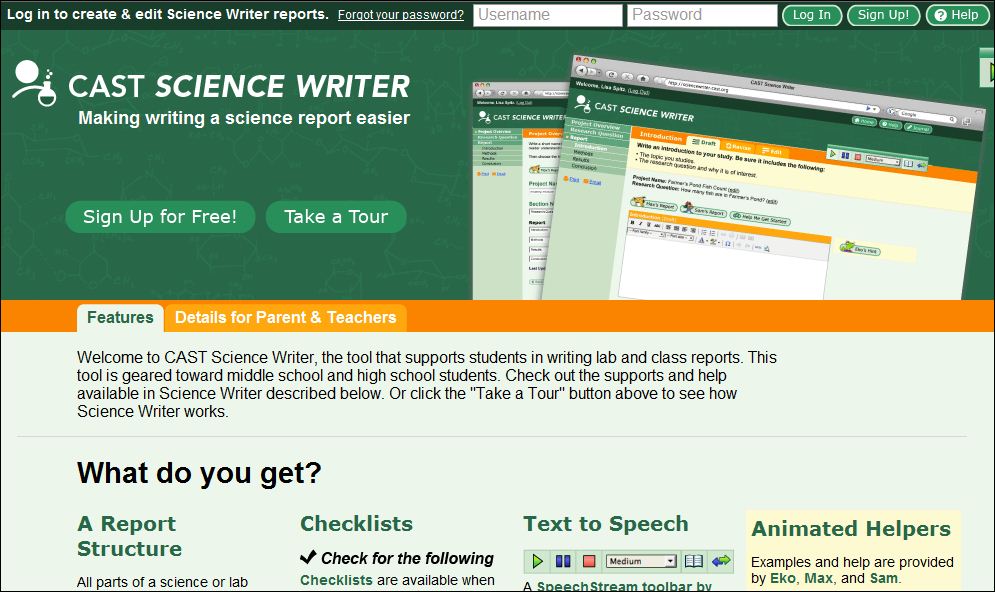
Today I want to feature Science Writer, a free online writing tool developed by Tracey Hall, Elizabeth Murray, and CAST colleagues.  It’s a wonderful example of how to scaffold students’ writing in relation to the demands of a particular writing genre, in this case, the science lab report, or more generally, the science report.  The tool is designed for use with middle school and high school students, but might also work for upper elementary students, depending on their skill.

screenshot of Science Writer

Screenshot of CAST’s Science Writer. http://sciencewriter.cast.org

How does Science Writer work?
Science Writer steps students through the process of writing a report with  introduction, methods, results, and conclusion sections. Students draft, revise, and edit their report, using just-in-time support from pedagogical agents who offer models and information about how to write each section. They may also access content and editing checklists to help them evaluate  their writing and make revisions. And finally, students can use the embedded text-to-speech tool to listen to their writing to see if it “sounds right” and to listen to any of the directions and instructional material, as well as accessing vocabulary definitions. Each student has their own Science Writer account and teachers are able to view students’ work and provide feedback throughout the writing process.

Screenshot showing Science Writer features

Science Writer supports students through their writing process.

Is there research support for Science Writer?
In a study funded by the US Department of Education, Hall and Murray (2009) found that students using Science Writer improved writing and science comprehension skills. A field test study is underway and results should be available soon. You can find additional information about their research at http:///www.cast.org/research/projects/tws.html.

I recommend you check out Science Writer – if it’s not the right fit for your grade level or subject matter, please share it with your favorite middle school or high school science teacher!

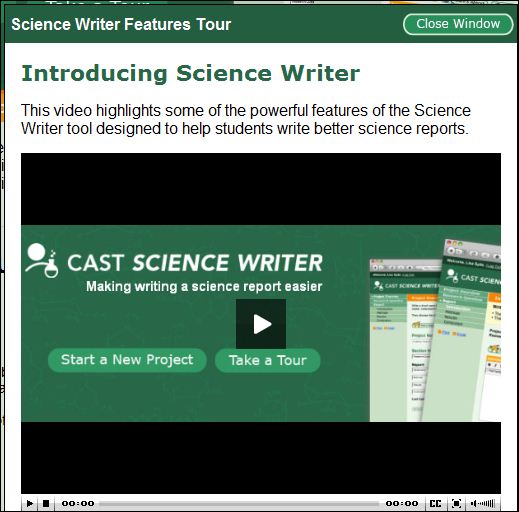
screenshot of Science Writer video

This brief video for students explains how the Science Writer features can help them write a more successful science report.

video link

Resources
For additional information about Science Writer: http://sciencewriter.cast.org

To learn more about universal design for learning: http://www.cast.org/udl/index.html

Rose, D. & Meyer, A. (2002). Teaching Every Student in the Digital Age. ASCD. Available free online: http://www.cast.org/library/books/tes/index.html

The 4 R’s of Collaborative Writing: Reading, Rating, Remixing, and Revising

A new post by Jill Castek

For the past several months I’ve been working with fifth and sixth graders in two urban schools in Berkeley and Oakland, CA. The project is designed to enhance integrated literacy and science learning and to explore how iPads can be used to support student engagement, self expression, and learning.  Although I’ve been involved in using laptops extensively with students in classrooms, shifting to explore science learning through iPads has been a true learning experience.

I’ve discovered that many applications and strategies for collaboration I’ve always drawn from aren’t directly transferable to working with a small touch screen.  However, because collaboration is a vitally important part of learning,  I’m dedicating this post to  approaches for facilitating collaborative writing.

One free platform I’ve used for collaborative writing is Mixed Ink www.mixedink.com.  This educator friendly tool allows small groups or the whole class to reflect on several versions of a text written on the same topic and to weave ideas  from peers’ work into a single text that credits multiple authors.  An overview of how the Mixed Ink tool works can be seen in the short video clip below entitled Mixed Ink for Educators.

Collaborative Writing with Mixed Ink:  A 5th Grade Example

Ms. Kretschmar’s students completed a waste audit to analyze the waste their school produced. Prior to beginning the collaborative writing assignment, students discussed their experiences with the waste audit and shared ideas about how to communicate the surprising results they found to the school and community at large.  The five phases  the class engaged in as they documented and shared their experiences included:  1) writing;  2) reading; 3) rating; 4) remixing; and 5) revising.  Not only is each aspect an important part of productive collaborative writing, these steps also address the Common Core State Standards that emphasize the use of digital technologies for reading and writing as support process skills such as collaboration, listening, and speaking.

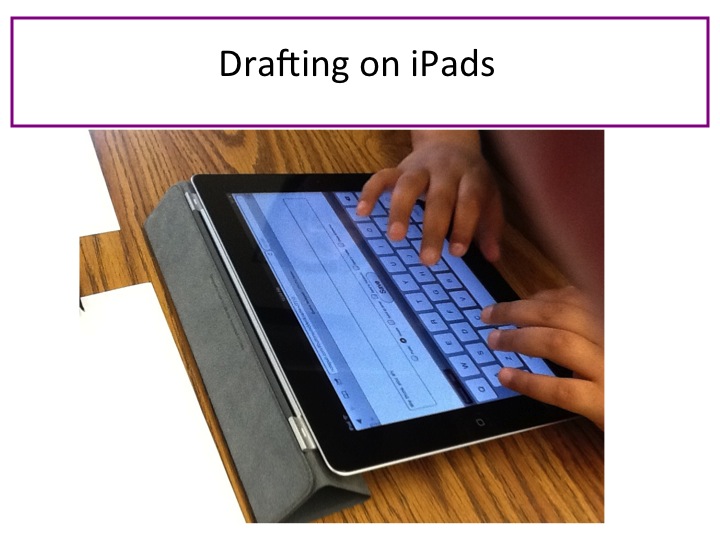
Ms. Kretschmar’s students draft their waste audit letter to the school community.

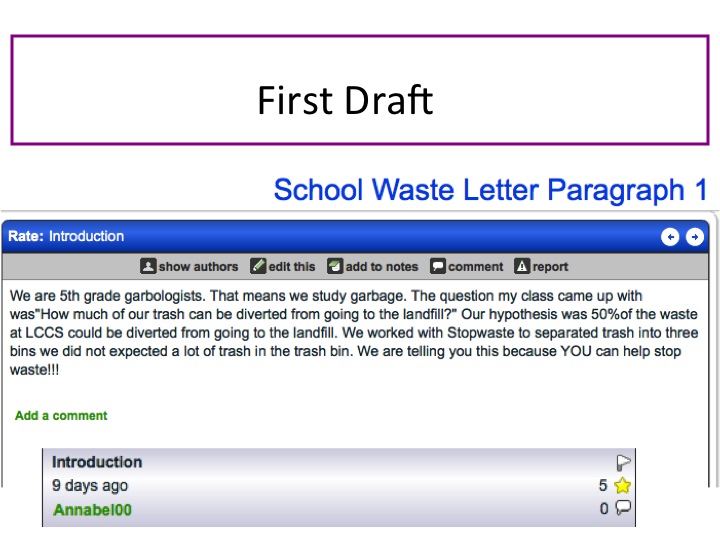
With the aim of helping the school and community become more mindful about their output of trash, Ms. Kretschmar structured a five paragraph writing assignment for her students and assigned each table group to complete one paragraph.  Once she distributed Letter4School (a set of graphic organizers to support students when drafting), she encouraged table groups to discuss ideas before writing their paragraphs as individuals. Then,  students used the graphic organizers and iPads to complete a first draft.

Next, students learned about online collaborative writing using Mixed Ink and discussed the process of peer support for adding content, revising language choices, and reorganizing their presentation of ideas.

Then, students read each other’s work (staying within their original paragraph groups).  After presenting the purpose of reading and rating, Ms. Kretschmar had students rate each other’s work using a system of stars which ranged from 1/2 star (needs more development) to five stars (very well developed).   As students read their peers’ work, they looked out for ideas  and language they could incorporate into their own piece to improve it.

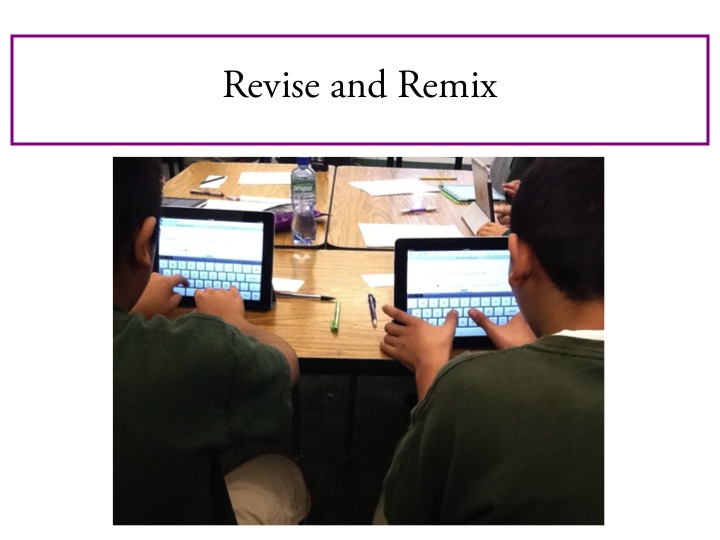
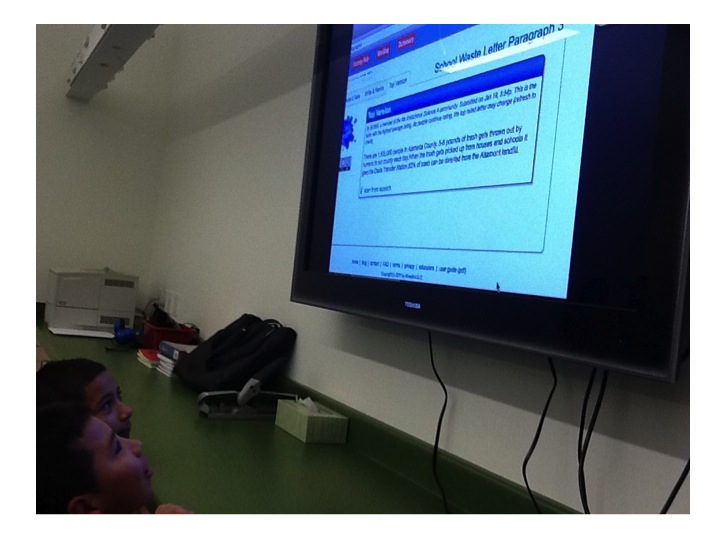
Using their peers’ pieces as mentor texts, students remixed new drafts  by incorporating in elements of each others’ wording and language into their own piece (creating co-written pieces with multiple authors).  The image on the left shows how the crediting process works (with each author recognized as contributing an element to the piece).

Students then rated each of the new paragraphs again.  Mixed Ink uses a specially designed algorithm that surfaces the most complete and well-written piece based on student ratings.  This featured “featured” version can then be discussed in terms of its organization, use of language, organization, or other characteristics.

With help from the students, Ms. Kretschmar compiled the top rated five paragraphs into a completed piece that incorporated all students’ voices.    The final version can be accessed by clicking on 5thLetter2Community.  It takes advantage of the collaborative writing process in the creation of a well-organized, well-structured final product.

A full set of slides documenting  Ms. Kretschmar’s collaborative writing lessons can be viewed here.

Collaborative writing in a digitally enhanced way has several benefits.  First, it is a process that draws upon the strengths of the collective. Although one student may be stronger in critical thinking skills, another may excel in organizing or adding detail to a piece. By working in groups, students learn from each other while they complete an assigned task in ways that benefit the whole group.  In addition, students working in collaborative groups can take advantage of other group members for  peer review as they complete writing projects.  More and more workplace activities involve working in these sorts of collaborative project teams. Giving students opportunities to work collaboratively can help prepare them for the advantages and pitfalls of collaborative work on the job.  I’ve seen collaborative writing activities such as the one featured here, support students’ abilities to work together and problem solve while providing the context for content-rich conversations.

We are eager to promote an exchange of ideas on this forum.  We invite you to please add a comment to share experiences you’ve had with collaborative writing.

Open Badges in Education

A guest post from W. Ian O’Byrne, University of New Haven

We are delighted to have a guest post from W. Ian O’Byrne  this week on the intriguing topic of “Open Badges in Education”.   Ian is an Assistant Professor of Educational Technologies at the University of New Haven. He is also a PhD candidate at the University of Connecticut and formerly a Research Fellow at the New Literacies Research Lab. His research examines the literacy practices of individuals as they read, write, and communicate in online spaces. You can connect with him on Google+, or on Twitter (@wiobyrne).

Open Badges in Education

One strand of current dialogue online and in the blogosphere revolves around the subject of Open Badges and their use in education. Over the past year I have been investigating the use of Open Badges in education and their possible use in a higher education program. There are challenges and opportunities involved in bringing an Open Badge initiative into a higher education program. This blog post represents my thought process up to this point in trying to think through this decision.

The Open Badge Initiative   

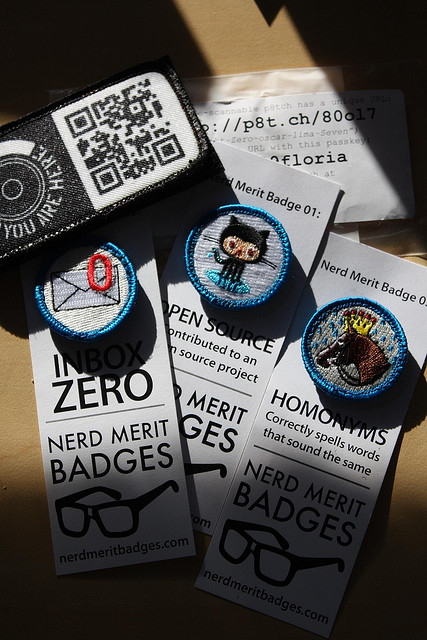
The Open Badge initiative includes earning “badges” that are awarded by an agency or organization. The agency or organization could be your school, a club, or colleagues. The Open Badges represent what would be qualified as “good” work by the granting organization. As described by Mozilla and the MacArthur Foundation, Open Badges “provide visual representations of 21st Century skills and achievements.” Open Badges can then be proudly displayed across the web and on social networks of your choice.

Open badges photo from haberdashery, Creative Commons

The Open Badge initiative has been a hot topic for discussion over the last year as the Mozilla Foundation, the HASTAC Initiative, and the MacArthur Foundation (along with many other brilliant people and organizations) launched a competition to develop these badges. In reviewing the Stage 2 Winners from the teacher competition, I quickly identified one of the winners of the competition that outlined a badge system that included the elements I value in digital media and learning education. The “Building Toward Mastery: Teachers and 21st Century Literacy Skills” submission from the University of Michigan, School of Information outlined a continuum in which learners build up their skills to the level of mastery of informational and digital literacy skills. The submission outlines the knowledge, skills, and dispositions that teachers will need to effectively include emerging concepts associated with 21st Century Literacy skills in inquiry based learning activities for students. What I like most about the “Building Toward Mastery” submission is the modular components of their badge system. The badge is comprised of multiple components that the teacher can build up over time, while understanding their own progress as they build toward mastery of 21st Century Literacy skills.

Open Badges: Challenges and Opportunities

As stated earlier, I have been considering the use of Open Badges and their ability to motivate, guide, and assess learning and mastery of informational and digital literacy skills. As coordinator of an Instructional Technology & Digital Media Literacy (IT-DML) program at my University, I have been thinking deeply about this concept and its relevance for our program as it starts up this summer. The IT-DML program will strive for an open source curriculum, and use free, Web 2.0 tools for all curricular materials and student work. The goal is to provide this work and output of the program free for use in classrooms all over the planet. I would potentially see the Open Badges initiative playing a role in our program. The primary consideration in including an Open Badge initiative in the IT-DML program is whether or not the students and faculty would value the badges. During the first year of the program we will survey students to understand the value they would place in Open Badges as a supplement to grades in the courses.

The concept of Open Badges and their role in education, and the IT-DML program specifically, has captured my imagination over the past year as I’ve read several blog posts unpacking the topic and potential consequences. I would suggest reading through several of these posts to gain a better understanding of the development of the Open Badges initiative. They have helped me think through these issues and gain insight into the value of badges in 21st Century learning. Insightful blog posts have come through my Google Reader feed over the past year by the following individuals: Bud HuntTony BatesMark SurmanAndrea Zellner; and Doug Belshaw.  .

As we come closer to the commencement of the IT-DML program, I’m leaning toward the involvement and granting of Open Badges as part of the IT-DML program. The rationale for this to me is very simple. I have been conducting research over the past couple of years in assessment of online reading comprehension and online content construction. One of the biggest challenges in using and assessing these literacies and skills is the complexity of online information and the fact that it is constantly changing. Additionally, in conducting research on the knowledge, skills, and dispositions students’ use in this informational space it is difficult to validly and reliably assess skill or quality. This point was hammered home to me by Dan Hickey in a 2011 session we presented at the American Education Research Association Conference in which he acted as discussant. He maintained that we were not actually assessing work, quality of work, or knowledge, skills, and dispositions in our instruments. Instead we were measuring the “residue of learning.” To me this means that the students had already come through, completed their work, and had moved on. The instruments that we had created were trying to inefficiently measure this learning by scraping up the learning that had already happened using multiple choice items, Likert scales, rubrics, or open response items. As a researcher and educator, I would like to more effectively and efficiently assess the quality of process and product of student work. For more insight into assessment of online literacies and the Open Badge initiative, please visit this post by Dan Hickey.

The final sticking point for the use of Open Badges in the IT-DML program revolves around their authenticity and value to our students. Some of the critique of the Open Badges has been that they will be viewed as online “gold stars” for student work product, or that adults don’t need this form of motivation to complete work. In my mind the goal of the Open Badges would be two-fold. The first would be a better assessment tool to help guide and inform student work process and product. The second would be a form of “abstracted replay” in which students consider their own knowledge, skills, and strategies employed and then compare them to those that would be utilized by an expert. In this regard, abstracted replay is defined as a postmortem analysis, or comparative metacognitive activity in which students reflect on strategies employed during the work process and how these relate to those employed by an expert.

Exploring Open Badges through my Personal Fitness Project

To determine how authentic and effective the use of badges can be in affecting motivation and achievement, I’ll test it out in my own life. I’m in the process of trying to get back in shape and relieve stress. As part of this process I’m using an app on my phone called Runkeeper, which tracks your running, walking, and fitness activities. I also will be using Fitocracy, a fitness social network that includes elements of gaming to motivate individuals. For more information on Fitocracy please read this excellent post from Wired Magazine. Both of these apps use real world game playing, technology, and badges to inspire individuals to progress in their fitness routine. I’ll play with these two products to see how they support and motivate me as I continue on my fitness mission. This in turn will help me understand the role that motivation and Open Badges may play in education of the 21st Century student.

Personal Learning Environments: Making Sense and Keeping it All Under Control

PERSONAL LEARNING ENVIRONMENTS: MAKING SENSE AND KEEPING IT ALL UNDER CONTROL

I’d like to thank our guest poster, Thomas DeVere Wolsey, for a great blog on Personal Learning Environments! Dana

Guest post by Thomas DeVere Wolsey

Meet Dionisio

What? Another digital technology I need to learn? What is a personal learning environment, anyway? To answer that, I want you to meet Dionisio.  He is one very interesting 10th-grade student, much like those you know in 10th grade, 5th grade, and many other grade levels.  There are sides to Dionisio that are not readily apparent at school most of the time.  He plays guitar and records music using a Korg synthesizer app for his iPhone® and iPad® which he then shares with others at SoundCloud. SoundCloud is his favorite sharing site for music because he can sell digital recordings of his work there, and it is always rewarding when someone buys his songs.  Sometimes he posts his work to his YouTube channel, as well.   When he posts work on SoundCloud or YouTube, he often Tweets the URL to his followers and his Facebook friends see the new link, too.

Dionisio really likes music and sharing his creations with friends, but what most people don’t know about him is his interest in the United States Civil War. His interest in the lives of soldiers far exceeds anything his state social studies standards requires.  He subscribes to many Civil War blogs using an RSS feed to keep him updated on new posts.  In his social bookmarking account on Delicious, he has bookmarked almost every website for important Civil War battlefields in order to make them easily accessible.

In addition to his interests that sometimes match school curriculum and sometimes do not, he also maintains a Diigo page and several of his teachers use Edmodo.  A few of his friends use EverNote to keep track of readings assigned by teachers, collaborate with Dionisio on class projects, and catalog information they found on their own. Some of his school presentations appear on Prezi, and some he posted on YouTube.  Many of his teachers ask him to submit work on the school’s course management system (such as Moodle or eCollege).  PowerPoint® projects he created with others in his classes are often uploaded to Box.net as they collaborate over the Internet to be ready for class.  Dionisio kept most of the tools and websites bookmarked on his laptop, and then he met a teacher who changed his thinking.

View the YouTube video on the 21st Century student to understand a little more about Dionisio and students like him.  http://www.youtube.com/watch?v=XwM4ieFOotA&feature=youtu.be

Dionisio’s Personal Learning Environment

You might wonder how Dionisio keeps track of all those online sources. At first, it wasn’t easy; Dionisio found it all a bit overwhelming.  However, one of Dionisio’s teachers recognized that literacy in the 21st century involved more than just reading paper pages and answering questions.  Much more is involved in new literacies (Leu, Kinzer, Coiro & Cammack, 2004). Organizing, synthesizing and constructing meaning from online and traditional resources are critical cognitive skills made even more important as students navigate the digital environments they choose and in which they are asked to participate.  Dionisio’s teacher suggested to him and to his classmates that one way to make sense of all the information they create and that they gather is through the online tool, Symbaloo.  With Symbaloo, Dionisio created a personal learning network with a matrix that included the blogs he followed, the websites he found useful, the classroom management systems his teachers used, and many social and collaborative networking environments.

Because Dionisio realized that some of his learning was associated with specific classes at school, some was his own learning that overlapped with school sometimes, and some was related to personal interests that rarely overlapped with school, he set up his personal learning environment to keep some elements private, some shared with his network outside of school, and some shared with his teachers and classmates.  These networks often overlapped, but Dionisio decided which elements to share and with whom.

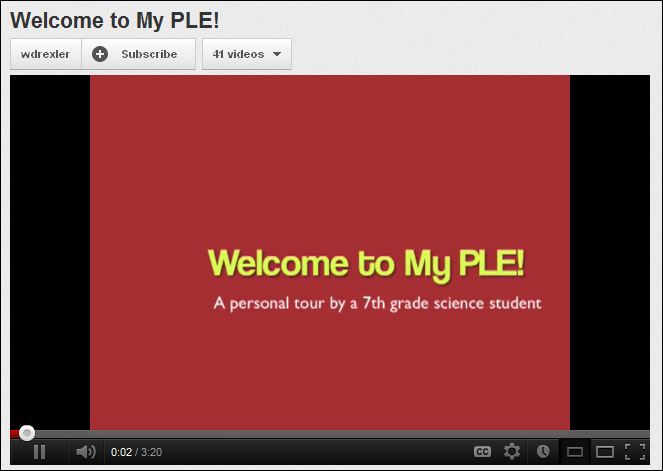
In the YouTube video, notice how a 7th-grade student created a personal learning environment in Symbaloo  http://youtu.be/YEls3tq5wIY

Welcome to my PLE

How do Students Organize the Personal Learning Environment?

Wouldn’t it be nice to just tell students how their personal learning environments (PLE) should be organized? Include elements A, B, and C, and you’re done! But that would not be very personal, would it? Personal learning environments are organized in a way that makes sense to the person doing the organizing.  Michelle Martin (2007), an adult blogger, organized hers according to the information she gathered, the information she processed, and the actions she takes based on her learning.  Two things are worth noting in her approach: 1. She changed the tools she used to organize her PLE after awhile, and 2. She included traditional paper-based text in her PLE.

The EdTechPost wiki includes many diagrams that illustrate how personal learning environments might be constructed. On the wiki, the diagrams are organized toward orientation: tools, use/action/ people, and hybrid/action/other.  Every personal learning environment is different because each reflects the way the person who created the environment perceives and organizes their learning and the worlds it represents.  Dionisio quickly realized that Symbaloo was a great tool, but he needed multiple entry points for his PLE representing the way he organized his own learning.  He created an About.me account to provide a more public access point for his music and interests in the Civil War.  The About.me page did include links to his Symbaloo and other pages, but some were password protected, and not all his school pages were linked to his About.me page.

What are the Elements of a Personal Learning Environment?
The Learning Technologies Centre at the University of Manitoba includes several elements of a personal learning environment. These include production tools, collaboration tools, aggregation tools, and so on (for the full list, click the link).  EDUCAUSE (2009) points out that a key attribute of the personal learning network is that it is learner centered.  Attwell (2006, pdf file) further explores the learner-centered feature of the personal learning environment. He suggests that they are characteristics of life-long learners and that they are informal in nature.  Another key element is the aspect of community (e.g., Grisham & Wolsey, 2006), the idea that much of our creative and intellectual work is part of a larger group, as well.

Why do Personal Learning Environments Matter?

A characteristic of humans is that they try to make sense of the contexts of their lives. The tools they use and the purposes they establish for learning may be the defining features of learning in the coming decades.  How will you encourage your students to create and maintain personal learning environments the promote mastery of appropriate standards and foster lifelong learning as well? Dionisio relied on his teacher to help him learn to organize and make sense of the many online tools he used. Like him, many K-12 students and adults create environments that serve their own purposes that include formal and informal contexts.

At the beginning of the post, we asked what a personal learning environment is.  Simply, it is the approach that users take to individual aggregate content, organize it, and lend context to it. Content may be created by the owner of the PLE or gathered from the Internet and other sources. PLEs are informal mashups, elements of which may be shared with others in the user’s network and learning communities. Finally, educators sometimes provide a basic framework or tool that students might use to start building their own PLEs.

More to Learn:

To continue your own exploration of personal learning environments, visit http://delicious.com/stacks/view/Qeck9Y  Also, read more about the related concepts of personal learning networks (which overlap with personal learning environments), social bookmarking, and content curation.

References

Attwell, G. (2006). Personal learning environments—The future of elearning? eLearning Papers. Retrieved from http://www.elearningeuropa.info/files/media/media11561.pdf

EDUCAUSE. (2009). Seven things you should know about personal learning environments. Retrieved from http://net.educause.edu/ir/library/pdf/ELI7049.pdf

Grisham, D. L. & Wolsey, T.D. (2006). Recentering the middle school classroom as a vibrant learning community: Students, literacy, and technology intersect. Journal of Adult and Adolescent Literacy, 49(8), 648-660. DOI: 10.1598/JAAL.49.8.2

Leu, D.J., Jr., Kinzer, C.K., Coiro, J., & Cammack, D.W. (2004). Toward a theory of new literacies emerging from the Internet and other information and communication technologies. In R.B. Ruddell, & N. Unrau (Eds.), Theoretical models and processes of reading (5th ed., pp. 1570-1613). Newark, DE: International Reading Association. Available: http://www.readingonline.org/newliteracies/lit_index.asp?HREF=leu/

Martin, M. (2007, April 11). My personal learning envirornment [blog post]. The bamboo project. Retrieved from http://michelemartin.typepad.com/thebambooprojectblog/2007/04/my_personal_lea.html

When we were young: A book memories project

Remembering when we were young:  A book memories project

a post from Bridget Dalton

A student views the Book Memory Quilt Display at Peabody Library, Vanderbilt University.

I always begin my course on children’s literature with sharing of book memories. Students and I travel back in time to the child we were at age three, seven, perhaps ten or eleven, and recall the books that held such special meaning for us at that time in our childhood. Why do we remember these books so powerfully? Often, it is who we read the book with that is most important, with many remembering the sights, sounds, and physical presence of reading with a parent. Sometimes it is the book’s role in our development of a reading identity. One student describes the first book she was able to read on her own; another describes how her love of “Eloise” led to a family trip to the Plaza Hotel in New York City where she was able to order room service, just like her favorite heroine!; a third describes a kitchen scene where he listened to his father read aloud from the Bible and respond to his questions.  Sharing book memories is always one of my favorite classes. We get to know one another better. It’s fun, and sometimes a bit emotional, as we remember “when we were young”.

Trying something different – a multimodal book memory

This year, I decided to try something different. I wanted students to share their stories with a larger audience, and I wanted to involve them in composing in a digital format. After we talked through our book memories, I introduced our Book Memory Project by projecting a PowerPoint slide illustrating my memory of Robert McCluskey’s classic tale, “Make Way for Ducklings”. I described why this book is so special to me and then talked about my visual design – my choice of an illustration from the book to serve as the background, use of sepia brown font and inclusion of a photo of my father, brother, sister, and me during my own duckling years. I explained how I made design choices in hopes that my writing and visuals would work together to effectively communicate my book memory.

I recall reading “Make Way for Ducklings” with family.

Getting started with a hypertext anthology of book memories

Students were intrigued and curious about the possibilities, so the next step was to create a hypertext anthology using PowerPoint.  I provided a rubric to guide them, with the most important guideline being that they should have fun with this experience and allow themselves to be creative in both their writing and visual design.  In the sections that follow, I share some examples of students’ book memories (they did a wonderful job!), outline the project steps and provide a rubric for you to adapt.

In thinking about how you might want to adapt this idea for your own students, consider first whether a book memory as I’ve conceptualized it for adults makes sense for younger children.  They might not be interested in recalling a book from younger days – unless they are used as book advertisements for children in a younger grade?  Another option would be to use this format as a book response activity for a favorite book they have read recently (or perhaps riff on this to capture their experience with their ‘worst’ read book of the year!).  A third option would be to have students interview a parent or grandparent about their favorite book memory.  For some, it may be a story told orally that they remember best, and that would work equally well.

Project steps

Creating a hypertext anthology of book memories using Power Point (note you can also do this as a web page or with any hypertext tool):

  1. Have each student create one slide illustrating their book memory.
  2. Create a master PowerPoint and insert each student’s slide (remember to check ‘keep source formatting’ when you insert so that you don’t lose the students’ design). Let students know that they can use a first name only, a pseudonym, or a full name, depending on privacy concerns if it is to be shared publicly.
  3. Create a title slide with the title, date, and authors (see example).

4. Create a table of contents slide that will be hyperlinked to each book memory.

In the example below, I used the table feature to enter the student’s name and book title and then hyperlinked each name to the student’s slide with their book memory.

The table of contents is hyperlinked to each book memory slide.

5. Hyperlink each book memory slide back to the table of contents slide.

For your first book memory link, create a graphic to serve as the hyperlink back to the table of contents. Then, copy and paste that on each of the slides (this way you avoid creating a new link to return to the table of contents for each book memory slide).

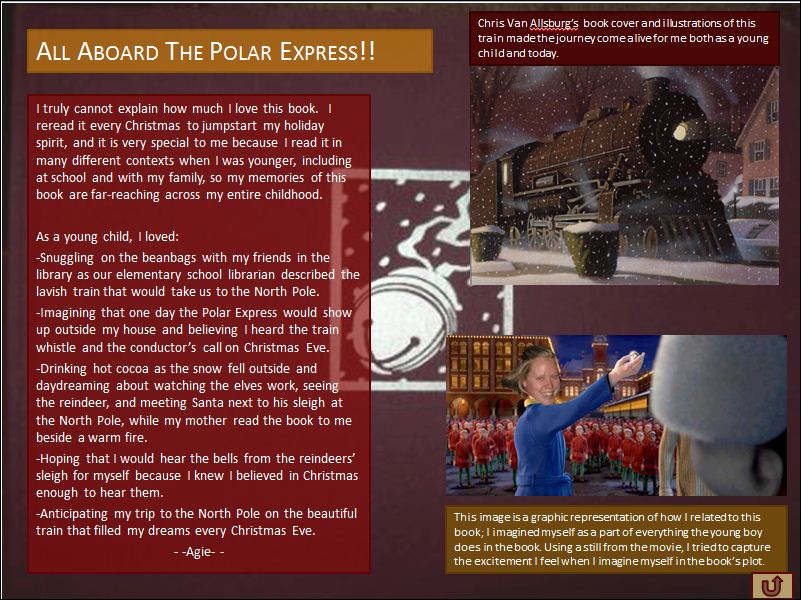
This student recalls her memory of The Polar Express. Notice how she has inserted a photo of her head onto the child’s body to show how she imagined riding the train. the arrow in the bottom right corner is a hyperlink back to the table of contents.

6. Once you’re done, test each link from the table of contents to each slide and return.

7. Save your PowerPoint anthology (or hyperlinked web page).

8. Decide how you will share the PowerPoint.  You could put it on a computer in the classroom and the school library. You might also want to share it on your class webpage.

Assessing a book memory

I needed to asses students’ book memories to reflect their multimodal compositions.  I’ve pasted the rubric I developed below.  I tried to keep it general so that students would have flexibility in creating their designs (I intensely dislike rubrics that try to quantify multimodal composing such that more images are better than fewer images.  We all know the power of a single image when it suits the message and intended audience!).

Book Memory Rubric

A = Either writing or visual design are advanced, or both are advanced.

B = Either writing or visual design are proficient, or both are proficient.

C = Both areas are basic, or below basic (I know this will not be an option for any of you!).

This rubric is designed to assess writing and visual design quality of the book memory.

Option:  Book memory quilt display

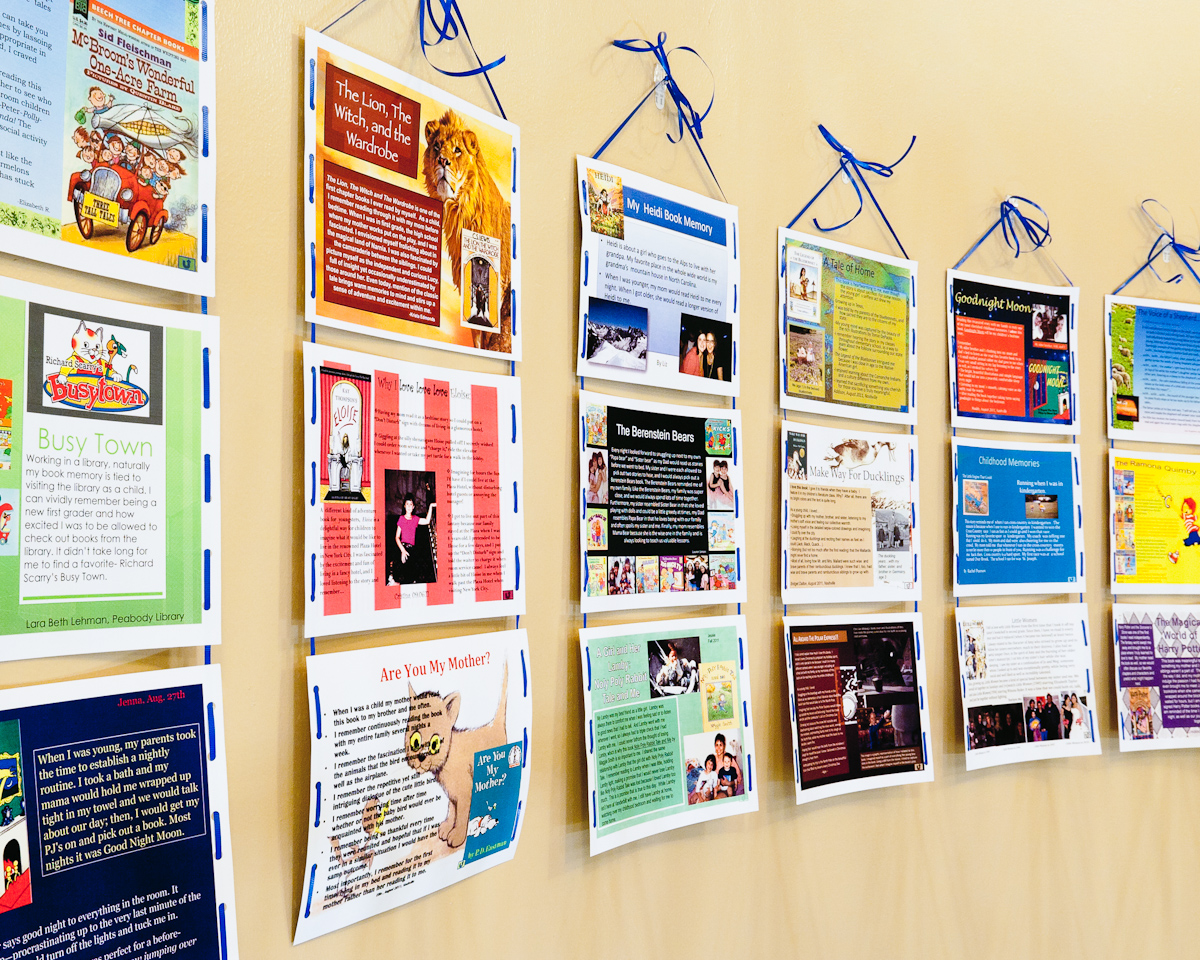
The book memory quilt created by our class is hanging in the Peabody Library for all to enjoy! We printed out the slides in color on hard stock paper and laid them out on a large table so that we could balance the colors.  Next, we strung them together with ribbon to create several banners.   Then, we hung the banners together to create a quilt-like display for the wall.  Simply done, but quite effective!

Group banners to create a book memory quilt to hang on the wall.

A few more book memories

A student remembers her father’s gift of “Call it Courage” and how it helped her to be brave.

“Goodnight Moon” was a book fondly remembered by several students.

Enjoy your own book memories!

If you try this project out with your students (or some adaptation), please consider sharing your experience by posting a comment to this blog.  I look forward to reading more book memories.

Back on the beat

It’s been awhile since Dana, Jill, Bernadette, and I have  posted to Literacy Beat.  Happily, we are back to blogging!  In fact, the next post (to appear in the next hour or so)  will feature a mulitmodal book memories project that I carried out with my students. The week of April 5, we are delighted to have a post from guest blogger Devere Wolsey on personalized digital learning.

Exploring the TextProject Website and Text Complexity

“A picture is worth a thousand words.” http://en.wikipedia.org/wiki/A_picture_is_worth_a_thousand_words

“The learning from complex texts in content areas and literature needs to be the centerpiece of schooling in the 21st century” (Hiebert, in press).

For the past twenty years, I have been working at the university level with preservice teacher candidates and practicing teachers in master’s and doctoral level courses. My field—and my passion—is literacy learning and there is nothing more exciting to me than the thrill experienced by teachers learning something new professionally that they may use to teach their K-12 students to enhance literacy learning. Part of that joy is the discovery of new resources to share with my students and my colleagues.

For each of us there is an amazing “aha!” in learning that just because something is published doesn’t mean it is “the truth.” Many experience it earlier than I did—in grad school! It is sometimes most confusing to locate websites with reliable and accurate information and resources for teachers. How does one know that what is out there on the Web is truthful? Eagleton and Dobler (2006) provided us with the QUEST model to use with K-12 students to teach them how to critically evaluate websites. But what about the rest of us? How do we know when we find a truly useful and genuinely valuable website?

Recently, I have become involved with Freddy Hiebert and Charles Fisher’s TextProject (www.textproject.org). This is a website I have spent a great deal of time exploring and one I am willing to recommend to my colleagues. The TextProject focus is on increasing literacy levels of beginning and struggling readers through access to the “best possible texts.” TextProject is a non-profit organization that provides three types of resources for educators: TExT Products, Teacher Support, and Research. There is so much on this website that I’m breaking it down into three components, which are listed below. You can spend quite a bit of time exploring each of these. For me, as a literacy teacher educator and researcher, I loved the research library. I have recommended this website to my teacher candidates and master’s level students, particularly the TextProject topics. I believe they get a new viewpoint on reading fluency!

             TExT  Products

TextProject creates reading programs and products based on the TExT model of text complexity. (Click the link and read about the linguistic and cognitive demands of texts for beginning readers.)

1.  SummerReads, This is TextProject’s free summer reading program that helps at-risk readers avoid the summer slump.

2. Talking Points for Kids This is a free program designed to increase meaningful discussion among students.

3. BeginningReads This program is designed to connect children’s knowledge of oral language with written language.

4. QuickReads and ZipZoom are two commerical reading programs based on the TExT model. (In other words, you have to pay for these!) ZipZoom, in particular, is a research based reading program for English Learners created by Hiebert and Fisher.

Teacher Support

TextProject helps teachers improve students’ reading achievement with materials and lessons.

1. E4: Exceptional Expressions for Everyday Events This is a set of 32 free vocabulary lessons that builds on words that students hear every day in their classrooms.

2. QuickReads: Word Pictures Here is a set of free lessons that develop critical words in content areas, especially helpful to English Learners.

3. Benchmark Texts is a free list of tradebooks that support grades 2-3 students’ capacity for complex text to meet CCSS.

4. WordZones for 5,586 Most Frequent Words is a free word list focused on vocabulary needed to be successful in reading.


Research

TextProject publishes reviews and reports of research on pressing issues in current reading education.

1. Reading Research Reports Here you will find summaries of original studies. The latest report looks at the measurement of text complexity under the guidelines of the CCSS.

2. TextProject Library offers a decade’s worth of articles, presentation slides, and more from TextProject founder Elfrieda H. Hiebert and colleagues.

3. TextProject Topics are clusters of resources on topics such as:

• Common Core State Standards

• Texts for Early Reading

• Vocabulary: Morphology

• Vocabulary: Informational and Narrative Texts

• Reading More / Silent Reading

• Fluency and Automaticity

In the time I’ve spend exploring the site, I’ve also come to value the TextProject as a key to learning about the Common Core State Standards mentioned above and the role that text complexity plays in both reading fluency and reading comprehension. On the site, you can download Karen Wixon’s article on “what” the CCSS are and you can also download Freddy Hiebert’s editorial (http://www.washingtonpost.com/blogs/answer-sheet/post/are-21st-century-5-year-olds-cognitively-ready-to-read/2011/08/11/gIQAV3Vm9I_blog.html) on problems that may be associated with their implementation, particularly at the early grades.

Another aspect of TextProject that fascinates me is the model of text complexity that Hiebert and Fisher explore. TExT stands for “Text Elements by Task.”

For linguistic content, the TExT model calculates the percentage of words in a text that conform to a specific curriculum, which is expressed as a combination of phonetically-regular words and high-frequency words.

Hiebert and Fisher (2003) also state that another type of words is essential linguistic knowledge for children’s word recognition—words that are easy to image and remember because of children’s knowledge of, and interest in, the underlying concept,

For cognitive load, the TExT model examines the introduction of new words in a text, as well as the repetition of new words. New words are those that fall outside of the specified curriculum. The TExT model scores a text to be more difficult if it contains a large percentage of new words, but repetition of those words reduces the overall difficulty. Informational texts in science and social studies are used to develop concepts. Multisyllabic words are repeated to assist struggling readers.

There are approximately 9,000 words (4,000 root words and their simple endings) that account for about 90% of the total words in most texts. If young readers become fluent with this core vocabulary, they can better climb the “staircase” of text complexity set forth by the CCSS.

TextProject also provides YouTube videos. For example, Dr. Elfrieda (Freddy) Hiebert describes the QuickReads Text Model (http://quickreads.org/video/in-depth-overview) in a 13-minute film. Access the film and see how TExT measure text difficulty through linguistic content and cognitive load.

A shorter (4 minute) version can be seen at http://quickreads.org/advantage/quickreads-text-model.

To understand the QuickReads program, another 7-minute video (http://quickreads.org/video/text-fluency-and-quickreads) explains the process of constructing the text for QuickReads and cites initial research findings for its efficacy.

Now, if you are wondering about the adage that, “a picture is worth a thousand words” that I placed at the beginning of the blog, I will refer you to the “high meaning, concreteness and imagery value” of words we teach our youngest readers. Words that are highly “imagable” and concrete are always the most meaningful to young students, therefore teachers need to focus on teaching vocabulary and word recognition of such words.  Download the pdf of From Seeds to Plants on the Text Project Website.

Finally, here is an excerpt from SummerReads for third grade students. Think about text complexity and the linguistic and cognitive demands of text as you read this.

Introduction

Bats and Balls

There are many games that use bats and balls. In the United States, playing ball usually means playing baseball. That’s because baseball was first played in the United States. Two other games, T-ball and softball, are very much like baseball. All three games are usually played in summer or early fall. That’s because they all need a big, flat, and open space for hitting balls and running around bases. This is hard to do in the snow!

Baseball is a team game, so you need to have two teams to play a proper game. You may not have enough people to make two teams. But, if you have a friend, a bat, and a ball, you can learn to pitch, hit, and catch the ball even in your yard or a small park.

In closing this blog, I’m hoping that teachers begin to see the complexity in text complexity, because rumbling down upon us from on high is a juggernaut of assessment being developed to measure children’s mastery of the CCSS. There are currently two assessments being developed in two different parts of the country, but they will be in place by 2014 or 2015. We need to get a handle on what this means for all of us.

Moving from page to screen

A post from Bernadette

The Rand Reading Study group in 2002 noted that the Internet “make large demands on individuals’ literacy skills , and little is known about how to analyse or teach these skills”. Print-based and online reading share a number of common skills (e.g. decoding, word recognition and reading fluency) and strategies (e.g. identifying and locating information, monitoring understanding and evaluating text). However, higher levels of these skills strategies and indeed dispositions may be required to fully exploit the potential of the Internet and other digital technologies for literacy as sites for deep learning.
In considering the possible changes when reading in an online environment I want, in this blog post, to consider how P. David Pearson’s metaphor of the reader as a ‘builder’ and a ‘fixer (Pearson, 2009) could be transitioned into an online environment. I want to draw on and extend this use of metaphor and consider the online reader from four perspectives: the online reader as an ‘assembler’, the online reader as a ‘builder’; the online reader as a ‘fixer’ and finally the online reader as a ‘responder’.

The online reader as an assembler

The Internet is a nonlinear, multimodal, n-dimensional space. The reader must assemble the text to be read, it is not a given. He /she does so by carving a unique, opportunistic pathway through a larger, more expansive and boundless navigational space. Although the print based reader may choose to read nonfiction or indeed fiction text in a non-linear fashion, (skipping the descriptive passages of a novel to get to the heart of the action. Do any of us admit to doing that?) the body of printed text is a fixed entity within the confines of the covers of the book. The reader is aware of exactly where they are in a print based text and indeed the length of such a text. You know when to slow down and linger to savour the dying embers of a novel! Online text is more fluid and dynamic. Further, it is the reader rather than the author who decides on the pathway through online text. We talk a lot about the transaction between the reader and the text. In an online environment there is a physicality to that interaction. The interaction between the online reader and text is more transactive and reciprocal in nature than in a print based environment. John Mc Eneaney refers to this as agent-based theory (Mc Eneaney, 2006). For example, when I log on to Amazon.com I am greeted by a welcome back message with suggestions related to former purchases, possibilities for future purchases including references to books purchased by colleagues.

The online reader as a builder

The online reader must draw flexibly on a wide range of prior knowledge sources in an online environment. Prior knowledge sources including the architecture of online information text structures (e.g. menu, hyperlinks, audio and video links); end-user application knowledge such as, navigational skills and knowledge of browser features; domain and topic knowledge and world knowledge. What is unclear is how these knowledge sources fuse together in an online environment. For example, what level of automaticity of prior knowledge of both online informational text structures and navigational and Internet application knowledge is required to free up the cognitive energy of the online reader to focus on and connect with prior domain, topic and world knowledge? What level of domain and topic knowledge is needed so that the online reader has a sufficiently extensive subject knowledge and vocabulary range to generate and revise search terms , investigate search results with a critical eye, and judge the accuracy, authority, relevance and importance of information in text to the task at hand? Finally, what about the role of knowledge gathered on-the-hoof by the navigational decisions of online readers across multiple websites where online readers accrue new knowledge and update their prior knowledge sources in the malleable moments of Internet searching?
 

The online reader as a fixer

Learner control and choice is heightened in an online digital environment. The online reader generates search terms and evaluates search results, activates hyperlinks by making predictive inferences about hidden content. The online reader judges what information to skim quickly and what information to scan carefully. While this can both empower and liberate the online reader it can also be daunting for those readers with limited online skills. The online reader must be metacognitive, strategic and exercise high levels of persistence, self-efficacy and cognitive flexibility to take responsibility for their own learning in a shifting dynamic environment.

 The online  reader as a responder

We are certainly faced by a number of issues of a global nature in the 21st century. Consider for example the two posters which follow which I photographed on the London Underground related to whether China is a friend or foe to the West. What critical stance would you take?

China is a Friend to the West

China is a Threat to the West

Critical evaluation of information is an important skill in a print-based environment. However, critical evaluation and interrogation of information in an online environment is crucial as anyone can post anything in an open networked environment such as, the Internet. The internet is largely unvetted by any editorial review of traditional mediators, such as, critics, editors, or reviewers (Metzger, 2007). The online reader needs to respond to information posted online as a critical evaluator of online information (e.g. assessing reliability and accuracy of information). Is the information dependable and how do I know? The online reader must exercise critical thinking skills to interrogate the text. How do I evaluate accuracy, believability? Critical literacy skills are important for the online reader as information is not neutral. So how do I assess the author purpose, stance and bias? Finally, media-saviiness and media literacy skills are important to develop. Asking questions such as, how do I separate the media from the message?
So to my mind the online reader must act as an assembler, builder, fixer and responder, exercising higher levels of skills, strategies and dispositions to fuse these response modes and in so doing construct meaning from text.
References
McEneaney, J. E. (2006). Agent-based literacy theory. Reading Research Quarterly, 41(3), 352-371.
Metzger, M. J. (2007). Making sense of credibility on the web: Models for evaluating online information and recommendations for future research. Journal of the American Society for Information Science and Technology, 58(13) 2078-2091).

Pearson, P. D. (2009). The roots of reading comprehension instruction. In S. E. Israel & G. G. Duffy (Eds.), Handbook of research on reading comprehension (pp. 3-31). New York: Routledge.

RAND Reading Study Group. (2002). Reading for understanding: Toward a research and development program in reading comprehension. Pittsburgh, PA: Office of Educational Research and Improvement.