Design Your Wild Self Avatar: Getting to know one another through mulitmodal composition

post by Bridget

Avatar design could be said to be a new literacy. When playing digital games and social networking, kids often select and customize avatars to represent themselves. They offer opportunities to experiment with different identities and take on roles within the specific context of the game or community. They also offer the opportunity to design with different media and think symbolically about how to represent ‘character’.

This past summer, I used an avatar design activity to launch a Digital Writers’ Workshop with urban middle school students who were participating in a summer school program. Collaborating with a group of doctoral students (Blaine Smith, Christian Ehret, Summer Wood, Tyler Hollett and Robin Jocius), we used the avatar design activity to help us all get to know one another and to introduce kids to the notion that they are multimodal designers and could communicate with different symbol systems (a key theme of the workshop).

Across a series of composing activities, we tried out a scaffolded approach to multimodal composition: Demonstrate, Create, and Share-reflect-respond, or DCSrr for short (Dalton, 2011). Below, I describe this process and share some examples of students’ work, along with their design reflections.

Getting started: Finding the “Build Your Wild Self” avatar design website

The first challenge was finding an avatar design tool online that was free, appropriate for young adolescents, and which ran on the lab computers without glitches. Blaine and I spent a few hours searching, finding some very cool sites that we had to reject, typically because they required registration with a commercial enterprise (something we wanted to avoid), the images of females were highly sexualized, or there were few multicultural options.

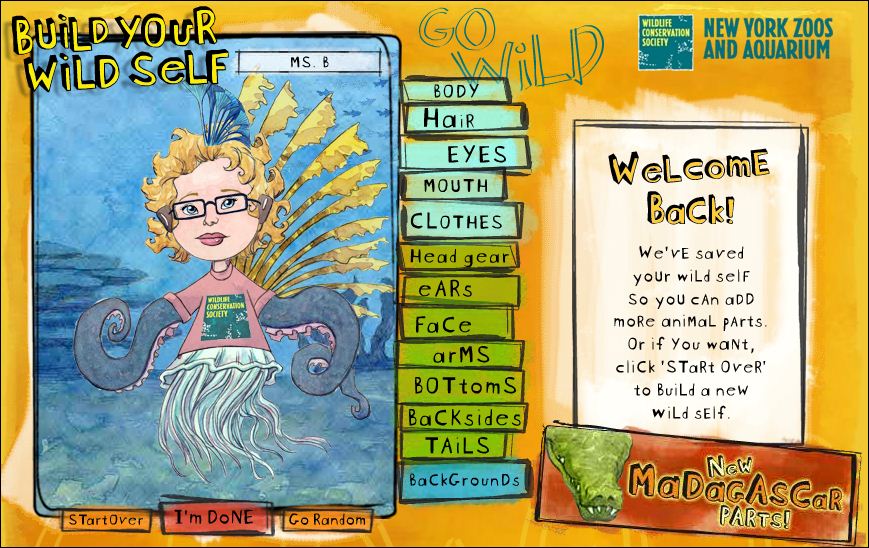
We hit pay dirt when we found the “Build Your Wild Self” website sponsored by the New York Zoos and Aguariam and the Wildlife Conservation Society (http://www.buildyourwildself.com/). Of course, the first thing I had to do was design my own avatar to explore the tool and think about how kids would use it. Here is the home page, which displays my avatar.

avatar home page

Here I am on the “Build Your Wild Self” avatar design website

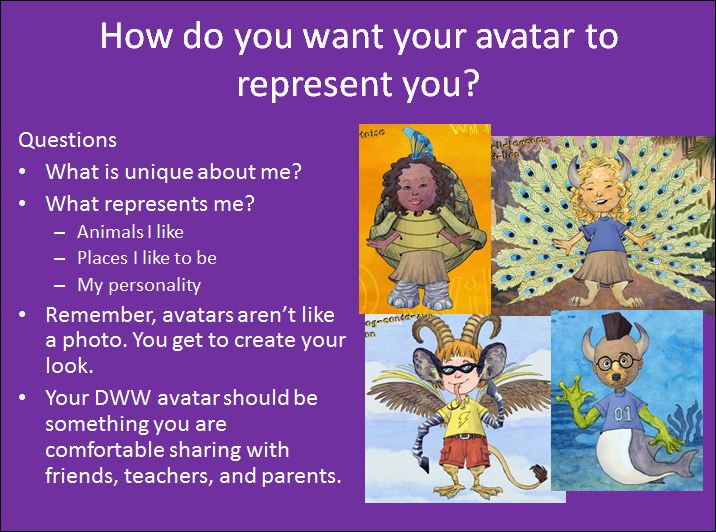
screen shot of PPT introducing avatar activity

screenshot of Blaine's avatar design

image of avatar design

Serina’s avatar:

Antennas: I picked the antennas because I can search out things and I also need glasses to see. Those are kind of my little glasses.

Rabbit ears: So I have the rabbit ears, if that’s what they are, so know that I can hear you

Wings: …because I thought they were cool, they looked all right and also I can fly,

I can do anything I want to do and see stuff and if you mess with me, I’ll stick you.

image of avatar design

Serina’s avatar: I can do anything I want to do

Parting shot: Fun? Yes! Multimodal composition? Yes!

Try designing your own ‘wild self’ and then try it out with your students. I would love to hear how it goes (post a comment, please!).

Cultivating An Online Community of Literacy Learners in Your Classroom

A Post from Jill

The RAND Reading Study Group (2002) drew attention to the importance of reading comprehension as a social activity and asserted that text, the activity, and the reader are all situated within a larger socio-cultural context. The social context, in particular, influences how learners make sense of, interpret, and share understandings.

Over a period of years, Rafael, Florio-Ruane, & George (2001), Daniels (2002), and Guthrie & McCann (1996) guided teachers’ implementation of social reading activities such as book clubs, literature circles, cooperative book discussion groups, and idea circles. No matter the structure these reading activities take in an individual classroom, the purpose is the same – to create a community of learners who construct understandings together.

Group participation motivates students to read and write for a range of purposes, utilize knowledge gained from previous experience to generate new understandings, and actively engage in meaningful social interactions involving literacy. These activities tangibly illustrate to students that sustained reading and writing has an authentic, social purpose and are more than solitary, self-fulfilling activities.

Socially-oriented learning activities fulfill an important need since many students, especially adolescents, are driven by social interaction. One such indication is the proliferation of teen activity on social networking sites (Lenhart, Smith, & Magill,2007). Many adolescents spend their time connecting with friends by texting on cell phones, instant messaging, and using websites such as Facebook, MySpace, and Twitter and are highly skilled in creating their own communities and establishing affinity groups within those networks to connect with others and exchange ideas.

Despite the proliferation of skilled Internet use among adolescents, the majority of students attend schools where they are required to “disconnect” (Selwyn, 2006) and rely solely on face-to-face communication as the primary means of sharing ideas.  This paradox brings to mind several important questions:

1)    What benefits to literacy and learning could be realized if students were encouraged to merge their powerful social networking skills to support their academic pursuits?

2)    In what ways could social networking skills, and the strong desire students possess to develop vast social networks, be used to positively impact literacy learning and academic achievement?

Integrating the resources shared in this post into your classroom can help cultivate an online community of literacy learners who collaborate, problem-solve, and negotiate multiple perspectives as they learn today’s important skills for reading, writing, and communication.

Developing an Online Community of Readers in Your Classroom:  Ideas for Implementation

The Epistemic Games collaborative (see http://epistemicgames.org/eg/) is an innovative collective that is made up of researchers, educators, and game designers who create games in which players learn ways of thinking that matter in the digital age.  One of the games they’ve developed is a simulated journalism community called journalism.net (see http://epistemicgames.org/eg/category/games/journalism-game/). Participants in Journalism.net work as reporters publishing online news magazines on community-based topics.  Within the game, they work with professional journalists, learning skills like interviewing and copyediting and become part of a simulated professional community. By participating in Journalism.net, students develop an awareness of community happenings, discover local scientific issues, and extend their writing, reviewing, and critiquing skills as they begin to see the world as journalists, all while capitalizing on the thrill of publishing their own work to inform the public.  Creating an online classroom newsletter as a space for students to report on what’s happening in your classroom, school, community and beyond serves a similar purpose (and is both fun and easy to get started).  Visit TeXt http://text.teachingmatters.org/, a  free eZine and Blogging Tools for Schools to get started.

Edmodo http://www.edmodo.com/ is a platform you can use to create a secure, school based social learning network for your classroom.   Edmodo provides a safe and easy way to connect and collaborate offering a real-time platform to exchange ideas, share content, access homework, and promote learning related student-to-student communication. Accessible online and from any mobile device via free smart phone applications, through Edmodo students can be connected everywhere they go – whether using a computer, phone, iPod, or tablet. Capitalize on the fact that technology is an integral part of kids’ lives and extend learning by implementing an educational network like Edmodo in your classroom.

Twiddla http://www.twiddla.com/ is a tool for co-browsing the Internet with other learners. This tool allows collaborators to co-browse websites in a shared, real-time whiteboard, while marking them up, sharing files, and chatting along. It’s called co-browsing; all the cool kids are doing it. It’s perfect for school use because you don’t need an account to use Twiddla. No plug-ins or downloads, are needed and students whom you invite to collaborate do not need to login to any system to share content in real-time with you.

Wridea http://wridea.com/ – Wridea makes it easy for students to become a part of a learning community.  Here students can collaborate and share ideas within a shared space. This brainstorming tool organizes and categorizes ideas onto different pages, provides unlimited storage, and allows users to comment on topics and ideas.

GroupTweet http://www.grouptweet.com/– GroupTweet is designed for Twitter users who want to be able to communicate and collaborate privately.  A perfect option for networking a classroom community to promote reflection and learning.

A Fundamental Shift From Page to Screen

The Internet has become today’s technology for literacy and learning, offering classrooms a wide-range of online reading, writing, and communication options that extend new opportunities for social interaction and collaboration. Developing communities of literacy learners online in your classroom broadens students’ perspectives and exposes them to different ways to approach and solve problems.  The tools featured here, when chosen thoughtfully and fully integrated into your classroom, can become fertile ground for students acquiring the skills necessary to communicate and collaborate in the 21st century.

References

Daniels, H. (2002). Literature Circles: Voice and Choice in Book Clubs and Reading Groups. Maine: Stenhouse Publishers.

Guthrie, J. T., & McCann, A. D. (1996). Idea circles: Peer collaboration for conceptual learning. In L. B. Gambrell and J. F. Almasi (Eds.), Lively discussions! Fostering engaged reading (pp. 87–105). Newark, DE: International Reading Association.

Lenhart, A., Madden, L. Smith, A.  Macgill (2007). Technology and Teens. Pew Research Center Publications.

Raphael, T. E., Florio-Ruane, S., & George, M. (2001). Book Club Plus:  A conceptual framework to organize literacy instruction. Language Arts, 79(1), 159-168.

Rand Reading Study Group. (2002). Reading for understanding: Towards an R&D program in reading comprehension. Retrieved from http://www.rand.org/multi/achievementforall/reading/readreport.html

Selwyn, N. (2006).  Exploring the digital disconnect between net-savvy students and their schools. Learning, Media and Technology, Vol. 31, No. 1. (2006), pp. 5-17.

Secondary Teacher Candidates’ ePosters

As you know, I have embraced the possibilities of Web 2.0 technologies even though I am what is known as a “digital dinosaur” according to my age (*). I used to make fun of my advancing years by joking with students that I was in the classroom when “dinosaurs roamed the earth.”  My students, most of them, anyway, are in their 20s and 30s. They sort of laugh nervously when I make this joke. I’m beginning to believe they might actually visualize me roaming the plains with velociraptors, so I’ve quit making this joke. This decision was further cemented when I saw the following YouTube segment.

In Literacy Beat, we have talked before about how teaching content literacy to secondary teacher candidates is a challenge for literacy researchers and educators, as students come from all disciplines to take this one required literacy methods course. This summer I taught two sections of this class for the California State University, and, as usual, I wanted to try something new with—and for—my students. In prior years, I asked students to make audio podcasts (see https://literacybeat.wordpress.com/2011/04/15/podcasting-to-teach-content-literacy/ ).

As I am also insatiably curious, I like to study my own teaching—after all, I need to walk the talk, too—so I’ve done a little research on what this summer’s secondary teacher candidates felt about technology and teaching. I’m also curious about what technologies they learn from their teacher preparation program, other than in their stand-alone educational technology course. For now, let me share with you some of the ePosters they created.

This summer almost 50 secondary teacher candidates in my classes wrote a lesson plan using a literacy strategy relevant to their content, but they also made an e-Poster (they could choose either a Glog or a Prezi) that supplemented, extended, or became a part of their lesson plan.  First, I made a Glog and a Prezi to show students. I figured if I can do it, anyone can. The Glog was pretty easy, but the Prezi took a little longer. I showed both to the students and gave them their choice of which to use. Prezi on Martina (http://prezi.com/qf7guf6milsq/martina/ and Glog on the WORD conference 2011 (http://dgrisham.glogster.com/site2011/)

Every single student was able to do the ePoster, mostly without complaint! Then came the good part! They posted their lesson plans and e-Posters to Blackboard and responded to each other’s work.  As usual, I am impressed by the people who choose to go into teaching! No, they didn’t all like the assignment, but many did and they were also able to recognize the possibilities for their grades 6-12 students to use media creatively!

I’d like to share their work with other teachers and they’ve all given me permission to do so.

Best of the Prezis and Glogs by content area:

Prezis were in the minority as many students found the Glogster site easier to use (13 total of 47 ePosters). The Glogs are much easier to do, but sometimes harder to access through linking. Here are several that you might find interesting.

Mathematics:

Allen Amusin

http://prezi.com/rrdqm30vjifb/modeling-list-group-label-with-triangle-unit/

Katyana Sacro

http://prezi.com/vpdkmmaacmy2/euclidean-geometry/

English:

Ronny Smith

http://prezi.com/gimqtlp1pfs9/growing-up-is-hard-to-do/

Angelica Vila

http://msvila.glogster.com/the-lottery/

Science:

Joshua Stroup

 http://prezi.com/2nqto0ogc2hh/bay-area-faults/?auth_key=9fce2fc2fb8d9ae4b8da972f32e7c987dae233a3

Chuck Faber

http://prezi.com/8j-c23-v51di/natural-selection/?auth_key=055d05a0721903140769080893141a180838b574

Eric Kemper

http://spudow.glogster.com/ct-lesson-plan-biology/

Social Studies:

Rich Seeber

http://prezi.com/3w-sbpdfwf3t/writing-a-persuasive-letter/

Art: 

Lauren Shahroody

http://msshahroody.glogster.com/its-just-pigment-of-your-imagination/

Physical Education:

Brandon Allen

http://allenbr3.glogster.com/ted-5320/

Thoughts on ePosters

Many students commented on the relevance of using technology in their content areas. They analyzed each other’s work and a number of them praised their colleagues for the ePosters they had done.  Here is a brief example:

“The video you attached to your glog, alongside the differentiation between the first and third person narrative, is truly an efficient way of supplementing classroom learning in regards to this specific lesson plan. I will be sure to look further into this “Zoom” book you have mentioned and utilized so effortlessly in an academic manner. In regards to using this book in correspondence with the California English/Language Arts Standards, “Zoom” seems to be extremely intriguing, very useful, and incredibly original. Great lesson plan!”

However, some students did not see the relevance very clearly. I’d like to leave you with an honest comment that I found both poignant and hopeful. Poignant because it still appears very teacher centered. No matter how often or intensely we discussed the necessity of focusing on their students’ learning more than on themselves as teachers, it was difficult for some students to “decenter themselves.” Perhaps it is because they lack experience, but I fear it is because some teacher candidates did not get the basic message that teaching (no matter how skilled) does not equal learning. The hopeful part of this message is that the student is still thinking about the topic.

“But my point is that I am not sure if you can really use much technology in your classroom. Maybe you could use it more by having kids look at stuff online when they are home. So using a prezi or glog might still work, but more as a study aid or a way to present things for the students to look over outside of class. I think this lack of a need for technology might be a good thing. I think many teachers use it as a way to trick students into being interested in boring lessons, except technology for students isn’t some fascinating new thing, they use it everyday, so to really interest students the lesson itself needs to be interesting. This is more of something for me to think about – only using technology when it is legitimately useful and adds to the lesson, not just using it because it is there.”

(*) He who shall not be named! First, I’m a digital immigrant, which is bad enough; now I’m a digital dinosaur. You all know who I’m talking about.

Critical Evaluation of Online Information

A post from Bernadette

The Internet is an open network environment where anyone can post any information. Fake or erroneous information posted online may range on a continuum; from that of a prankster to a poster of a more sinister nature. For example, a report in The Times newspaper in the U.K. listed Masal Bugduv at number 30 in a list of 50 rising stars in football. A number of top premiership clubs, including Arsenal and Liverpool, were reported as being interested in signing the young player.

30. Masal Bugduv (Olimpia Balti)

Moldova’s finest, the 16-year-old attacker has been strongly linked
with a move to Arsenal, work permit permitting. And he’s been linked with
plenty of other top clubs as well

However, the story began to unravel when football fans, bloggers and reporters started to note inconsistencies in the story. Masal Bugduv was in fact a non-existent, manufactured player whose name was curiously phonetically similarly sounding  to the title of a story in the Irish language called M’Asal Beag Dubh, a story of a pretty useless donkey! Over an extended period of time a prankster has posted snippets of information about the rising status and footballing prowess of the Moldovan player on blogs and football forums on the Internet. Thereby creating the fictitious player and leaving The Times reporters with red faces! At the other end of the spectrum are hateful websites such as, MartinLutherKing.org, a web site created by Stormfront, a white supremacist group, designed to discredit the life and work of Martin Luther King.

Therefore, one must exercise critical evaluation skills, critical thinking skills, critical reading skills and media and information saviiness skills to obtain, corroborate and integrate information across multiple online sources and to interrogate online text in terms of accuracy, reliability, believability, currency, depth, authority and author motive. The research suggests that adults (Fogg et al., 2002) and adolescent students (Leu et al., 2008) rarely engage in such critical evaluation of online information.

 Free Forever: The Dog Island (http://www.thedogisland.com/).
In a recent study (Dwyer, 2010) which I conducted with 3rd and 5th grade elementary school students, (N=43) the children were asked to evaluate the reliability of the information on the dog island web site  (http://www.thedogisland.com/). The web site welcomes dogs to a better life on dog island free from the stress and strain of living among humans and is of course a hoax web site. The children judged the information to be very reliable using either signals on the web site (“It has an email and shows you photos of the little dogs and you can check out the dog island products”); or past experiences and topic knowledge (“dogs would be happy if they’re with their friends in a family…. And when they have their babies; their babies aren’t going to be taken away from them”). One dissenting voice, in what could be termed an emperor’s new clothes moment, suggested that the information was not reliable because, “There’d be loads of dogs there, and they’d have done loads of stuff and save they were really stuck on an island like, and they had nothing, what would they eat? How would they get a wash? Well I know how they’d get a wash, but if they got a wash like that’s salt water and something might happen to their skin or something. Where would the water be?They can’t drink sea water so…”

The children’s ability to evaluate online information was developed by explicit strategy instruction in both a checklist and cognitive type approach (For a review of these approaches read Metzger, 2007). For example, the children were taught to evaluate the information provided in the URL domain-name prefix and suffix concerning the reliability, origin and purpose of the web site. Further, the children were encouraged to judge, evaluate, and cross check information across multiple web sites and connect this information with their prior domain and world knowledge. Finally, the children engaged in  class discussions to reflect on the need to critically evaluate information in an online environment.

Data analysis suggested that although the children were aware of the strategies needed to evaluate online information they did not consistently engage with these strategies. Clearly more research on critical evaluation skills in an online environment needs to focus on the possible developmental nature of such skills. Is it feasible to develop critical evaluation skills, beyond a procedural and declarative level of knowledge to a conditional level of knowledge, with elementary school children? Or perhaps the best we can hope to achieve is that children develop an awareness of the need to have their antennae raised around issues such as, reliability, veracity, authority and author bias in evaluating online information? What do you think?

References

Metzger, M. (2007). Making sense of credibility on the web: Models for evaluating online information and recommendations for future research. Journal of the American Society for Information Science and Technology,58(3), 2078-2091.

Fogg, B. J., Soohoo, C., Danielson, D. R., Marable, L., Stanford, J., & Tauber, E. R. (2002). How do people evaluate a web site’s credibility? Results from a large study. Retrieved August,15, 2011 from http://www.consumerwebwatch.org/pdfs/stanfordPTL.pdf

Leu, D. J., Coiro, J., Castek, J., Hartman, D. K. Henry, L. A., & Reinking, D. (2008). Research on instruction and assessment in the new literacies of online reading comprehension. In C. C. Block & S. R. Parris (Eds.), Comprehension instruction: Research-based best practices (2nd ed., pp. 321-346). New York: The Guildford Press.

Developing student’s visual literacy through scaffolded image inquiry

A post from Bridget

We live in a visual world.  The screen of the computer, eReader, smart phone, and game consul is dominated by visuals that we must interpret in relation to their design, communication purpose, and interactive capabilities. What is changing, however, is the degree to which the visual is entering the academic domain.  While visual literacy has always held a place in the literacy curriculum, it is increasingly recognized as an essential literacy skill for the 21st century.   According to the Common Core standards and the IRA/NCTE reading/language arts standards, students must learn how to be savvy consumers AND creative, adept producers of visual messages.

In this post, I feature one of my favorite visual literacy resources, Image Detective, and share an example from Isabel Bauerlein demonstrating how the Image Detective scaffolded inquiry process can be extended in the classroom.  Read on! View on!

Image Detective, is a free online tool developed by Bill Tally and colleagues at the Center for Children and Technology, Education Development Center. http://cct2.edc.org/PMA/image_detective/

home screen of Image Detective

click image to enlarge

We’re used to teaching students the inquiry process in relation to their research projects and science investigations.  Why not teach them how to “inquire” about images?  Better yet, teach them visual inquiry within a subject area such as social studies so that they develop visual literacy skills while also learning to think like a historian with primary sources?  The Image Detective scaffolds the inquiry processes of asking questions, critically reading images, understanding context and background, synthesizing ideas and drawing conclusions, and comparing conclusions. The turn of the 19th century images reflect social studies themes such as immigration, women’s suffrage, and the American west.

This next screenshot shows how students collect and interpret visual clues in response to one of the default questions, “Is this poster in favor of women’s right ot vote or against it?”  Students may also type in their own question.

screenshot shows image clue hotspot and notes about clue

click image to enlarge

The third screenshot shows how students develop a conclusion based on the image clues that they have collected. Once they’ve submitted a conclusion, they can compare their response to others’ that have been posted.  Important note – the Image Detective does not save students’ work after the session is ended, so students will need to print out their work or cut and paste it into a Word doc.

screenshot showing prompted conclusion

click image to enlarge

What about the research base for this type of digital tool?  Tally and Goldenburg (2005) studied how 159 middle school and high school students and their teachers used Image Detective to explore one of the Picturing Modern America images.  They found that students were able to engage in historical thinking behaviors such as close observation, inferencing from evidence, corroboration, and question posing.  Students also reported that they enjoyed learning history by investigating images, rather than listening to lectures and reading textbooks.

To learn more about this study, read:  Tally, B. & Goldenberg, L. B. (2005).  Fostering historical thinking with digitized primary sources.  Journal of Research on Technology in Education, 38(1), 1-21.

Extending Image Detective in the classroom – An example from Isabel Bauerlein

Teachers often ask me if it is possible to use Image Detective with images other than the nine scaffolded images that are featured in the tool.  I think that would be a great feature, but it is currently not on option (are you listening, Bill Tally?!).

I usually respond that it would be great to introduce students to the visual inquiry process using the Image Detective tool and then extend it informally beyond the specific tool and images.  In one of my classes last semester I suggested that Power Point might serve well as a hypertext authoring environment for creating an Image Detective-like learning experience.    I speculated that teachers and students could both get involved in creating scaffolded image inquiries to share with others.  Isabel Bauerlein, a recent graduate of our masters’ degree program in reading, took up the challenge.  She designed an intriguing extension of Image Detective for her class project, using  Power Point to create a scaffolded inquiry experience with photos that are now freely available from Life magazine.  With her permission, I am sharing some of her work. I find it quite inspiring!

Here is Isabel’s description of her project:

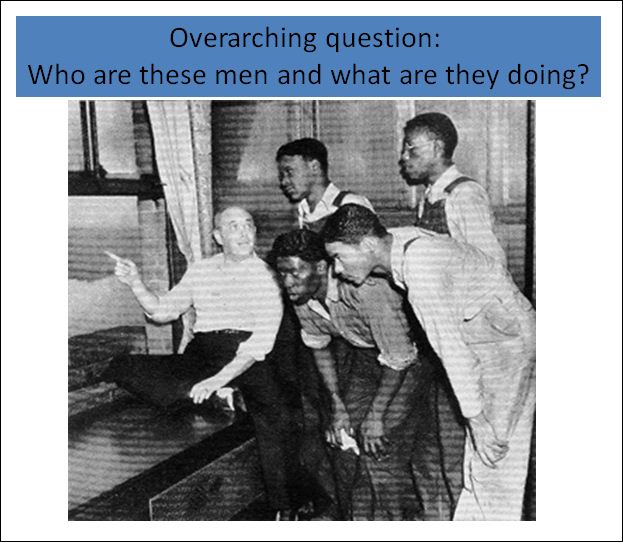
Isabel Bauerlein Analyzing Images  This three lesson series for 9th grade English is designed as an introduction to the novel To Kill a Mockingbird. Students practice analyzing images on the Image Detective website, transfer those skills to analyzing a historic image from the 1930s, learn about the Scottsboro Trial, and then analyze a set of LIFE magazine photos for ideological stance.

An excerpt from Lesson 2 about the Scottsboro Trial is shown in the next 3 slides.  Note how Isabel used the same inquiry structure as the Image Detective, offering support through hyperlinked slides.

click image to enlarge

Isabel goes on with additional slides that pose questions and offer clues that encourage students to apply a more critical perspective to this historical image.  For example, in the following slide, Isabel asks students to think about why the Life reporter (and magazine editor) would use the word “goggling” in this caption to describe how these young black men are viewing the scene outside the window.

click image to enlarge

Are you feeling inspired to try out Image Detective and/or create your own scaffolded images ?!  While this tool and Isabel’s example are designed for students in middle to high school grades, I can imagine how it could be extended for work with younger students.

Please share your experiences teaching visual literacy skills and resources by posting a comment to this blog.  Read! View! Interact!

Using Multimedia to Support Students’ Generative Vocabulary Learning

A post from Jill

In our April 26th post we shared that Bridget, Dana, and I have written a chapter for the second edition of Vocabulary Instruction: Research to Practice (forthcoming, Guilford Press) to be published in 2011. In our chapter, Using Multimedia to Support Students’ Generative Vocabulary Learning we highlight ways to use digital media to support vocabulary learning.  In the chapter, we include multimodal examples, which are reproduced as figures.  However in static manuscript form, we found ourselves limited in showcasing these creations, which are meant to be interacted with digitally.

This post features each of the examples. What follows is a brief description of teaching ideas from the chapter  along downloadable files. These files allow you to click on links and interact with the content to get a better sense of the potentials and possibilities.  We hope these creations spark your creative ideas for ways to use digital media to support vocabulary learning!

Multimedia Hypertext Versions of Poems, Quotes, or Short Text Excerpts

Students often find it difficult to unpack the meaning of words and figurative language within a poem or passage. An alternative way to dive deep into word meaning is to engage them in creating hypertext versions of the text that include links to other media. The original text represents the first layer, and their personal connections and interpretations represent the second, hyperlinked layer. This activity works well in partner groups because it encourages students to talk about and use the targeted words as they design their linked text.

PowerPoint, or other multimedia presentation software, can serve as the hypertext medium. To introduce this kind of vocabulary and figurative language exploration, create a 3 slide PowerPoint template.: slide 1 explains the task and introduces how to make a hyperlink within a slide show, slide 2 introduces an example, and slide 3 provides the actual text to be expanded with vocabulary hyperlinks.

The example below demonstrates how key words and phrases in the opening of Martin Luther King Jr.’s  I Have a Dream speech can be hyperlinked to students’ elaborations and connections in different modes.

Click Hypertext to download and interact with this example.

Compose Multimodal Word Webs

Creating a multimodal word web is probably one of the simplest and most effective ways to use language and media to express word meanings and explore the relationship between words.  To begin, create a basic template that students can customize. At a minimum, the multimodal word web should include the target word or concept, an explanation, and examples of the word in a context. Further, at least two modes should be used such as text, sound, graphics, and video. For example,  a word web for the target word ‘habitat’ might include descriptive information that defines what a habitat is, as well as photographs of different habitats, video of wildlife in their habitat, and audio clips that offer a chance to hear sounds within a given habitat.

In the example below, words come to life. You can listen to whale sounds from the arctic and watch a video clip showing how the polar bear learned how to survive in the arctic, a habitat that offers few comforts.

Click Habitat to download and interact with this example.

Pictures Worth 1000 Words

You know the saying, “A picture is worth a thousand words”; the same can be true of a word – what information, memories, images, and sounds are evoked when you hear the word ‘celebrate’ or ‘grandmother’? While we share cultural understandings of some visual symbols, the ways that visual representation can be connected to words is limitless. Even for something as specific as a car, our image memories will vary. To develop both visual literacy skills and vocabulary, challenge students to connect words to images or images to words.

The example below begins with the key word “challenge” together with images that match with it.  After students complete such as collage, ask them to add a title and explain why the images are a good representation of the word. This offers an excellent opportunity to teach how to critically read images on the Web.

Click “Challenge” to download and interact with this example.

Vocab Vids (see Bridget’s post “VocabVid Stories: Developing vocabulary depth and breadth through live action video“)

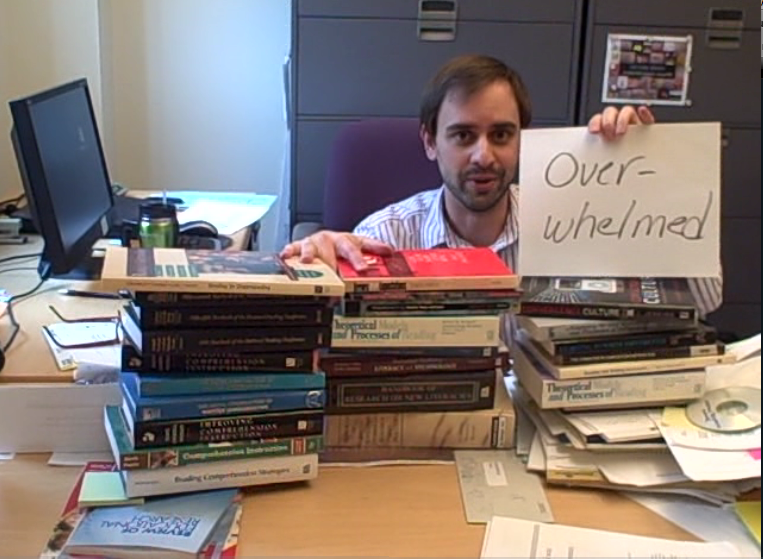
Bridget and Christian Ehret partnered to create an example that illustrates the power of video to illustrate word meanings. The video opens with a shot of a desk piled high with books. Ehret is sitting on the floor, hidden by the desk. Suddenly, his hand appears, pulling a book off. More books disappear as he pops up repeatedly, looking increasingly distressed. At the end, Ehret appears with a sign displaying the word “overwhelm,” saying, “I’m distressed, drowning in a deluge of books. This is an overwhelming amount of books to read! Can you tell I’m feeling totally overwhelmed?!” Note that all of the italicized words were found on a thesaurus during a Web search the pair did to prepare for the video. They used different forms of the word (overwhelm, overwhelmed, overwhelming) and incorporated related words (distress and deluge) to aid in the development of word concepts.

View the Video Example

We hope these examples have gotten your creative juices flowing and introduced some new possibilities.  We welcome you to share additional ideas for ways you’ve used digital media to enhance vocabulary learning. Please add a comment or send us an email.

Tweets on Cyberbullying

By Dana Grisham

Ms. Vanessa Cristobal is a high school English teacher at the California School for the Deaf. Ms. Cristobal is an innovative teacher who enjoys using technology to teach her profoundly Deaf and hard-of-hearing students using Web 2.0 Resources. Deaf students are avid users of technology, and indeed technologies such as closed captioning, Instant Messaging, and other assistive technologies are a boon to this student population.

In her honors class this year, Ms. Cristobal, did a unit on cyberbullying that taught her students some of the most important lessons about the uses—and possible misuses—of technology.

Our blog, Literacy Beat, focuses on vocabulary learning and Web 2.0 tools and the issue of cyberbullying is an important topic–and one that teachers must consider. There are significant vocabulary terms that must be learned by students and Ms. Cristobal is very aware of that.

She begins her unit with a PowerPoint on how to do Twitter (Tweeting). Then students begin to read resources on the topic and to discuss these in class. Finally, they “Tweet” about the problem using some of the new language they have learned and combining that with artistic composition language. Wolsey and Grisham (in press) have compared “tweeting” with Haiku. Both have space constraints, which make them brief, but when done well, they have quite an impact on the reader.
See this example of a Haiku (all tweets and haikus reproduced here with permission).

A yellow pencil

Left beneath a schoolhouse tree

Autumn leaves gather.

T.D. Wolsey (67 characters)

Compare with a “tweet.”

140 characters is the space limitation for a tweet and it is quite short, like Haiku, so thought must reflect the essence of communication.

D.L. Grisham (139 characters)

Ms. Cristobal used a number of resources on her unit on cyberbullying. Note below there are ten useful websites compiled on this topic. The culminating activity of Ms. Cristobal’s unit was the tweeting the students did in response to what they had learned. These were posted to Twitter, but kept private. All identifying information has been eliminated from these student examples.

Five Student Examples (edited a little for grammar):

It really hurts to be hated and makes me so angry, but I can’t respond that way. Instead, I must report. I would never do this to another! (138)
A sad boy cringes from his former friends in such pain that he might suicide. It is betrayal, but don’t despair. Tell someone and escape. (137)

You must not believe the lies and the hate, but trust this will pass. Report the abuse and you will then be free. Be strong. Don’t despair. (139)

Cyberbullying is a crime. Don’t commit it. If you are a victim, report it. It is not your fault. Sometimes so called friends make mistakes. (139)

In the end, you will survive, but it can make you angry and sad. Cyberbullying is a crime, so don’t let yourself believe the bad messages. (138)

Ms. Cristobal’s honor students did an excellent job with the form and the language and cyberbullying is a topic that all students, particularly middle and high school students need to review, much like safely crossing the street for younger students.

Ten Resources on Cyberbullying

Wikipedia definitions: http://en.wikipedia.org/wiki/Cyber-bullying  Includes definitions, original research, other publications on cyber-bullying.

Cyberbullying Resource Center: http://www.cyberbullying.us/aboutus.php Two researchers, Justin Patchin and Sameer Hinduja, authors of Bullying Beyond the Schoolyard (2009), sponsor a website dedicated to “providing up-to-date information about the nature, extent, causes, and consequences of cyberbullying among adolescents.”

National Crime Prevention Panel: http://www.ncpc.org/cyberbullying Provides a Q & A and other resources, including reporting options.

KidsHealth: http://kidshealth.org/parent/positive/talk/cyberbullying.html  In the parents section, text-to-speech provides audio reading of information about cyberbullying in both English and Spanish.

BrainPop: http://www.brainpop.com/health/personalhealth/cyberbullying/  Provides a free kid-centered “cartoon” on cyberbullying. Other free programs include Internet safety, instructions for email and IMing, and cyberetiquette.

WiredKids, Inc. http://www.stopcyberbullying.org/  What it is, how to recognize cyberbullying, what action to take and how to join a campaign.

Cyberbullying Report: http://cyberbullyingreport.com/  Contains a process for reporting cyberbullies.

NetSmartz (NS) Teens: http://www.nsteens.org/Videos/Cyberbullying Video that explores cyberbullying through student interviews and cartoon.

YouTube: http://www.youtube.com/watch?v=fNumIY9D7uY  The experiences of a teen boy who was cyberbullied and grew desperate, but how the cyberbulling was stopped. (There are a number of other films on YouTube on this topic that I have not reviewed.)

Stop Bullying: http://www.stopbullying.gov/about_us/index.htmlStopBullying.gov provides information from various government agencies on how kids, teens, young adults, parents, educators and others in the community can prevent or stop bullying.

Images for Cyberbullying:

Google Images for cyberbullying: http://www.google.com/search?q=cyberbullying&hl=en&biw=1881&bih=949&prmd=ivnsb&tbm=isch&tbo=u&source=univ&sa=X&ei=5cglTrv8EY6WsgP8yYnpCA&sqi=2&ved=0CEkQsAQ

May be used for reports or as teacher resources, although some are copyrighted.

References:

Wolsey, T.D. and Grisham, D.L. (in press). Teaching writing with technology. New York: Guilford.

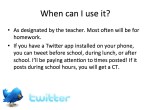
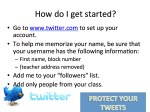
Sample PowerPoint Slides for Tweeting in Ms. Cristobal’s class (with thanks!)

Exploring digital tools for literacy

A post from Bernadette

My teacher candidate students and masters students have been weaving in some digital tools for literacy into the before, during and after reading stages of a guided reading lesson. They have explored the affordances and possibilities presented by these digital tools for literacy. The following are some of the most popular digital tools for literacy that the students have explored this past academic year.

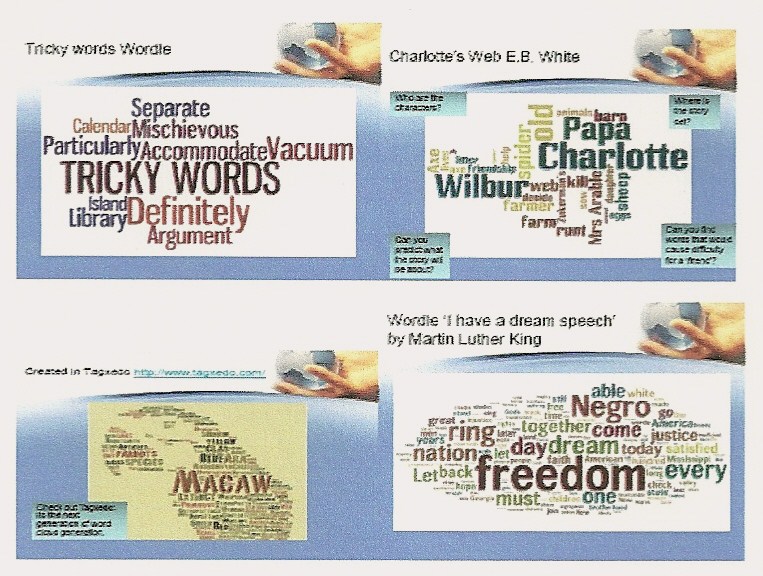
Wordle (www.wordle.com) or Tagxedo (www.tagxedo.com ) to create word clouds. For example, drawing attention to difficult or tricky vocabulary in a text; creating synonyms and antonyms for vocabulary; making predictions using an anticipation guide for Charlotte’s Web (E. B. White) or summarising text as in I have a dream speech by Martin Luther King.

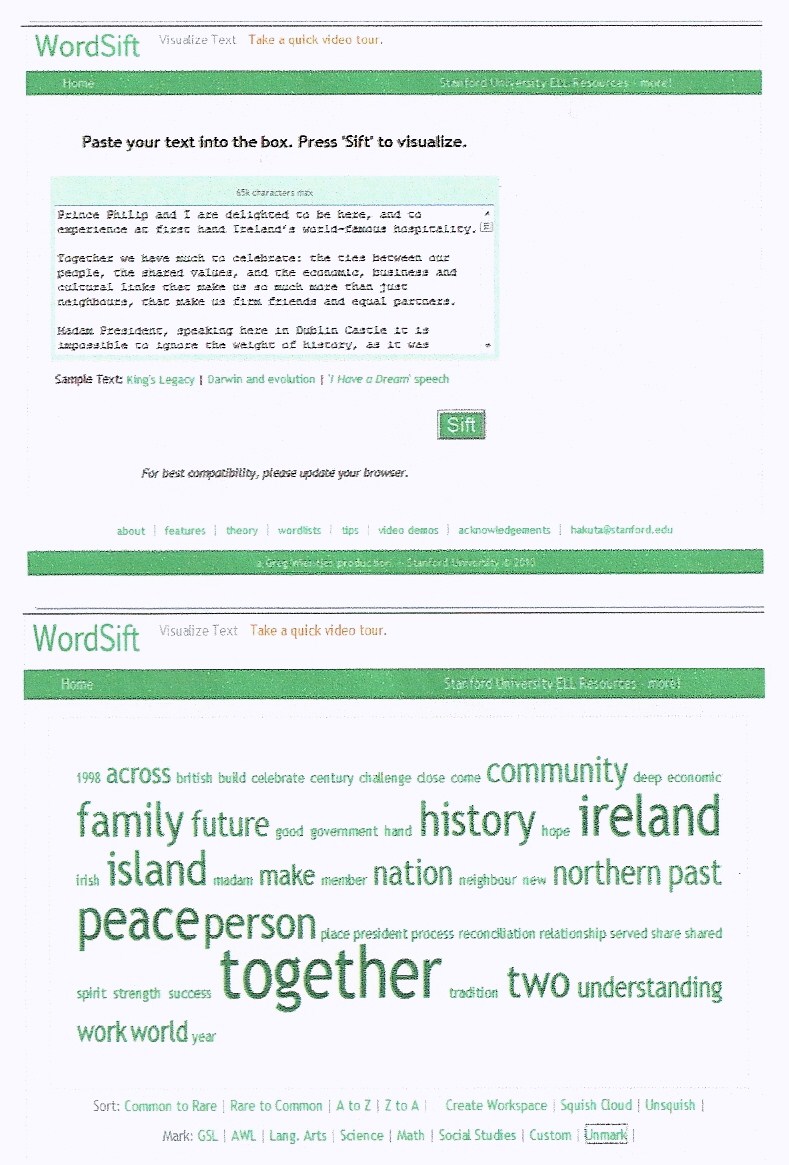
Word sift (www.wordsift.com) as a teaching tool to sift vocabulary in a text. Word Sift captures an inputted text and displays (a) the most frequent words in text in a variety of formats, e.g. in alphabetical order or from frequent to rare; (b) presents Google images and a visual thesaurus of highlighted words; and (c) provides examples of selected vocabulary within the context of the sentences from the original text. Pretty powerful stuff!

Text of speech by Queen Elizabeth II delivered in Dublin Castle,Ireland  on May 18th 2011

For more great evocabulary ideas see Dalton and Grisham (2011)


Electronic reading formats of texts The students have explored the affordances presented by electronic reading formats for deepening response to literature. For example, they have adapted the work of Larson (2009) to create an electronic reading workshop. Elementary school children were asked to create ebookmarks or generate ejournals to capture fleeting thoughts, construct predictions, make connections or clarify difficult vocabulary as they read.
Students have also created threaded discussions using wordpress (www.wordpress.com) to create class blogs in response to electronic ebooks. Here children can respond to teacher created prompts. In one student’s classroom the children developed their own prompts and responded to each other in an asynchronous discussion format. The class blog helped to develop a community of readers within the classroom. Analysis of the blog discussions suggested that children scaffolded, contested, affirmed or extended each other’s responses.

See Lisa Zawilinski’s (2009) article in The Reading Teacher for an extended discussion of blogging in the classroom.

Finally, my students have used Glogster (http://edu.glogster.com) to create interactive multimedia format posters. These glogs helped children to elaborate their response to ebook formats. For example, in one study the children created video dramas of weather forecasts predicting a storm as the characters in The Wildflower Girl (Mc Kenna, 1994) crossed the Atlantic; or developed meanwhile episodes where the children became involved in authorship to extend the original story crafted by the author.

Tús maith,leath na hoibre (a good start is half the work)! We have made small steps this past academic year. Next year we will extend and grow the affordances presented by digital tools for literacy in the classroom. My fellow bloggers at Literacy Beat have provided me with many inspiring ideas………..
References
Dalton, B., & Grisham, D. (2011). eVoc Strategies: 10 Ways to Use Technology to Build Vocabulary. The Reading Teacher, 64(5), 306-317.
Larson, L. C. (2009). Reader response meets new literacies: empowering readers in online communities. The Reading Teacher, 62(8) 638-648.
Zawilinski, L (2009).HOT blogging: A framework for blogging to promote higher order thinking. The Reading Teacher, 62(8), 650-661.

Making a Difference: Extending Digital Literacy Through Participation in Online Advocacy and Social Action Projects

A Post from Jill

I’m excited to be heading to see Lara Lee’s new feature film Cultures of Resistance on Thurs. June 30th at City College in Berkeley, CA.  The film takes viewers on a journey across five continents as it documents the personal stories of creative change makers who aim to inspire engagement and social action around issues of social justice worldwide. The idea of this film caused me to stop and think about our efforts to educate students in meaningful ways that make a lasting impact in our collective lives.  It occurred to me that the Internet should be used not only as a source for information  but also as a means and a vehicle to spark action in our communities and around the world. When I reflect on social media use during the recent revolution in Egypt, I am struck by  how globally connected and interdependent we are locally, nationally, and globally. It brings to the forefront of my mind the need to prepare students with an orientation and a commitment to using online information and advocacy to improve our global community.

To help achieve this aim, this post focuses on several school-friendly social action projects that make strategic use of the Internet to connect people around the world.  These projects provide a promising means for engaging students’ intellectual potential, curiosity, and social networking skills to make a lasting change on important issues of the day.

Global Climate Change

To help kids better understand global warming, the Pew Center recently collaborated with Nickelodeon to research kids’ and parents’ attitudes and behaviors toward the environment and have made several great resources available (see http://www.pewclimate.org/global-warming-basics/kidspage.cfm). Such efforts have helped sparked several action campaigns led by adolescents and young adults.  One such effort is iMatter (see http://imattermarch.org/). iMatter began as a simple video, created by a 13 year old, that covered the problems, consequences and solutions of climate change. Now, it’s grown into a global campaign meant to unite the voices of a generation on the most urgent issue of our time.

Additional efforts such as Young Voices on Climate Change showcase the many creative and innovative ways young people are shrinking the carbon footprint of their homes, schools, and communities. This effort began as a series of short films from Lynne Cherry, author of The Great Kapok Tree, and  feature the inspiring work of young people who seek to increase climate change awareness and action. It then expanded to a book entitled How We Know What We Know About Our Changing Climate: Scientists and Kids Explore Global Warming.  Both the iMarch and Young Voices websites feature several ways students can get involved and make a difference. The inspirational trailer for Young Voices can be accessed here.

Cyberschool Bus Global Teaching and Learning Projects

The United Nations Cyberschool Bus Global Teaching and Learning Projects website encourages students and their teachers to engage in world wide social action projects. This portal offers curriculum resources to support finding solutions to combat world hunger, ending racial and ethnic discrimination, and providing universal human rights. Through collaboration with classes worldwide, students can participate in finding solutions that may impact the realities of tomorrow. Placing students in the role of problem solvers empowers them to find ways to use what they are learning in school and their communities to change the reality of the world around them.  The quizzes and games section includes interactive simulations such as Against All Odds (aimed at increasing students’ awareness and knowledge about refugee situations by putting players in the position of a refugee) and Stop Disasters (that encourages problem solving by teaching players how to respond to different disasters) are excellent ways to increase students’ awareness about global crises and ways to combat them.

Bucket Buddies

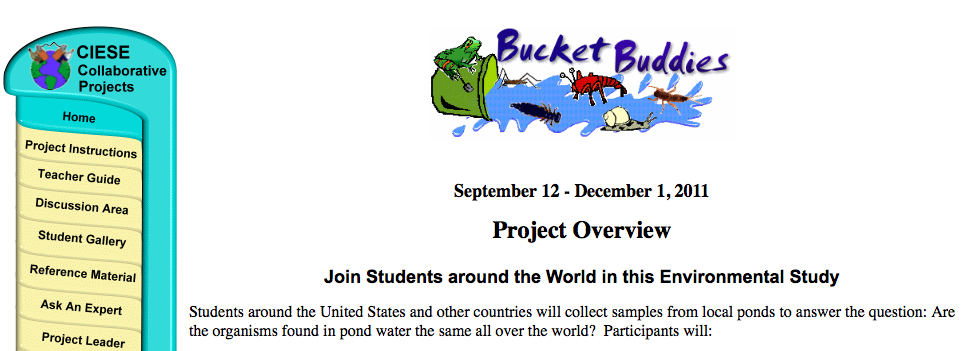
Bucket Buddies  is a curriculum-based inquiry project available on the Internet for elementary level students. In this project, students team up with other students from around the globe to test fresh water samples in their community. Students collect samples of water from local ponds to answer the question: Are the organisms found in pond water the same all over the world? In this project, students attempt to determine whether or not the same fresh water macro-invertebrates will be found in different locations. Participating classes collect samples from ponds near their schools and use a variety of resources to identify the macro-invertebrates (animals lacking a backbone and visible without the aid of a microscope) in the samples. The students then share their identifications with other project participants and use the collected data to answer the central question: Did classrooms sampling fresh water sources around the world find the same organisms? Finally, the students publish their conclusions in a report, which is posted to the project web site. Additional collaborative project ideas that address water quality and water conservation issues can be found by visiting http://www.k12science.org/collabprojs.html

International Schools Cyberfair

International Schools Cyberfair is an international learning program that encourages youth to connect the knowledge they learn in school to real world applications. This project has brought together more than one million students across 100 countries. Its purpose is for students, their schools and their local communities to use the Internet to share resources, establish partnerships and work together to accomplish common goals. Students work collaboratively to research and then showcase online what is special about their local community. Local and international collaboration through information and communication technologies is a key aspect of the program. Students are also encouraged to serve as “ambassadors”, sharing what they’ve learned in a way that contributes back to their local communities. Award-winning projects showcase people and programs that are actively providing solutions or solving problems.

 iEARN

Projects within iEARN are designed and facilitated by participants to fit their particular curriculum and classroom needs. Upon membership, the iEARN network is open to all teachers and students at a school, with resources available for finding iEARN projects across age levels and disciplines. iEARN features a Learning Circle, which contains highly interactive, project-based partnerships among small numbers of schools located throughout the world. All iEARN projects involve a final “product” or exhibition of the learning that has taken place as part of the collaboration. These have included magazines, creative writing anthologies, websites, letter-writing campaigns, reports to government officials, arts exhibits, workshops, performances fund raising, and many more examples of youth taking action as part of what they are learning in the classroom.

Participation in social action projects provides opportunities for young people to transform the world around them and makes it possible for them to see themselves, their abilities, and the activities at school in a different light. Not only does this give students the opportunity to affect change in the world and gain valuable experience with the new forms of online communication and social networking that are quickly defining our world, but it also builds confidence that the skills they are learning have value beyond the classroom.

Digital Book Trailers: A Welcome Alternative to the Book Report

A post from Bridget.

I was an avid reader beginning in third grade, when my parents finally allowed me to ride my bike to the local library on my own (those were safer times). Once a week, I would collect as many books as I could fit into my bike basket and pedal back home with my treasures.  My friends didn’t know I was a voracious reader (I didn’t want to appear nerdy and enjoyed my private reading world).   Perhaps more surprising is the fact that my teachers were unaware of my love of reading. I deliberately kept them in the dark for fear that I would be asked to write the “dreaded book report”, a genre that I found incredibly boring. Even worse, I might be asked to stand up in the front of the class and give an oral book report.

Happily, in today’s media rich world there are alternatives to the traditional book report.  Digital book trailers are becoming increasingly popular with kids, teachers, authors, and publishers alike.  What is a digital book trailer?  While definitions vary, a popular form of digital book trailer is a short digital video (less than 2 minutes) that combines characteristics of a movie trailer and a book advertisement.

In the following section, I highlight some wonderful examples of book trailers created by students (and in one case, by an incredibly entertaining teacher and librarian), and provide some links to resources.

STORYTUBES:  Young children are in on the act of creating book trailers

The annual STORYTUBE contest is sponsored by several ALA libraries.  Open to children from ages 5 to 18, students submit their digital book trailers in January/February.  In addition to the winners selected by a panel of judges, the online audience votes for their favorite.

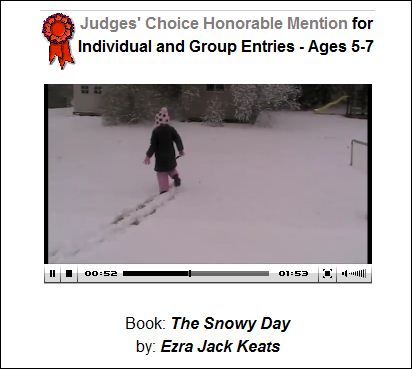
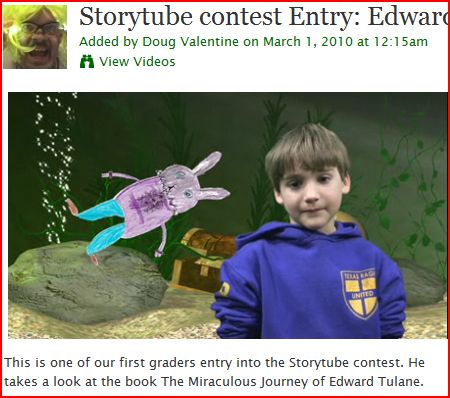
Take the time to view two of my personal  favorites in the 5-7 year old category.  The first features “A Snowy Day” by Ezra Jack Keats and the second features “ The Story of Edward Tulane” by Kate DiCamillo.   In “A Snowy Day’, a young girl is videotaped as she introduces the story, falls asleep to enter into the story world where she re-enacts key scenes from the book, and then wakes up to close with a message to read the book.  The Edward Tulane video is more complex in video production, involving a green screen, hand-drawn illustrations, and props.  Both are terrific!
StoryTube website

http://www.storytubes.info

http://storytubes.info/drupal/node/50

http://teacherlibrarian.ning.com/video/storytube-contest-entry-edward

Middle School Students at Veterans Park Academy post digital book trailers to their school blog

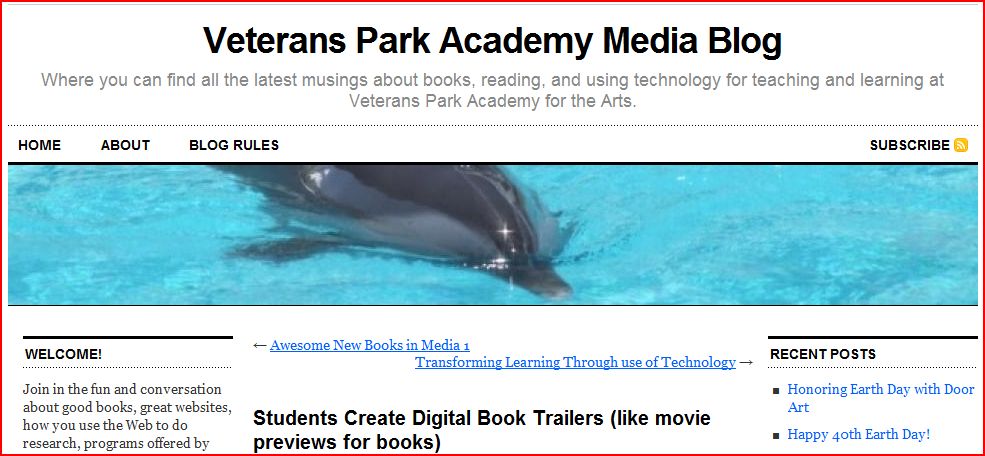
Book trailers are ideal for middle grade children who have seen and enjoyed many movie trailers and are eager to merge this with the book advertisement.  Check out the digital book trailers created by Mrs. Hansen’s students using Photo Story 3. While there is no live video,  Rachel’s book trailer for “Rules ” by Cynthia Lord shows how images, sound track, and text can work together to pique your curiosity and make you want to read the book “to find out what happens…”

http://vpaamedia.edublogs.org/2009/01/20/students-create-digital-book-trailers-like-movie-previews-for-books/

The Digital Book Talk Center 

The Digital Book Talk Center’s motto is “ Creating a community of avid readers, one video at a time”.  Led by Dr. Robert Kenny of Florida Gulf Coast University and Dr. Glenda Gunter of the University of Central Florida, this award-winning site offers 113 digital book talks (with more coming from K-12 and university students).  There is an array of book trailers that will appeal to adolescent learners, either as an enticement to read a new book, or as an introduction to a book they have already selected to read.  You may also  download the U-B_the_Director curriculum, and view other instructional resources, such as the “how to make a book trailer” video. http://www.ehow.com/how_4491963_make-book-trailer.html

 http://digitalbooktalk.com 

Everybody is doing it, even teachers and librarians!

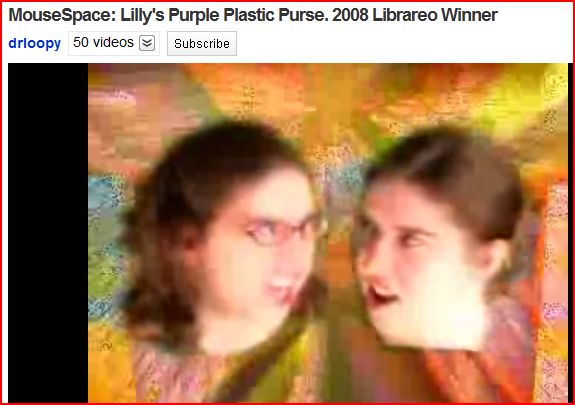
I can’t end this post without calling your attention to a very entertaining book trailer, MouseSpace:  Lilly’s Purple Plastic Purse, 2008 Librareo Winner

I laugh every time I watch this video about a teacher who runs into the library moments before the bell rings for class to find the book that she absolutely MUST HAVE for her lesson.  Unfortunately, she can only remember that it has something to do with a mouse.  See how many titles you recognize as this knowledgeable librarian runs through a multitude of ‘mouse-related’ book titles!

http://www.youtube.com/watch?v=ZM3Ws0W86r4

And, that’s a wrap, folks!