Feedback on writing is often limited to rubrics even though more is possible. Feedback is one routine with potential to significantly improve student achievement. Nowhere, we argue, can feedback improve learning more than in writing instruction. Research we are conducting suggests that teachers perceive oral feedback to be particularly useful. Other research informs our work that suggests the teacher’s relationship with students may have an impact on the efficacy of feedback.
In general, teachers find useful feedback is easy to provide and believe their students review feedback they offer. Teachers seemed to prefer oral feedback, and nearly 60 percent of teachers believe their students use feedback to improve performance from one task to the next. However, teachers preferred simple (50.3% rank 1 or 2) and complex affirmations (67.75% rank 1 and 2) over other types of feedback.
During this session, we will examine what research suggests are effective practices in providing feedback to foster and to develop effective writing skills with a focus on oral feedback. We examine both tech and non-tech ways to provide feedback in terms of reinforcement (positive and negative) and signals to advance to the next level of proficiency, with the ultimate aim of accelerating learning.
We are grateful to Dr. Diane Lapp and the team at Health Sciences High and Middle College for their support during data collection. #Guilford Press
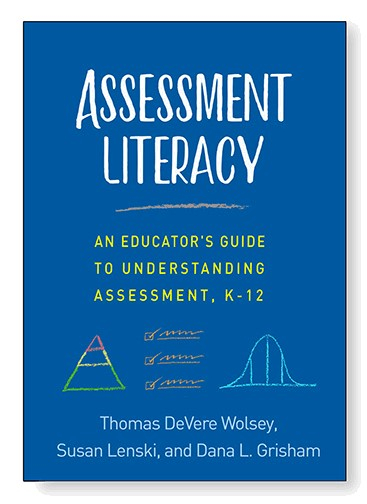
Assessment Literacy: An Educator’s Guide to Understanding Assessment, K-12
Also, watch for the 2nd edition of Literacy in the Disciplines with Dr. Wolsey and Dr. Lapp, new from Guilford Press. Preprint copies are available now for professors and professional development leaders (Contact Thomas for details and discount codes). The book is available August 12, 2024 for professional purposes and course adoption.
Do not forget to check out Assessment Literacy by Dr. Wolsey, Dr. Grisham, and Dr. Lenski.
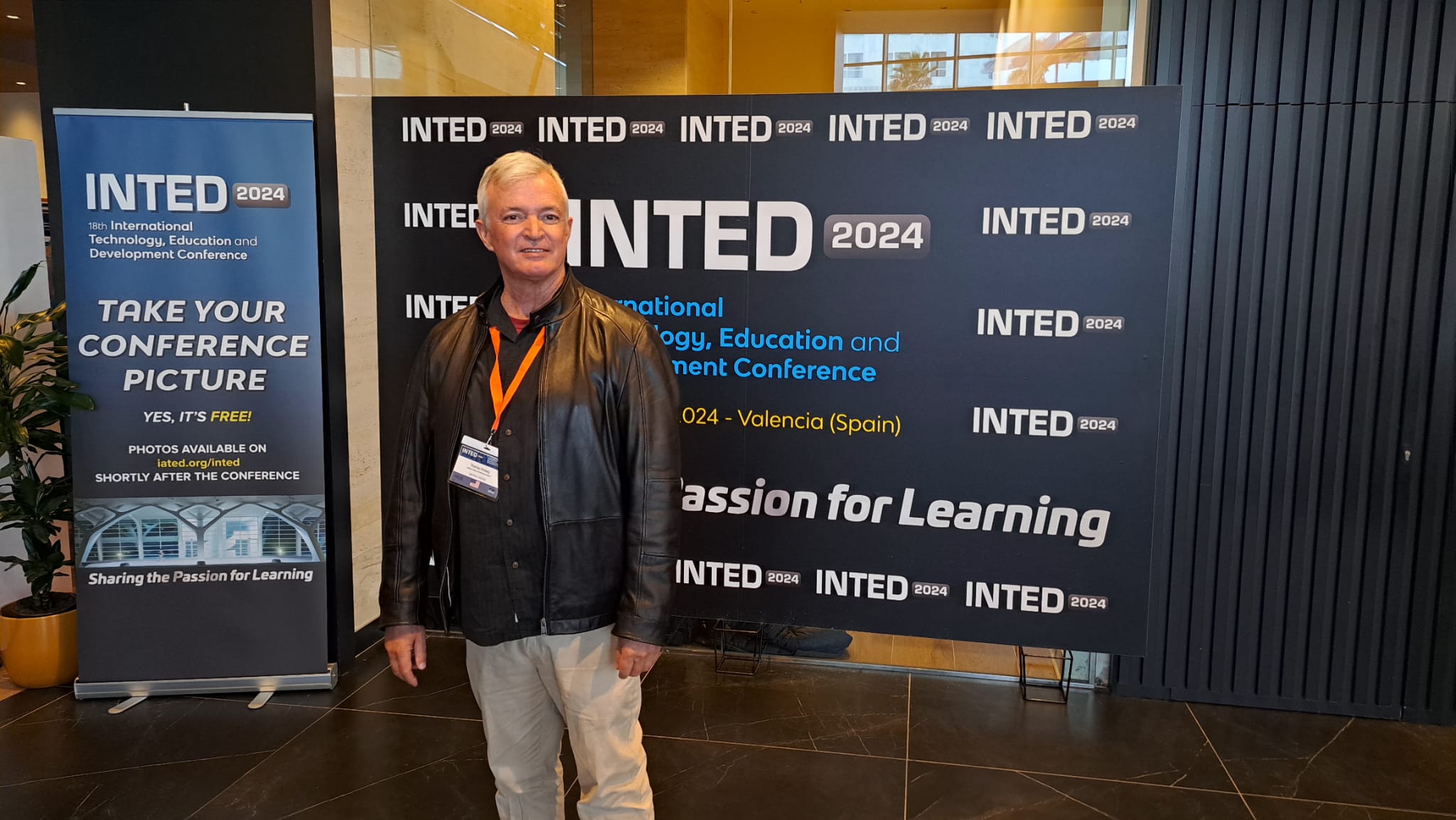
Tomorrow, March 4, I will make the case at INTED for several new or re-emphasized directions in literacies of the disciplines. First we will examine some of the features of disciplinary literacies. These include:
We will look beyond college and career readiness as a rationale for addressing disciplinary literacies including how disciplinary literacies:
• Intersect with the Public Sphere • Intersect with the Workplace and Professions
And the final paper can be accessed at https://library.iated.org/ once the conference organizers publish the proceedings.
Be sure to check out our interviews and other resources for literacies in the disciplines here. Finally, I want to share the cover of the 2nd edition of Literacy in the Disciplines: A Teacher’s Guide for Grades 5-12 due to be released in the summer of 2024.
Explore literacies in the disciplines with Drs. Sroka and Wolsey
By Thomas DeVere Wolsey
I spoke with Dr. Matthew Sroka about literacies in the disciplines recently, and you can find our conversation on this podcast. We explored some of the issues that teachers and professors might have, and we investigated connections to college and career (of course) as well as intersections of disciplinary literacy with professional communication, civic education, and lifelong learning.
Literacy in the disciplines aims to help students (and their teachers!) learn how knowledge is constructed in distinct way from one discipline to another (and one profession to another). We may encourage students to write like a scientist or speak like a mathematician. But I started wondering, just what do various experts and professionals write? I decided to do a bit of research using my friend Google.
Here is what I discovered:
Figure 1: What do Professionals and Disciplinary Experts Write?
Scientists1
Doctors2
Historians3
Mathematicians4
Journal articles, typically studies
Research proposals
Lab reports
Research reports
Scientific posters
Regulatory writing (think Food and Drug Administration)
This table contains a list of writing that occurs in various disciplines. This list is not comprehensive; for example, there is no category for authors of fiction, and there is only one profession that draws on several disciplines. The details of format will vary by discipline. Our goal as teachers is not necessarily to have students duplicate what experts write, but to be aware of how experts write. Students may write in other formats, composing a TikTok video or Instagram reel that mimics features of expert writing and addresses the problems or ideas they identify, using the sources of evidence they find.
What disciplines should be added? Which professions might be explored in addition to medical professionals?
Reference:
Grant, M. Wolsey, T.D., & Lapp, D. (2024, Winter). Engaged writing in the disciplines: Let’s talk about it. The California Reader, Winter.
This textbook serves as a guide for practitioners whose goal is to enhance refugee students’ learning experiences. With millions of children globally in refugee or seeking asylum status, this volume is a must-read for every 21st century educator.
View on Amazon.com (affiliate link).
Often, refugee students have missed a substantial amount of schooling as a result of the disruptions in their home countries and transit through refugee camps. Others have never been to school at any time. Refugees enter school with the same hopes and aspirations as other students, but they also confront serious challenges.
Often, refugee students have missed a substantial amount of schooling as a result of the disruptions in their home countries and transit through refugee camps. Others have never been to school at any time. Refugees enter school with the same hopes and aspirations as other students, but they also confront serious challenges.
This textbook helps educators to restore hope through the following topics:
empowering refugees in school
liberating structures in resettlement camps
increasing opportunity at university
designing compassionate pedagogies
leveraging technology
connecting the community
Each chapter includes points to ponder as educators work to apply the principles of restoring hope for refugee students and their families. This textbook also provides practical suggestions and case studies that will help educators to put theory into practice.
Teachers and professors who are passionate about honing their skills will find this book a comprehensive resource when displaced students enter their classrooms. This volume will also be of great interest to teacher-educators, pre-service teachers, educators serving in refugee camps and school administrators.
Teachers and professors who are passionate about honing their skills will find this book a comprehensive resource when displaced students enter their classrooms. This volume will also be of great interest to teacher-educators, pre-service teachers, educators serving in refugee camps and school administrators.
Our chapter in the Handbook of Research on Teaching the English Language Arts, 5th Ed. is chap ONE! Thanks to co-authors Ibrahim M. Karkouti, Pelusa Orellana, Cristina Alfaro, John Perry and editors Douglas Fisher and Diane Lapp.
Abstract: This first chapter in the Handbook of Research on Teaching the English Language Arts, 5th Edition takes an international perspective on the teaching of English, as English has become the dominant language in the world. The chapter’s five authors, Wolsey, Orellana, Perry, Karkouti, and Alfaro, forecast trends and challenges in teaching English in their native countries of Egypt, Chile, the UK, the Middle East, and Mexico/United States respectively. Readers will discover that, in a transnational context, perspectives and challenges of teaching English are not all that different. The chapter begins with an explanation of the methodology used to select the topics in this chapter, as well as how the authors were chosen.
Definitions are useful as long as they are understood. With V-Tweets, we ask students to consult at least three dictionary definitions they find online, including at least one that is specific to the discipline. They work with a partner to synthesize a definition from the three or more definitions they have found that meets the demands of the discipline. Here are the steps:
The teacher scans the reading assignment and selects Tier Two and Tier Three words for critical after-reading study.
Student pairs are assigned words to investigate (Internet, dictionaries, background knowledge) and must consult at least three sources for the Tweet and an image or visual (may be drawn and scanned or photographed; or use Google Images with teacher approval).
Students must identify the sources of their definitions/explanations of the words.
Students combine the sources, discussing and drafting a 120-character “Tweet” for the classroom website. Wait, 120 characters? Stay tuned.
Students then share their V-Tweets with each other prior to reading, and they are available as students read the text.
Use hashtags and Twitter handles to encourage conversation. For example, Ms. Hernandez might ask her period 1 students to use the hashtag #Hern1 to encourage Twitter conversation among her students in that class period. A handle, such as @thernandez can ensure that the teacher receives the Tweet.
Because Tweets can only have 140 characters, it is important to make room for the hashtag or handle and the image, all of which take up some of the characters allotted. We suggest about 120 characters.
Students will negotiate how best to define their assigned term within the character limitations.
In addition, students can carry on the conversation as they use hashtags to expand or elaborate on each others’ posts.
In this example, the Tweet is developed from three online definitions, composed to fit the Twitter format, and posted:
V-Tweets are the creation of Literacy Beat blogger Dana L. Grisham and Linda Smetana with a little help from Thomas. The V-Tweet description above is from our book (Thomas DeVere Wolsey & Diane Lapp) in 2016, Literacy in the Disciplines. A second edition will be available later this year. Since that time, Twitter’s format guidelines have changed. For example, in 2017, Twitter changed the character count from 140 to 280. How would that change the nature of the V-Tweet? In addition, Twitter now offers “notes” of up to 2,500 words. What are the implications for V-Tweets with these changes? Could you use Mastodon to do something similar?
Traducción del inglés para nuestra próxima segunda edición de Alfabetización en las disciplinas: Una guía para maestros, grados 5-12 disponible a fines del otoño de 2023.
Translation from English from our upcoming 2nd edition of Literacy in the disciplines: A teachers guide, grades 5-12 available in late fall, 2023.
La logística de la enseñanza recíproca también requiere cierta planificación. Los alumnos tendrán que saber qué aspecto tienen las buenas predicciones y cómo plantear una pregunta que pueda ayudar a desarrollar la comprensión una vez aclarada. Aquí entra en juego el modelado. El profesor puede proporcionar buenos modelos, como ha hecho la Dra. Grant en esta página. También aprovechó lo que decían los alumnos para ayudarles a entender que estaban haciendo buenos movimientos cognitivos, como aclarar, por ejemplo. Al principio, puede ser útil planificar con antelación los puntos del texto en los que el profesor o los alumnos pueden hacer una buena predicción, pregunta o aclaración. También puede ser útil planificar momentos del texto durante la lectura en los que un resumen pueda ayudar a los alumnos a cristalizar sus conocimientos.
Solo para uso en el salón de clases. (c) 2023 por TDWolsey
Sin embargo, a medida que los alumnos van dominando estos movimientos cognitivos, pueden ir asumiendo poco a poco los papeles y, finalmente, realizar esos movimientos cognitivos de forma orgánica y no en puntos de parada predeterminados. El andamiaje de la experiencia de aprendizaje para realizar esos movimientos cognitivos es importante.
La Dra. Grant utilizó la técnica de la pecera: un grupo de alumnos leía y practicaba los movimientos cognitivos, mientras que el otro grupo, más numeroso, se sentaba fuera de la pecera para observar. Más tarde, un grupo diferente podría estar en la pecera. Esta es una buena manera de iniciar a los alumnos y de observar y practicar las actividades cognitivas durante la lectura. A medida que los alumnos mejoran en el trabajo con textos complejos utilizando estas estrategias, pueden resultar útiles otros enfoques.
El Dr. Wolsey trabajó exclusivamente con un grupo para ayudarles a adquirir competencias, y una vez que fueron buenos leyendo el texto y encontrando buenos lugares para hacer las predicciones y demás, se convirtieron en los líderes de otros grupos. Era una especie de modelo de formación de formadores para trabajar con clases numerosas cuando el trabajo cognitivo es difícil. Una vez que los formadores/alumnos son bastante buenos leyendo con estas estrategias concretas, pueden empezar a trabajar también con menos apoyo del profesor. El profesor libera gradualmente la responsabilidad (Pearson & Gallagher, 1983), y los alumnos trabajan ahora en pequeños grupos leyendo en voz alta o en silencio mientras discuten diferentes partes del texto. De este modo, toda una clase que trabaja en pequeños grupos puede estar leyendo y aprendiendo del texto y con sus compañeros. Al principio, los alumnos pueden adoptar un papel concreto asociado a la estrategia. Uno es el resumidor, por ejemplo, y otro el predictor. Sin embargo, es fundamental insistir en que estos papeles son sólo para practicar, y los alumnos deben saber que con el tiempo no los utilizarán.
El objetivo final es que los alumnos puedan leer por sí mismos utilizando las estrategias de predecir, preguntar, aclarar y resumir (además de visualizar) mientras leen de forma independiente. Los alumnos pueden llevar un diario con sus resúmenes, preguntas, etc.; sin embargo, en nuestro trabajo hemos aprendido que detenerse a escribir en un diario mientras se lee es perjudicial para el objetivo general de comprensión. Los lectores que se esfuerzan pierden el hilo de sus pensamientos y a los lectores más competentes no les gusta tener que interrumpir algo interesante que están leyendo para escribir en un diario y demostrar que están utilizando las estrategias. Utiliza el diario con moderación mientras los alumnos leen, pero puede que les guste aprender a hacer anotaciones en los textos.
Eche un vistazo a este gráfico para ver cómo un profesor puede liberar gradualmente la responsabilidad del trabajo cognitivo de emplear estrategias del profesor a los estudiantes.
References
Pearson, D., & Gallagher, M. C. (1983). The instruction of reading comprehension. Contemporary Educational Psychology, 8, 317–344
Next Saturday, Dr. Thomas and colleagues from around the world will meet for a symposium in Chicago. The symposium will consist of the following presentations. Dr. Thomas will serve as chair for this symposium.
Ibrahim M. Karkouti – Social Support for Refugee Students
Jill Hallett, Annmarie Handley, Sussan Oladipo, and Rachel Lackey – Refugee Families and The Literacy Landscape: Schools, Libraries, and Changing Community Needs
Mohamed Elhess – Finding Spaces of Belonging on Campus: A Case Study of Refugee Students in America
Daria Mizza – Finding a Pathway to Unlocking Refugees’ Learning Potential: Current Challenges and Lifelong Technology-Enhanced Learning Solutions
Mehmet Karakus and Anas Hajar – Promoting the Well-being of Asylum-Seeking and Refugee Children0 Within and Beyond the School Gates: Insights from the United Kingdom
Laila Kajee – Teaching Refugee Children in Troubling Times
Thomas DeVere Wolsey – When Trauma as a Refugee Transcends Generations: How Teachers Might Be Allies to Help Successive Generations Build Success
Abstract
This symposium consists of seven presentations that explore how educators are meeting the demands of the large and growing population of students who are refugees, and as important, to seek a consensus about what research that informs educational practice is still needed. Three themes include: 1. The built environment (e.g., schools and libraries) and tools (e.g., digital technology), 2. The social support that displaced students and their families need to be successful given the traumas they have encountered and continue to experience, and 3. The means by which educators can foster well-being as students.
Worldwide, large numbers of humans seek asylum or are internally displaced in their own countries (refugees, collectively). Of those, many are students in school or not in school or university. While there is a great deal of attention given, appropriately, to the experiences of refugees, less attention has been afforded to the application of research to the teaching and school leadership practices teachers and other practitioners need to appropriately understand and serve children who are refugees.
Given the large percentage of displaced persons around the world, and the institutionalized discrimination many face along with learning new languages, entering the job market if possible, and many other challenges, this symposium brings together experts to promote dialog about effective instruction for refugee children. In this symposium, consisting of seven presentations, audience and presenters will explore innovative practices. Equally important, audience and presenters will expand the discussion to what research is needed and how best to put extant and new research into practice in schools and similar educational enterprises.
Overview of the presentation
The seven presentations cover three overlapping themes. Each addresses two or more of the three themes including 1. The built environment (e.g., schools and libraries) and tools (e.g., digital technology), 2. Social support that displaced students and their families need to be successful given the traumas they have encountered and continue to experience, and 3. The means by which educators can foster well-being as students adapt to their new situation, whether temporary or permanent.
Scholarly or scientific significance
We argue in these presentations and papers that the significance of research for educators lies primarily in how that research can enrich and improve practice in schools and other educational enterprises. In the case of what is needed to teach displaced children and adults, research that addresses the diverse cultures and unique circumstances that refugee students face in higher education and PK-12. The symposium brings together what has, so far, been piecemeal approaches to a framework for teaching displaced students. Given the trauma, the dehumanizing circumstances that led to seeking asylum, and the polarized political environments that exacerbate the extreme conditions faced by refugees, the discussion to promote effective practices through solid research is past due. In this way, we interrogate consequential education research in pursuit of truth and equity for some of the most vulnerable of students.
Social Support for Refugee Students
Ibrahim M. Karkouti
Purpose: The world’s attention has shifted to two new refugee waves that require immediate response to avoid creating new lost generations in Europe and Central Asia. Specifically, Ukrainian and Afghan students need significant support from teachers, administrators, policymakers, humanitarian aid professionals, and social workers to ease their refugee plight and prevent a dire scenario similar to that of their Syrian counterparts. Notwithstanding the importance of addressing the deleterious and traumatic effects of war and conflict on the wellbeing of Ukrainian and Afghan people, this session will unfold the story of Syrian refugee students in Lebanon, the biggest refugee-hosting country per capita in the world (UNRWA, 2020).
Theoretical Framework: Through the lenses of social support (House, 1981) and multicultural education (Ortiz & Rhoads, 2000), this session will examine the current status of Syrian refugee students in Lebanon.
Method & Sources: Secondary data (empirical research and reports of facts).
Findings & Significance: Specifically, it will discuss teachers’ lack of diversity awareness, describe what refugee students experience inside the classroom, and explain the types of support students need to overcome the barriers that obstruct their education.
Refugee Families and the Literacy Landscape: Schools, Libraries, and Changing Community Needs
Purpose: In this presentation, educators discuss the disparate academic and literacy contexts for serving refugee and newcomer students within the same US city. They share the challenges faced by students, families, educators, administrators, and librarians in their respective contexts and how the pandemic has affected refugee students and families personally and academically. Together, they present strategies and recommendations for addressing educational and social-emotional well-being for refugee students across a variety of contexts in schools and libraries.
Framework: Teachers and students find themselves negotiating a staggering number of linguistic, literacy, and academic histories. As Cushing (2020) writes, “[l]anguage plays a critical role in reproducing imbalances in power and dominance, especially when powerful policy arbiters have the ability to regulate and control the language of others” (p. 432). The schools and library discussed here are based in exceptionally linguistically and demographically diverse areas of Chicago with refugee community resources. Students’ languages and cultures are often absorbed as they assimilate into the dominant culture(s) of the school community.
Methods & Sources: Teacher, administrator, and librarian knowledge of refugee students as individuals can help prevent the disconnection that can form through the social distancing that predates the pandemic and persists. Here, we advocate for pragmatic, asset-based approaches to refugee literacies as newcomers navigate their new and changing communities. Qualitative ethnographic approaches were used throughout.
Findings: Language, culture, trauma, and the pandemic have all presented challenges of particular pertinence to refugee students and their teachers. Teachers find themselves working to bridge the communication gap while also helping all students make sense of content. Refugee families also require explicit instruction in the institutional culture of schools and libraries, from the significance of the school bell to the ramifications of absences and missing work, to accessing playgroups in various languages. Especially for students with interrupted formal schooling (SIFE), these values are not intuitive. Teachers and librarians question their own complicity in upholding these arbitrary, inaccurate, and often punitive institutional practices.
Teaching adolescents with trauma presents an additional challenge. Students arrive emotionally and physically fatigued from traumas associated with leaving their home country, adjusting to a new life, and experiencing homelessness, poverty, lack of food and other resources. For many, the pandemic was just the latest in a series of interruptions to their schooling. In-person cues from classmates and teachers are useless in a remote setting where students are expected to connect to the correct class at the correct time using unfamiliar technology, even when it is available.
Significance: Despite the challenges facing refugee students and families, this presentation offers myriad constructive solutions, particularly as they relate to literacy and social development. Recommendations include investigating student and family language and asset-based literacy histories, establishing school-university partnerships, providing access to technology and support, offering trusted adult counsel and peer mentorship opportunities, hosting family literacy activities, and presenting literacy materials and services that reflect the changing language needs of the community.
Finding Spaces of Belonging on Campus: A Case Study of Refugee Students in America
Mohamed ElHess
Context:There is no doubt that with the sociopolitical climate of immigration discourse in the U.S. immigration (building a wall, deportation, visa rejections, Muslim Travel ban) interweaving with the partisan political discourse of immigration sentiments (e.g., taking jobs, rejecting immersion in the culture), refugee students struggle to effectively integrate on campus. Therefore, understanding how these students experience a sense of belonging in their respective higher educational institutions is imperative in creating equitable and socially-just learning spaces in higher education.
Purpose: The purpose of this study was to explore a sample of refugee college students from North Africa and Middle East and the ways in which they experienced a sense of belonging in their respective institutions as well as the affordances and barriers they experienced as refugee students.
Theoretical Framework: The theoretical framework Third Space (Bhabha, 1994) strengthened the orientation of SB in this research. According to Elliot et al, (2016), ‘Third Space’ is the space for allowing “important breathing room” to establish social connections, offsetting loneliness, fostering personal learning, enjoyment, and development. (p.556). As refugee students may experience exclusion, marginalization, subordination, they strive to find a space in which they feel a sense of belonging through opportunities for safety, respect, and motivation to explore and make meaning of their experiences, and to have agency.
Design: In thisqualitative case study, data was collected across interviews throughout three academic years. A grounded theory approach was used to analyze the data. The data analysis started with open coding for each case study followed by a “cross-case analysis” (Hill, 2012).
Findings: The results showed that although the participants yearned to fit in and belong, the intersectional challenges of being a non-native speaker and resourceless shaped these students’ experiences of being left out, unvalued, and lost as outsiders. Results also showed that some participants were able to construct ‘spaces of belonging. Examples of these spaces were the international center and developing relationships with one another and safe faculty. These spaces serve as a prominent militating mechanism of eliminating the participants of feeling as different and thereby extending opportunities to build safe spaces.
Significance: This proposal addresses how belonging supports and negates specific races, cultures, and languages of marginalized individuals such as refugees in finding safe spaces. Thus, understanding contexts where we support and a sense of belonging of refugee students are vital in the 21st century and align with this year’s AERA theme, searching for the truth, by challenging the assumptions made about refugee students and the truths about refugee students experiences held by many in higher education, and those they should be able to trust and rely on for understanding and empathy. 456 words
Finding a Pathway to Unlocking Refugees’ Learning Potential: Current Challenges and Lifelong Technology-Enhanced Learning Solutions
Daria Mizza
Purpose &Framework: This presentation aims at proposing a guiding framework based on Fraser’s (2009, 2019) participatory conditions, for teachers of refugees to create alternative forms of success and establish foundations for lifelong learning.
Techniques: With this aim in mind, during the presentation we will examine UNHCR documents to acknowledge the purpose of lifelong education for refugees as a contemporary priority to unlocking refugee students’ potential and we will identify several key factors leading to its reconceptualization.
This is mainly accomplished by redistributing technology-enhanced resources to create activities that allow refugee students to develop skills for meaningful choice-making at transition points during and after their time in school.
Conclusions & Significance: The presentation concludes by emphasizing how student refugee lifelong learning opportunities are contingent upon the national education system detecting and accommodating the student’s preexisting skills and knowledge from the beginning. Such an improved learning experience can unlock refugee learners’ potential to establish themselves in a new society and serve as global citizens.
Promoting the Well-being of Asylum-Seeking and Refugee Children Within and Beyond the School Gates: Insights from the United Kingdom
Mehmet Karakus and Anas Hajar
Objectives: This presentation provides a narrative synthesis of the research findings on the well-being of asylum-seeking and refugeechildren in the United Kingdom. The relevant research studies on the well-being of asylum-seeking and refugee children in the UK context were retrieved, and their findings were thematically analyzed.
Framework: Racial and ethnic inequalities in child education and wellbeing have been described across population groups and contexts, particularly in developed nations such as the UK, the United States, Canada, Australia, and New Zealand (Müller et al., 2020; Robertson, 2022). This presentation provides a systematic review of resources that tackled the issue of the well-being of refugee and asylum-seeking children within and beyond the school gates in the UK.
Methods & Sources: The thematic analysis was based on the overarching research questions as the main themes: identifying adversities that negatively impact the well-being of migrant/refugee students, the support mechanisms/interventions used to sustain/improve the well-being of migrant/refugee students, and the challenges to supporting the well-being of migrant/refugee students at school.
The authors identified 36 research articles published in peer-review journals and thematically analyzed them to document these children’s negative experiences that could impact their well-being. The reported studies also explained the support mechanisms and interventions needed to sustain and improve child welfare and the challenges encountered in supporting their well-being.
Findings: The research findings suggest that asylum-seeking and refugee children have diverse socioemotional and behavioral challenges, needs, expectations, psychological resources, and coping mechanisms that require schools to develop socioemotionally, culturally, or/and religiously sensitive responses for a more inclusive school environment. Teachers and other school staff need more training opportunities and educational resources, and schools need more financial, staff, and infrastructure support to provide the required academic and socio-emotional support.
Significance: This study gives insights to policymakers and practitioners to develop more inclusive policies and practices to improve and sustain the well-being of refugee/migrant students.
Teaching Refugee Children in Troubling Times
Leila Kajee
Context: Refugees, unlike immigrants who voluntarily move, confront a range of challenges that are unique to their situations. These include the need to teach children who have experienced the sustained trauma of being forced from their homes, possible loss of family members, loss of other forms of social support in the home country, health problems, and cultural and language challenges. The COVID-19 pandemic exacerbated the need for teachers, educational leaders, and policymakers who are prepared to serve refugees and the children of refugees. While for many students, school can be a safe place, for refugee students, it can either be a source of certainty or a source of more pain. Nearly 50 million children worldwide are refugees, and almost half of them do not attend school.
Purpose: Given this context, teachers face uphill challenges in coping with the diversity introduced by the introduction of refugee children. In this presentation I provide some of the key challenges encountered by teachers in the country, and submit for consideration a framework of key questions we could ask ourselves, as teachers, in our teaching.
Framework: In this presentation I propose a humanizing pedagogy, love as a critical act of resistance, hope and resilience to address challenges conceptually, and consider what this might imply for teaching refugee children.
Conclusions and significance: To address refugee needs in the classroom through a humanizing lens, and as an act of love, it becomes necessary to identify dilemmas and self-examine our feelings of fear, anger, guilt, or bias. As teachers we need to explore new roles and relationships with students, and to try on these new roles. To do so, we need to formulate a course of action and acquire the knowledge and skills to implement our new plans (Mezirow, 2003).
When Trauma as a Refugee Transcends Generations: How Teachers Might Be Allies to Help Successive Generations Build Success
Thomas DeVere Wolsey
Purpose: This presentation explores how trauma, such as forced displacement, is manifested in the children and grandchildren of refugees. After a brief discussion of what generational trauma is, the presentation focuses on what teachers and school leaders can do when they are working with students whose families have been displaced.
Framework: According to Yosso (2015), there are at least six types of capital the refugee families might maintain while simultaneously remaining off the scope of schooling systems founded on preserving the prevailing and often majority culture. Kwan (2019) is also consulted. A framework for helping teachers discover their positionality in relation to displaced students is identified.
Mode of Inquiry & Sources: A review of the literature that demonstrates how teachers and teacher educators can recognize funds of knowledge (Moll, date). Narratives of the lives of second-generation and subsequent offspring also add depth teachers might draw on to support students beyond the everyday tasks of schooling.
Findings & Significance: Traumas passed on from one generation to the next do not necessarily fix or set the outcomes from one generation to another. In this paper, we examine both the undesired outcomes and the possible achievements that might be built on what might have been tragic. · Transgenerational trauma often manifests itself in maladaptive behaviors. Understanding the nature of transgenerational trauma can change the way educators work with students who may be experiencing this type of trauma. A key for teachers working with children who have experienced trauma is empathy. However, empathizing is difficult work, and it requires that teachers take care of themselves. This chapter suggests that helping students find their sense of purpose can foster resilience. Educators with a purpose can help students to find their purpose, sometimes lost for a time due to trauma, in society, family, and in themselves, thus building resilience.
References
Bhabha, H. (1994). The location of culture. Routledge.
Cushing, I. (2020). The policy and policing of language in schools. Language in Society 49, 425–450.
Elliot, D. L., Baumfield, V., & Reid, K. (2016). Searching for ‘a third space’: a creative pathway towards international PhD students’ academic acculturation. Higher Education Research & Development, 35(6), 1180-1195.
Fraser, N. (2009). Scales of justice. Columbia University Press.
Fraser, N. (2019). The old is dying and the new cannot be born. Verso.
House, J. S. (1981). Work stress and social support. Addison-Wesley.
Hill, C. E. (2012). Consensual qualitative research: A practical resource for investigating social science phenomena. American Psychological Association.
Katsos, N. (2020). Bilingualism in the family and child well-being: A scoping review. International Journal of Bilingualism, 24(5-6), 1049-1070. https://doi.org/10.1177%2F1367006920920939
Kwan, Y. Y. (2019). Providing asset‐based support for Asian American refugees: Interrogating transgenerational trauma, resistance, and affective capital. New Directions for Higher Education, 2019(186), 37–47. https://doi.org/10.1002/he.20322
Ortiz, A. M., & Rhoads, R. A. (2000). Deconstructing Whiteness as part of a multicultural education framework: From theory to practice. Journal of College Student Development, 41(1), 81-93.
Robertson, A. S. (2022). Scottish children’s panels: Where volunteers are essential for fostering child well-being. Journal of Public Child Welfare, 16(1), 7-27. https://doi.org/10.1080/15548732.2020.1792389
UNHCR (United Nations High Commissioner for Refugees) (2016b). Missing out: Refugee education in crisis. Geneva: UNHCR. Retrieved March 2 2022 from https://inee.org/system/files/ resources/UNHCR_2016.pdf.
UNHCR (United Nations High Commissioner for Refugees) (2019). Refugee education 2030: A strategy for refugee inclusion. Geneva: UNHCR. Retrieved 1 December 2021 from https://www.unhcr.org/5d651da88d7.pdf.
Yosso, T. J. (2005) Whose culture has capital? A critical race theory discussion of community cultural wealth. Race Ethnicity and Education, 8(1), 69-91. https://doi.org/10.1080/1361332052000341006


 Bridget Dalton
 berdwyer
 Blaine Smith
 danagrisham
 jillcastek
 TDWolsey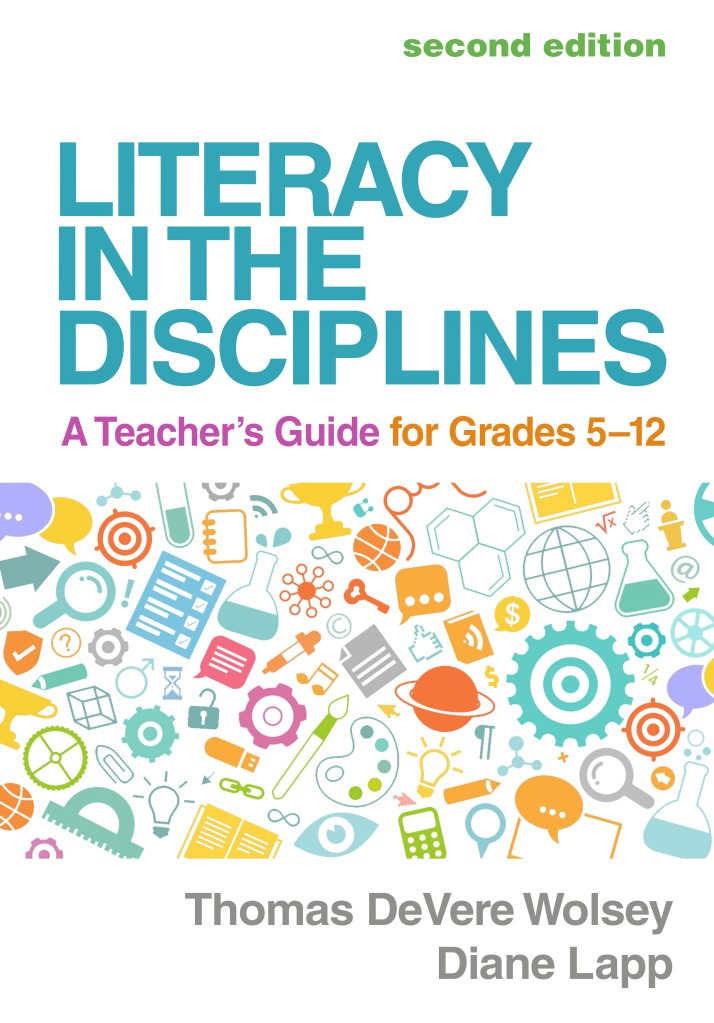












 Literacy Beat