Discipline-specific and Technical Dictionaries Online

By Thomas DeVere Wolsey 

One effective way of learning vocabulary specific to any given discipline is to use technical and discipline-specific reference sources. This list is not comprehensive, and anyone with suggestions to build this directory is encouraged to email me at info@iaieus.com or post a comment, below. Experts and practitioners use reference works that are specific to their fields all the time. What better way to help ease students into the world of your discipline than to guide them to the reference works that are specific to each field?

My criteria for inclusion in this list:

  • Resource must be fully accessible online.
  • Resource must be suitable (but perhaps challenging) for students in grades 6 through 12 and undergraduate (but not excluding those who are learning about the topic).
  • There is a reasonable probability that the resource will remain online for some time to come.
  • The resource presents accurate information that represents the field.

Art:

MOMA: http://www.moma.org/learn/moma_learning/glossary Search by artist, by theme, or alphabetically.

Business:

Inc.com Encyclopedia: http://www.inc.com/encyclopedia/ Search many entries relevant to business and entrepreneurism.

Web Copywriting Glossary: http://www.wealthywebwriter.com/web-copywriting-glossary/ Suggested by Benedict Paul (thanks!). I have included this in the business category, but it has some very good entries on writing (as you might expect) and technology, as well. (added 8/6/2015)

Literature:

Literature Dictionary: http://www.literature-dictionary.org/ Includes dictionaries of characters, dictionaries by author, and dictionaries of terms.

Mathematics:

Illustrated mathematics dictionary: http://www.mathsisfun.com/definitions/index.html. Easy navigation, intended for grades K-12.

Mathwords: http://www.mathwords.com/ Focuses on precision and readability. The site includes graphics to bolster the definitions.

Wolfram MathWorld: http://mathworld.wolfram.com/  Perhaps one of the most comprehensive resources for mathematics definitions on the web.

Encyclopedia of Mathematics: http://www.encyclopediaofmath.org/index.php/Main_Page An open-access resource with more than 8000 entries.

Music:

Naxos.com: http://www.naxos.com/education/glossary.asp Search alphabetically.

Physical Education:

Sports Definitions: http://www.sportsdefinitions.com/ Searchable by type of sport or alphabetically.

Science:

The Science Dictionary: https://www.thesciencedictionary.com/ This is actually a search tool that aggregates search results specific to science.

Enchanted Learning: http://www.enchantedlearning.com/science/dictionary/ Links to several specialty dictionaries by Enchanted Learning for students (e.g., botany, dinosaurs, land forms).

Geology Dictionary: http://geology.com/geology-dictionary.shtml Also, check out the map collections: http://geology.com/state-map/

Social Studies:

Ancient History Encyclopedia: http://www.ancient.eu/index/ Search alphabetically, by timeline, for images, or for videos.

Online Dictionary of the Social Sciences: http://bitbucket.icaap.org/ A comprehensive dictionary, designed for undergraduates, by Athabasca University.

Catholic Online: http://www.catholic.org/ So many figures and ideas are associated with the Roman Catholic church that a reference work may be very helpful. This one is supported by ads that can be annoying.

Taegan Goddard’s Political Dictionary: http://politicaldictionary.com/

Geography Dictionary & Glossary: http://www.itseducation.asia/geography/

Compilation of Architecture Dictionaries by Robert Beard: http://www.alphadictionary.com/directory/Specialty_Dictionaries/Architecture/ (Be sure to check out http://www.alphadictionary.com/specialty.html for many more specialty dictionary links. Some are better than others, but it’s quite a collection).

Technology:

NetLingo: http://www.netlingo.com/ One of the first and best (in my opinion) dictionaries for those interested in technology and internet-related terms.

~~~

Find more resources for literacy in the disciplines right here on Literacy Beat.

Literacy Beat Monday at ILA

Monday, July 20

Presenters:   Bernadette Dwyer
Title:             Supporting Literacy and Learning With the internet: Nurturing Collaborative Classroom Communities (ILA Board Session # 01342)

Literacy Beat Sunday at ILA

Sunday, July 19

Presenters:   Bridget Dalton
Title:             Guiding technology integration policy:  How do we do that and why does it matter for schools and communities # FR02  Featured research session chaired by Annemarie Palincsar

Presenters:   Blaine E. Smith
Title:             Composing Across Modes: Urban Adolescents’ Processes Responding to and Analyzing Literature # DP01 ILA Outstanding Dissertation Research Poster Session


#ILA2015

Literacy Beat Friday at ILA

Friday, July 17

Presenters:   Bernadette Dwyer, Jill Castek, Colin Harrison
Title:             Using Technology to Improve Reading and Learning in Transforming Adolescents’ Lives through Literacy. (Institute session #0865)

Presenter:    Bridget Dalton
Title:             Transforming Literacy Instruction through Online Inquiry (Institute 01 Session # 0997)

Presenters:   Thomas DeVere Wolsey, Dana L. Grisham, Linda Smetana
Title:             Academic Wordplay: Digital Strategies for Active Vocabulary Instruction In Vocabulary Collaborations: Pathways to Vocabulary Learning for All students, Grades 2-12 (Institute session #0986)
Title:   Vocabulary Self-Selection Strategy Plus (VSS+):Post-Reading Concept Development Using Digital Tools in Transforming Adolescents’ Lives through Literacy. (Institute session #0865)

Join Literacy Beat at the International Literacy Association

Literacy Beat Goes to ILA

If you are planning to attend the International Literacy Association July 18 to 20 (with Institute sessions on July 17), we would love to meet the friends of Literacy Beat in St. Louis. Please stop by one of our sessions and say hello!

Here is where you can find us:

Friday, July 17

Presenters:   Bernadette Dwyer, Jill Castek, Colin Harrison
Time:            9:00 AM–5:00 PM  (session 1:15 – 2:00pm)
Location:       America’s Center St. Louis-230
Title:             Using Technology to Improve Reading and Learning in Transforming Adolescents’ Lives through Literacy. (Institute session #0865)

Presenters:   Bridget Dalton
Time:            9:00 AM–5:00 PM
Location:       America’s Center St. Louis-263-264
Title:             Transforming Literacy Instruction through Online Inquiry (Institute 01 Session # 0997)

Presenters:   Thomas DeVere Wolsey, Dana L. Grisham, Linda Smetana
Time:            9:00 AM–5:00 PM
Location:       America’s Center St. Louis-100-102
Title:             Academic Wordplay: Digital Strategies for Active Vocabulary Instruction In Vocabulary Collaborations: Pathways to Vocabulary Learning for All students, Grades 2-12 (Institute session #0986)

Presenters:   Dana L. Grisham, Thomas DeVere Wolsey, Linda Smetana
Time:            9:00 AM–5:00 PM
Location:       America’s Center St. Louis-230
Title:   Vocabulary Self-Selection Strategy Plus (VSS+):Post-Reading Concept Development Using Digital Tools in Transforming Adolescents’ Lives through Literacy. (Institute session #0865)

Saturday, July 18

Author Signing:        Thomas DeVere Wolsey, Diane Lapp, Maria Grant.
Time:            12:15–1:15
Location:       Corwin Booth (#1138) in the Exhibit Hall

  • Mining Complex Text, Grades 6-12: Using and Creating Graphic Organizers to Grasp Content and Share New Understandings
  • Mining Complex Text, Grades 2-5: Using and Creating Graphic Organizers to Grasp Content and Share New Understandings

Author Signing and Presentation:       Bernadette Dwyer, Jill Castek, and Colin Harrison
Time:            3:00pm
Location:       Shell Education and Teacher Created Materials in the Exhibit Hall

Text:   Using Technology to Improve Reading and Learning

Sunday, July 19

Presenters:   Bridget Dalton
Time:           9:00 AM–10:00 PM
Location:       America’s Center St. Louis-123
Title:             Guiding technology integration policy:  How do we do that and why does it matter for schools and communities # FR02  Featured research session chaired by Annemarie Palincsar

Presenters:   Blaine E. Smith
Time:            11:00 AM–12:00 PM
Location:       America’s Center St. Louis-Second Floor Atrium
Title:             Composing Across Modes: Urban Adolescents’ Processes Responding to and Analyzing Literature # DP01 ILA Outstanding Dissertation Research Poster Session

Monday, July 20

Presenters:   Bernadette Dwyer
Time:            11:00 AM–12:00 PM
Location:       America’s Center St. Louis-265
Title:             Supporting Literacy and Learning With the internet: Nurturing Collaborative Classroom Communities (ILA Board Session # 01342)

Webwatch: Teach the Books You Love

Guest post by Literacy Beat friend Susan Lenski at Portland State University

Teach the Books You Love (http://ttbyl.net) is a free online database of books for grades 5 through 12 that are aligned to the CCSS. With many states and districts adopting the Common Core State Standards, it’s becoming harder to teach the books that you love, or books that are not a part of the public school canon. Many school districts only want teachers to teach with books recommended by the Common Core, and often they require in-depth analysis and alignment to teach anything else. Ttbyl.net is a collection of books that have all been aligned with the Common Core. All of the books have qualitative and quantitative text complexity measures listed, along with summaries, rationale for teaching, suggested CCSS, and even some teacher resources. Teachers can then match books to the needs of their students and come up with vibrant new ideas for their curriculum, and justify it to their administration.

TTBYL

Teach the Books You Love

Social Media Quizzes and Differentiation

by Thomas DeVere Wolsey

In previous posts, we explored how social media quizzes can assist with differentiation by interest. Social media quizzes may also be used to differentiate by ability to some extent.  This reblogged and adapted post from Teaching the Language Arts provides one example.

Social media quizzes  can help students take control of their own differentiation through interests or by ability (knowledge).

Lesson planning Jedi

Are you a lesson-planning Jedi?

Now you can have fun taking this social media quiz to gauge your lesson-planning skills. It will test your knowledge of how to create literacy-based lesson plans, as explained in Chapter 4 of Teaching the Language Arts: Forward Thinking in Today’s Classrooms.

Poetry and Technology: Good Friends

By Thomas DeVere Wolsey

At first glance, poetry and digital technology might not seem to have much in common. In this post, we learn that the two are friends from way back.  For example, Poets.org, in 2004, suggested that lines of poetry can be integrated into an email signature. It’s just one way to make poetry visible and accessible.

Kevin Hodgson wrote last week on the Middleweb blog about the digital poetry books his students created. They used Google Slides as the venue, and explored various forms of poetry. Along the way, they learned to attribute sources, design slides that are visually appealing, and use hyperlinks to put the reader in the driver’s seat.

Digital Poetry Books

Digital Poetry Books

“The end result was a win-win-win: I not only had my students engaged in the writing of poetry across various forms, but also they were able to use technology to publish a digital book of original writing, learning along the way about how the World Wide Web works, how to use elements of web design for writing, and understanding the need to attribute art to the original owners.” http://www.middleweb.com/22690/how-we-took-poetry-writing-into-digital-spaces/

Teacher Keri McAllister created three technology-based work stations to help students learn more about poetry as they listened, commented on, and created poetry. Her poetry workstations included the iPod workstation, the techy workstation with blogging, and the podcasting workstation. Click the photo below to hear Keri talk more about her use of technology to teach students about poetry on Teaching Channel.

McCallister

Keri McAllister on Teaching Channel

Brett Vogelsinger, on Teachthought.com, suggests several ideas for engaging students with poetry with technology as the vehicle.  Two that stand out to me are the use of Pinterest and PollEverywhere. Using PollEverywhere, according to Brett, permits students to explore the power of word choice, a key attribute of poetic forms.

If you want to explore the ways technology and poetry get along further, Edutopia provides several suggestions for using technology to celebrate poetry. Their list includes links to a poetry listening booth where students can listen to poems read aloud by the poets, a tool for finding poets near you, and an online poetry publisher from Scholastic.com. Do you students use iPads? Check out this list of poetry apps.

Read more on Literacy Beat about eye poems and Evernote, too here and here.

Webwatch: iGameMom, Games for Learning

By Thomas DeVere Wolsey

Happy Mother’s Day to our readers and to my terrific Literacy Beat co-bloggers!

Rose

By TDWolsey

Have you spent time searching the App Store for just the right learning game only to download an app and find it was not quite what you imagined? One of my favorite new sites is iGameMom where the contributors review learning apps for mobile devices they believe are worthy for children of different ages. Finding the right learning game is easy on iGameMom. The site is well-organized with reviews grouped by age and subject area. Because this blog focuses on literacy, this post highlights that section of iGameMom. However, there are many cool apps in other subject areas to check out.

Within the literacy category, you can locate apps for developing letter recognition and related skills, spelling, reading, and language. Recently, iGameMom reviewed Expand Vocabulary with Word Art, a game that pairs humorous artwork (as you know, Literacy Beat often features topics related to visual literacy, so this app was a great find!) with vocabulary learning in a game environment.  Apps reviewed on iGameMom can also be located by the price including those that are free. If you download an app, you may want to use the link provided on the site because it helps to support the site without any cost to you for doing so.

iGameMom

iGameMom: Games for Learning

In addition, there are several resources from the web linked on iGameMom that you may find useful. A list of free apps for iPad that iGameMom recommends are grouped by topic or skill to be developed.  The literacy-related lists include vocabulary development, handwriting (yep, handwriting—still an art in our digital age!), storytelling, grammar and more.

Infographic: Humanizing the Online Class

By Thomas DeVere Wolsey

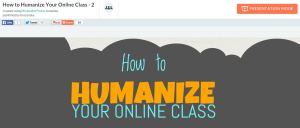
Many posts on Literacy Beat relate to visual literacies in digital environments, and this week I wanted to share with you an infographic (thanks to our LiteracyBeat friend, Peggy Semingson) that describes ways to humanize the online class or course. Email and threaded discussion communications can seem cold and dry at times. But teaching is an art of the heart and soul as much as it is about the stuff of any content.  I think you are going to like this infographic! Also, be sure to check out the presentation mode to break down the elements of the infographic. The presentation mode can be activated in the top, right of your browser.

Humanize

PiktoChart – Click to open the infographic.

Peggy Semingson added: “Infographic was created by Michelle Pacanksy-Brock at Cal State Univ., Channel Islands (Instructional Designer). Her blog/website is here: http://www.teachingwithoutwalls.com/. I actually also came across her interactive syllabus example in the Online Learning Consortium class on The Interactive Syllabus.” Read more from teachingwithoutwalls here

Read more on Literacy Beat about Infographics.